17
SKOPE TME/SKT ActiveCore
Electronic Controller
Service Manual
Parameters Follow the steps below to access the locked parameters.
Parameter
History
To see if the parameters have changed from the factory settings, check the H5 parameter. If it
is a positive value the parameters are still at factory settings. If H5 is a negative value, the
parameters have been changed and are not at factory settings.
Procedure 10: To access the locked parameters
1. Press and hold the Set (mute) button for 5 seconds until the display shows ‘PS’.
2. Press the Set (mute) button to access the password parameter, ‘0’ is displayed.
3. Use the Energy Save (up) and Light (down) buttons to display the password ‘22’ (default
password).
4. Press the Set (mute) button to confirm the password. The display shows ‘PS’.
5. Use the Energy Save (up) and Light (down) buttons to scroll the parameter codes and locate the
required parameter.
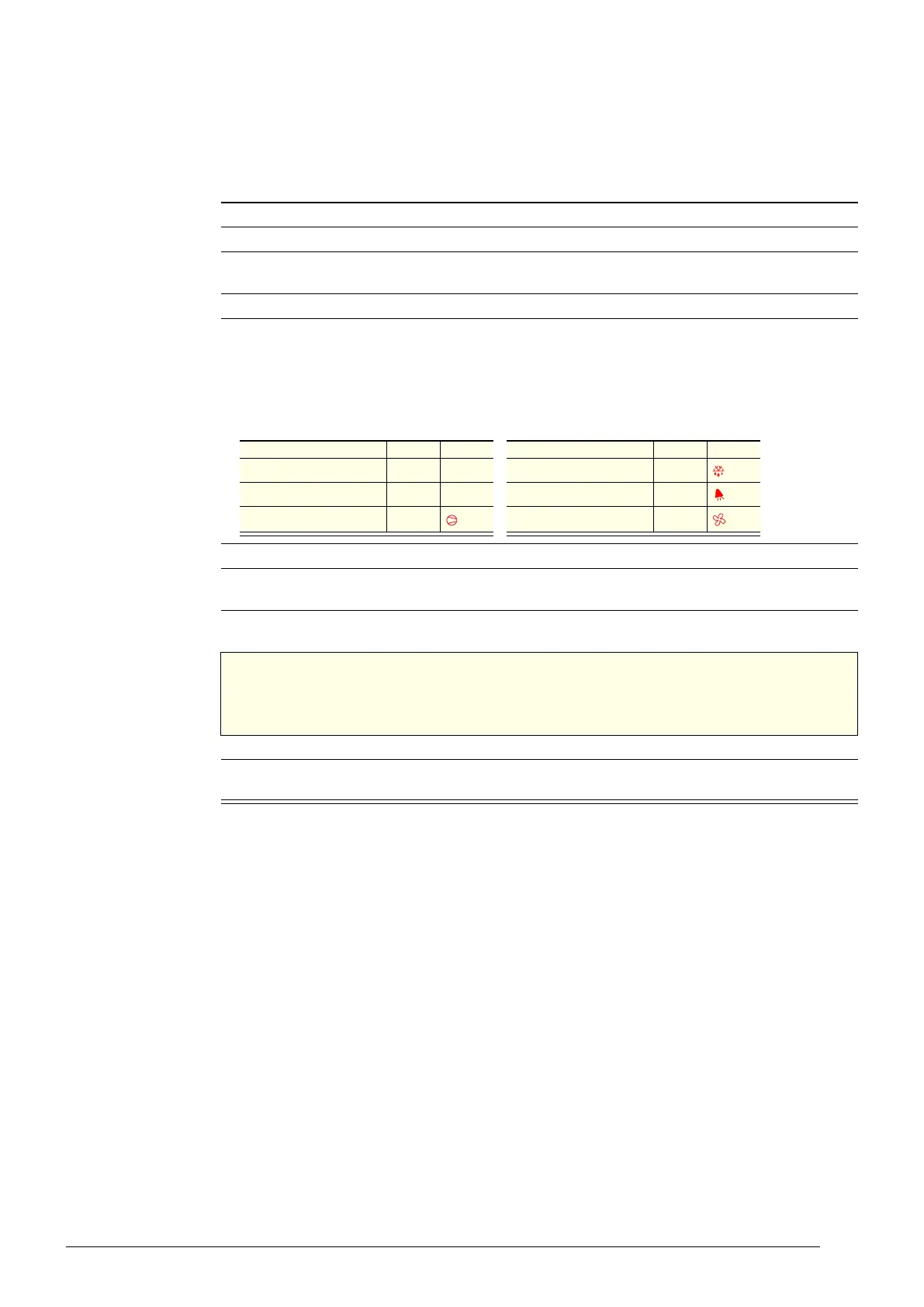
Parameter categories can be identified by the initial symbol or letter of the code, and the icon
displayed on the electronic controller faceplate:
6. Press the Set (mute) button to display the value associated with the parameter code.
7. Use the Energy Save (up) and Light (down) buttons to increase or decrease the value of the
parameter.
8. Press the Set (mute) button to temporarily save the new value. The display shows the parameter
code.
IMPORTANT
If no buttons are pressed for 60 seconds or the power is disconnected before the
temporarily saved values are permanently saved, the temporarily saved values
will be cancelled and the previous setting will be restored.
9. If necessary, repeat steps 5 to 7 to change other parameters as required.
10. Press and hold the Set (mute) button for 3 seconds to permanently save the parameters and exit
the parameter menu.
Table 6: Parameter categories
Category Initial Icon Category Initial Icon
Probe parameters / – Defrost parameters d
Control parameters r – Alarm parameters A
Compressor parameters c Fan parameters F



 To Next Page