25
SKOPE TME/SKT ActiveCore
Replacement Procedures
Service Manual
Modular light component
not working.
Plug not connected properly.
Check and clean plug connection in side
light channel, behind the loom cover.
Faulty modular lighting
component.
Replace faulty modular lighting
component.
Segment of modular
component not working.
Faulty modular lighting
component.
Replace faulty modular lighting
component.
Procedure 12: To replace an LED modular shelf light component
1. Isolate the fridge from the power supply (see page 23).
2. Gain access to the shelf light plug by undoing the side light assembly fixing screws (×3, located
behind the light assembly) and moving the assembly out of the way.
3. Unplug the shelf light
4. Unclip the shelf light from the front of the shelf.
5. Clip the replacement shelf light into place and plug it in.
6. Refit the side light assembly by clipping the lip on the inside of the plastic casing behind the front
edge of the side channel.
7. Once clipped in place, the plastic casing should line up with the front face of the cabinet opening,
providing a neat finish.
Procedure 13: To replace an LED modular side light component
1. Isolate the fridge from the power supply (see page 23).
2. Undo the light assembly fixing screws (×3, located behind the light assembly), unplug the light and
remove from the cabinet.
3. Remove the light strip from the plastic casing.
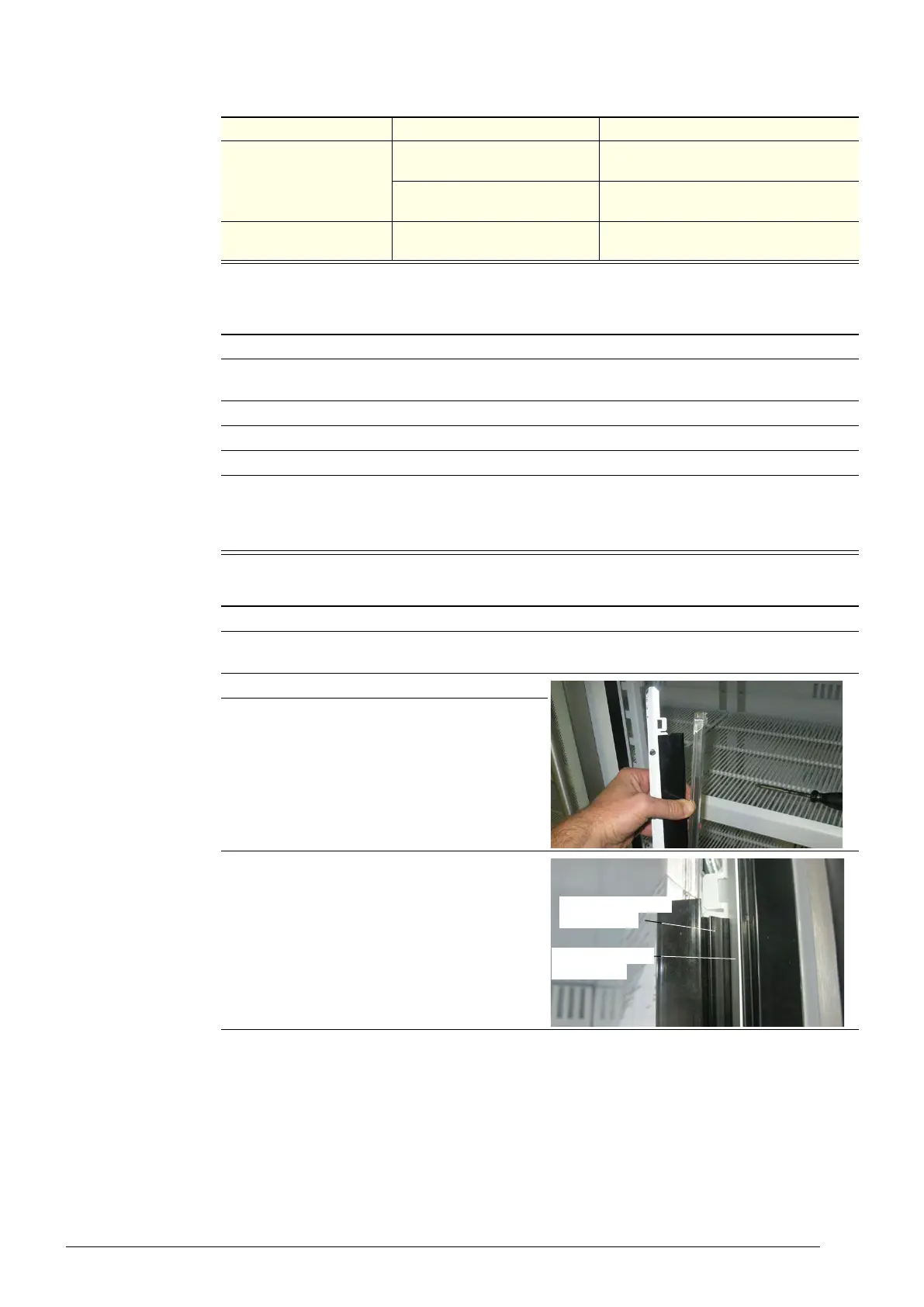
4. Fit the replacement light strip into the plastic
casing, ensuring the male end of the light is at
the top.
5. Plug the light in, and refit the light assembly by
clipping the lip on the inside of the plastic casing
behind the front edge of the side channel.
Table 8: Modular lighting fault diagnostics (continued)
Problem Possible cause Repair
Lip on inside of the
plastic casing
Front edge of the
side channel



 To Next Page