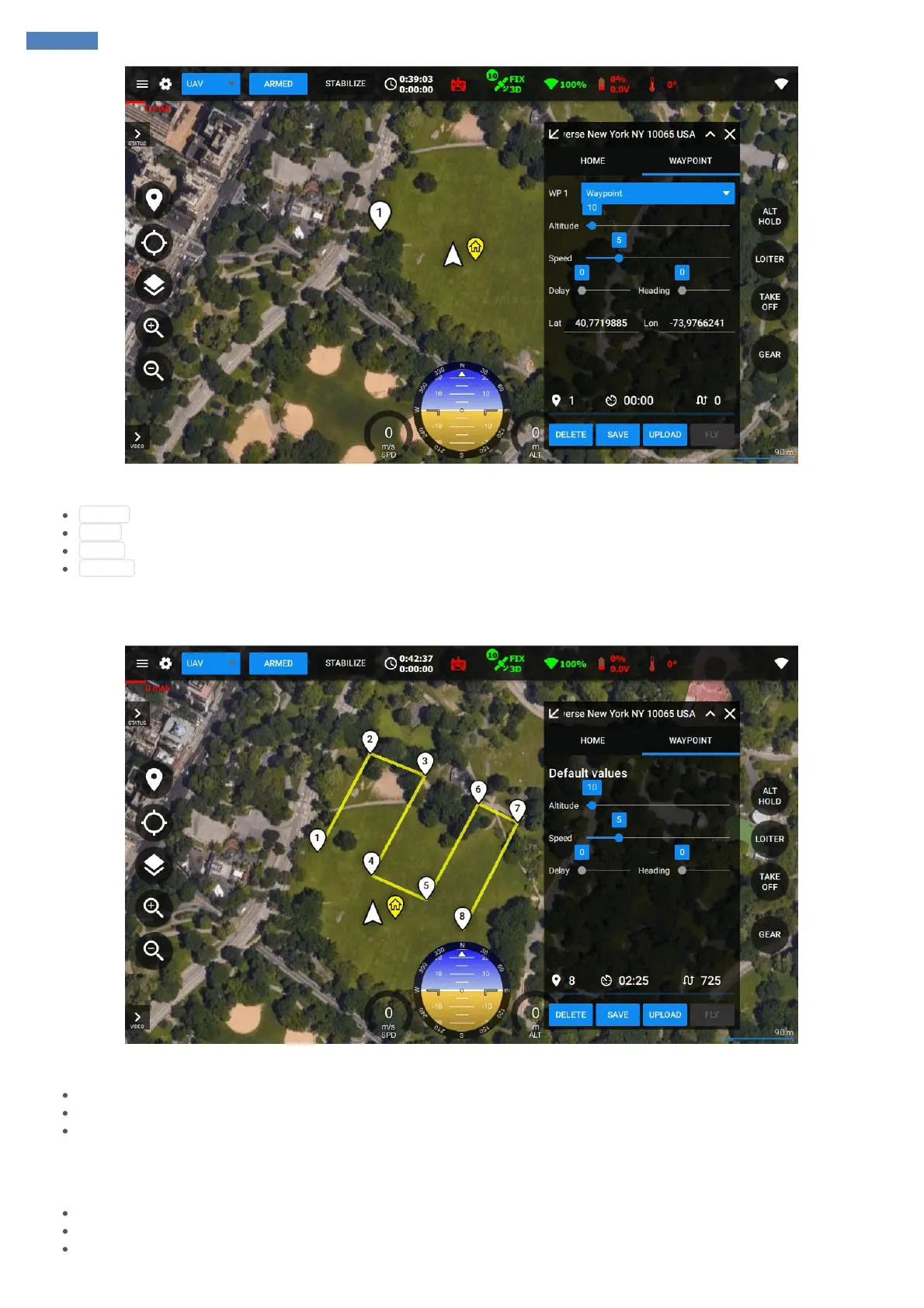
Mission menu will be automatically switched to Waypoint tab. Individual waypoint settings can be adjusted there.
Altitude : Altitude in meters above takeoff point (home altitude)
Delay : Amount of seconds to hover after reaching the waypoint
Speed : Speed of flying to the next waypoint
Heading : Heading angle in degrees to hold when flying to the next waypoint
When no waypoints selected - those settings are related to default values for new waypoints.
New waypoints can be added by double-clicking on the map:
Of course, waypoints can be:
Adjusted, by dragging them
Deleted, by double-clicking on them
Inserted in-between by double-clickin on path
Waypoint parameters can be adjusted anytime after selecting the desired waypoint to be changed.
The system supports the following waypoint types (Commands) which can be changed by clicking on Command cell for a specific waypoint:
Waypoint: regular point to fly through in air
Take off: start autonomous take off
Landing: perform landing over the point



 To Next Page