2-9
Initialization:
The first time the clinical
chemistry analyzer is turned
on, you will be prompted to
set the “Language”,
“Password” , “Date & Time”,
and “Analytes Unit” on
screen.
Initialization
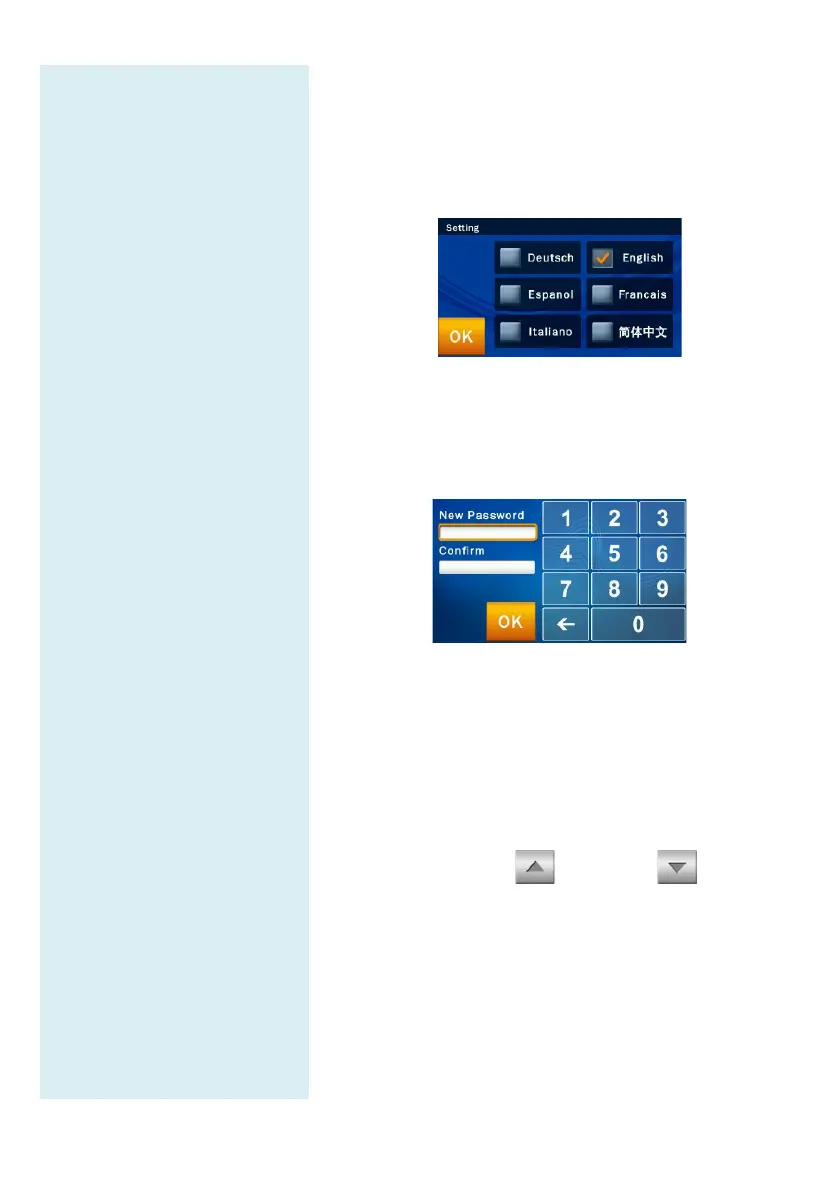
The first time the clinical chemistry analyzer is turned
on, once the warm up and system self-
test are complete,
the language menu in the operator interface will appear
on screen. The manager should tick and click “OK”.
After the language is set, the screen to set the password
will appear. Please input a numerical password and then
enter the same password again for confirmation. Then
press “OK.”
If the administrator presses “OK”
entering any numbers in both “New P
“Confirmation”
boxes, the password will no longer be
required by the system.
Once the system password setting is complete, the
& Time” setup screen will appear. Please select
edit box and use the up and down
to adjust to the correct date. Press the “OK”
the changes on the system.
After confirming the time is
correct, select the “Format”
square and choose the usual
date format. Finally, press “OK” to save information
the system.



 To Next Page