Section
I:
Getting Started
Throughout this instruction manual we use the word
"text"
when referring to typed words
entered in the built-in memory. There are over 65,000 characters of built-in memory—or
approximately
32
pag e s of double-spaced
text.
We use the word "document" when referring
to text stored to a MicroDisk. Each Smith Corona MicroDisk can store 163,000 characte rs
of
text—or approximately
81
pag e s of double-spaced text.
Setting up
Your
Personal
Word
Processor
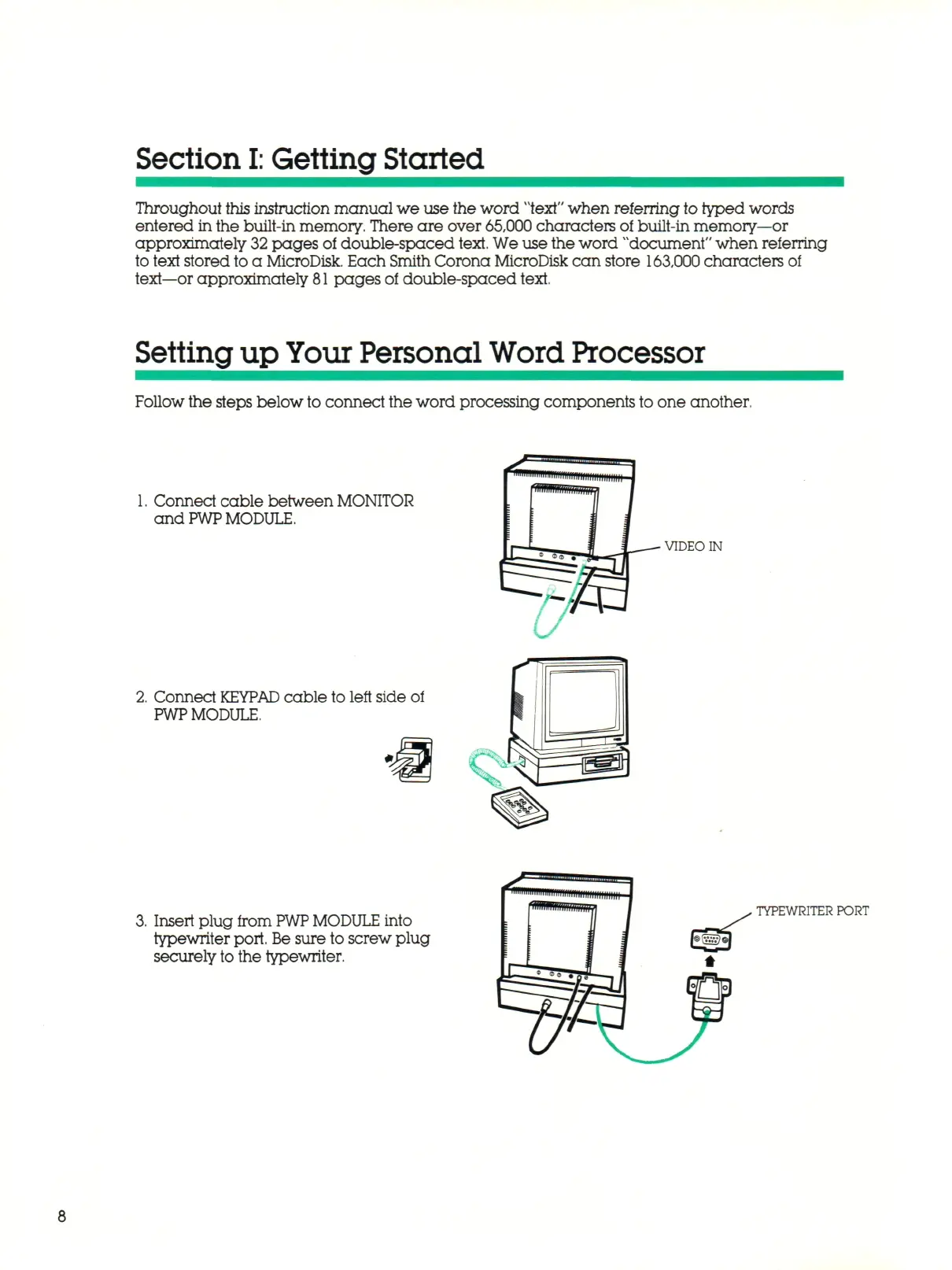
Follow the steps below
to
connect the word processing components to one another.
1.
Connect cable between MONITOR
and
PWP
MODULE.
2.
Connect
KEYPAD
cable to left side of
PWP
MODULE.
VIDEO IN
3.
Insert plug from
PWP MODULE
into
typewriter port. Be sure to screw plug
securely to the typewriter.
TYPEWRITER PORT



 To Next Page