4.
Store the Basic Letter by returning to the Main menu and selecting number 4 (Store Text to
MicroDisk). Store the Basic Letter to the same disk as you stored the Mailing List.
How
to Print
A
Basic Letter Only
You can print a Basic Letter alone for filing purposes or to easily proofread the placement and
spelling of your
ID
labels.
•
To
Print A Basic Letter:
1.
Insert the appropriate disk.
2.
Bring up the Main menu on the SCREEN by depressing the MENU
KEY
on the Keypad.
3.
Proceed to Recall and Print the Basic Letter just as you would any other
text.
When printing
a Basic Letter alone, printing will halt when each of the Stop Codes preceding each ID
label is reached. Simply depress the
RETURN KEY
to continue printing.
MERGING
How to Merge the Mailing
List
and Basic Letter
1.
Insert the MicroDisk containing the Mailing List a n d Basic Letter.
2.
Bring up the Main menu by depressing the
MENU KEY
on the Keypad.
3.
Depress the number
7 KEY
(indicating Mailing List/Merge).
If text currently exists in memory, the
SCREEN
warns you that all text will b e erased and
asks if you want to continue. The preset answer
is
YES.
Depress the
RETURN KEY
to answer
YES.
(You would depress the
SPACE BAR
to change the
answer to NO if you
first
w a n t e d to store the text in memory. After depressing the Return
Key, the Screen would return to the Main Menu.)
The Mailing List/Merge menu
is
displayed.
4.
Select number
4
(Merge Mailing
List
with Letter) by depressing the number 4
KEY
on your
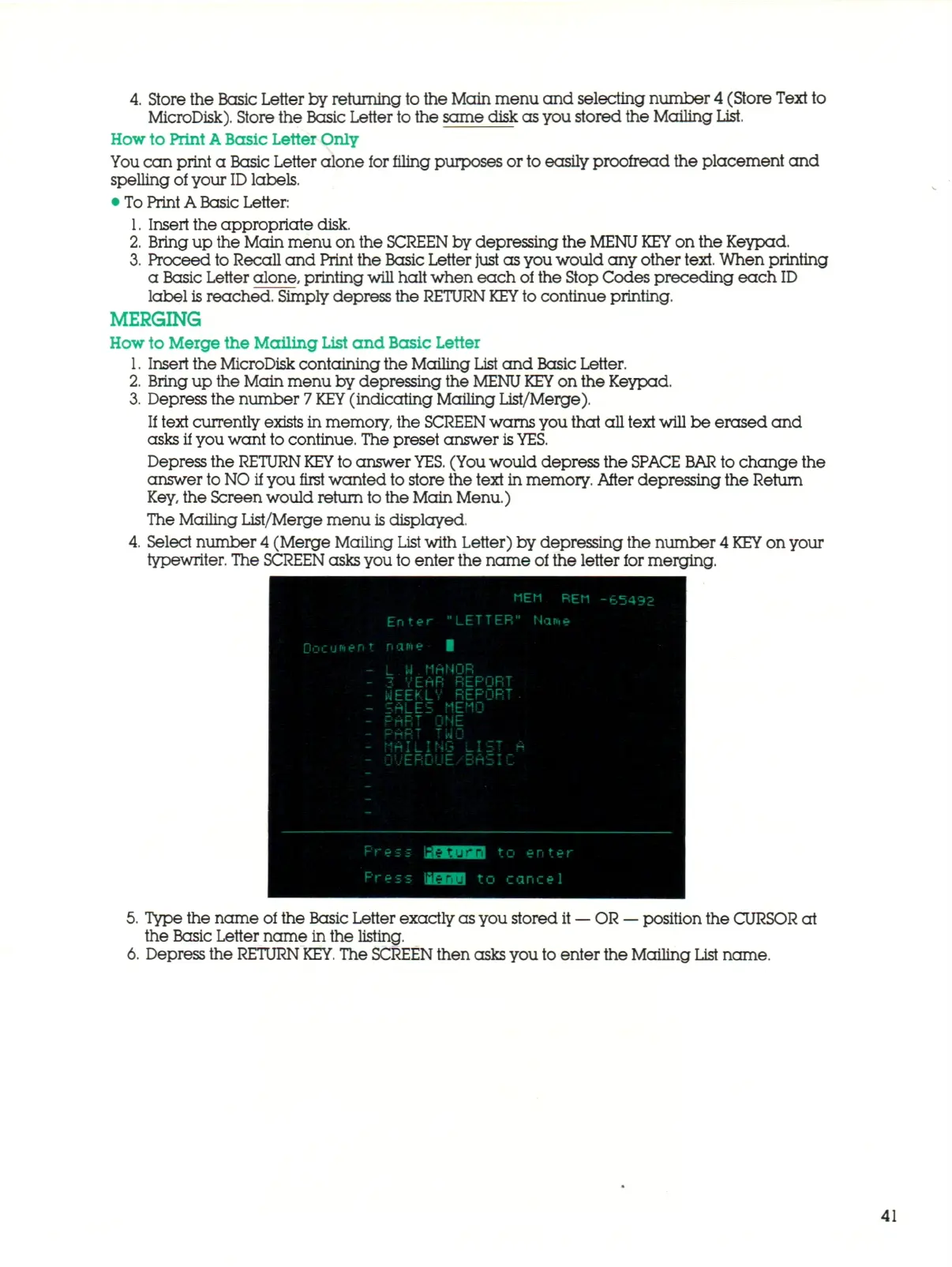
typewriter. The SCREEN asks you to enter the name of the letter for merging.
Do
MEM REM
Enter "LETTER" Nane
cur«ent
nane
1
- L W MANOR
- 3 VEAR REPORT
- WEEKLY REPORT.
- ^ALE^ MEMO
- PART ONE
- i-MH; rwo
- MAILING ^IST A
- OvERDUE/BrtSlL
Press isMIHiiJ to enter
Press IBfcMH to cancel
-65492
5.
Type the name of the Basic Letter exactly as you stored it
—
OR
—
position the CURSOR at
the Basic Letter name in the listing.
6. Depress the
RETURN
KEY.
The SCREEN then asks you to enter the Mailing List name.
41



 To Next Page