Line Counter
M6E
|.„.
1 1"
ft ^m
1 AUTO RETURN ON
••I..-.
|
|,.,,,....|,..
j a ca /-a
101.
REO -65492
Ml M
.
" M
1
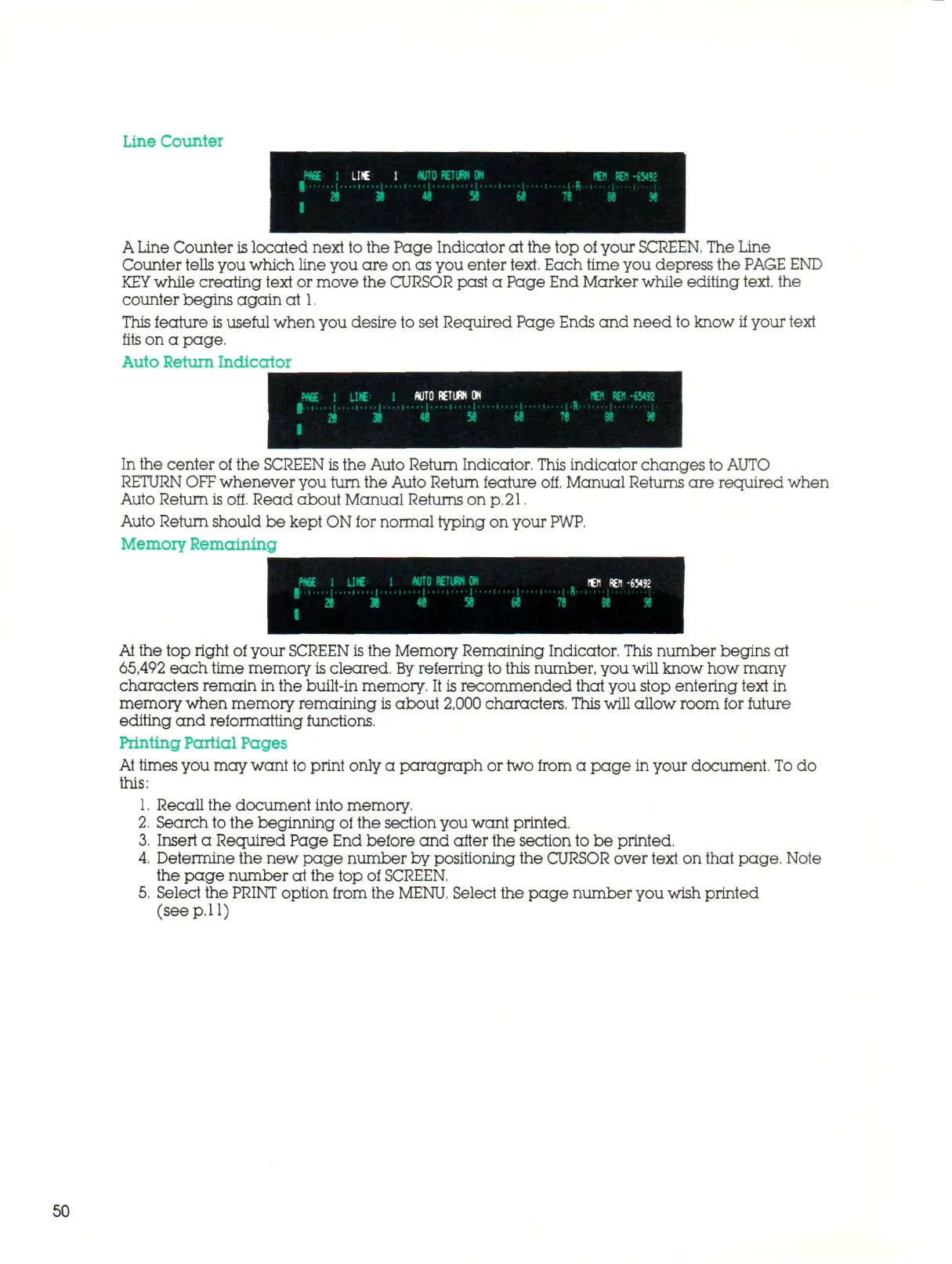
A Line Counter
is
located next to the Page Indicator at the top of your
SCREEN.
The Line
Counter
tells
you which line you are on as you enter
text.
Each time you depress the PAGE END
KEY
while creating text or move the CURSOR past a Page End Marker while editing text, the
counter begins again at 1.
This feature
is
useful when you desire to set Required Page Ends and need to know if your text
fits on a page.
Auto Return Indicator
In the center of the SCREEN
is
the Auto Return Indicator. This indicator changes to AUTO
RETURN
OFF
whenever you turn the Auto Return feature off. Manual Returns are required when
Auto Return is off. Read about Manual Returns on
p. 21.
Auto Return should be kept ON for normal typing on your
PWP.
Memory Remaining
At the top right of your SCREEN is the Memory Remaining Indicator. This number begins at
65,492 each time memory
is
cleared,
By
referring to this number, you
will
know how many
characters remain in the built-in memory. It is recommended that you stop entering text in
memory when memory remaining is about 2,000 characters.
This
will allow room for future
editing and reformatting functions.
Printing Partial Pages
At
times you may want to print only a paragraph or two from a page in your document.
To
do
this:
1.
Recall the document into memory.
2.
Search to the beginning of the section you want printed.
3.
Insert a Required Page End before and after the section to be printed.
4.
Determine the new page number by positioning the CURSOR over text on that page. Note
the page number at the top of SCREEN.
5.
Select the
PRINT
option from the
MENU.
Select the page number you wish printed
(see
p. 11)
50



 To Next Page