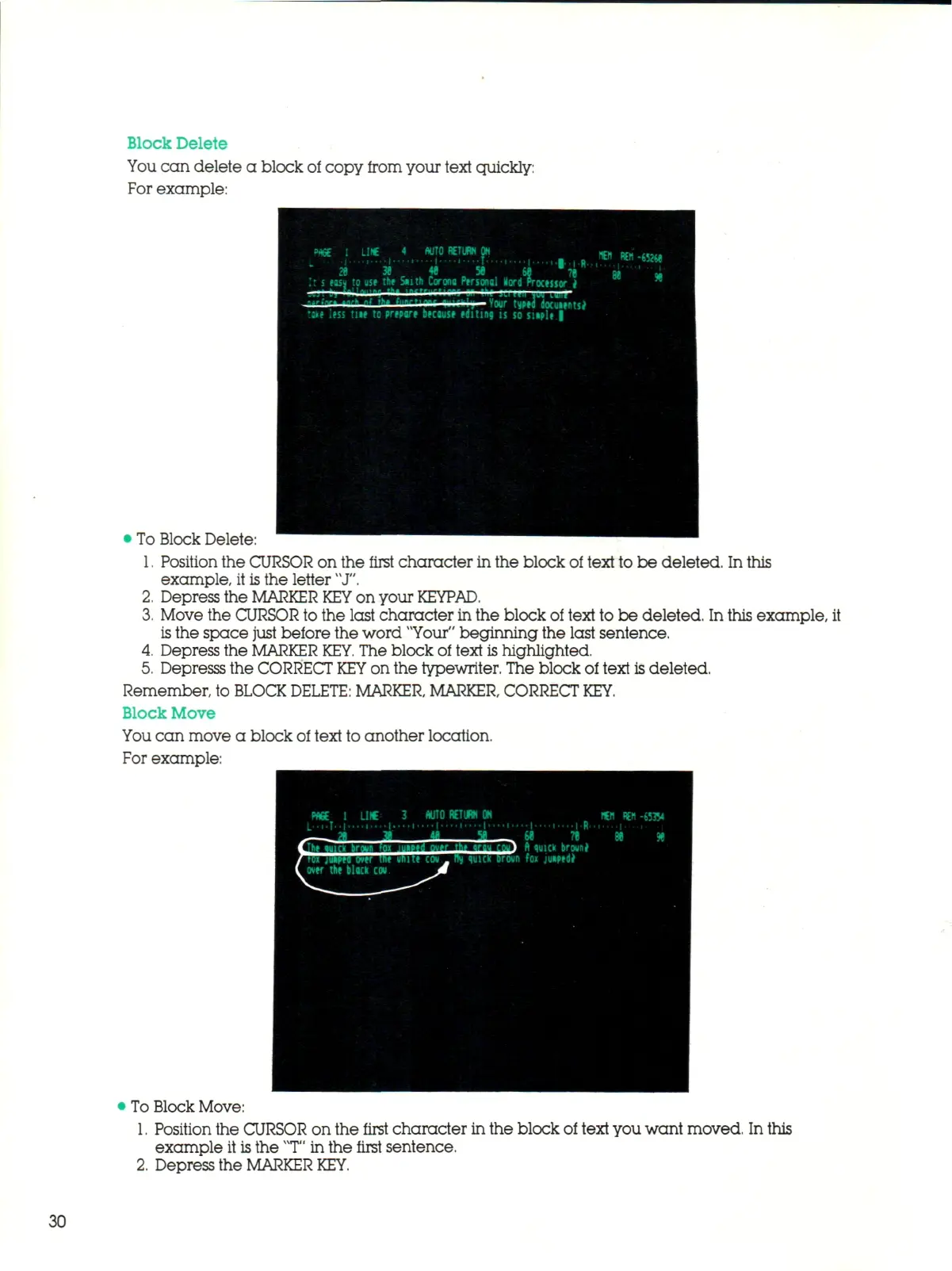
Block Delete
You c a n delete a block of copy from your text quickly:
For example:
4 AUTO RETURN ON
!t
s
easu to use the S«ith Corona Personal Kord Processor
i
Vour typed docuientse
u s <tss
tue to
prepare because editing
is
so suple
|
« » 1*1 -652M
• To Block Delete:
1.
Position the CURSOR on the first character in the block of text to be deleted. In this
example, it is the letter "J".
2.
Depress the MARKER
KEY
on your
KEYPAD.
3.
Move the CURSOR to the last character in the block of text to be deleted. In this example, it
is
the space just before the word "Your" beginning the last sentence.
4.
Depress the MARKER
KEY.
The block of text is highlighted.
5.
Depresss the CORRECT
KEY
on the typewriter. The block of text is deleted.
Remember, to BLOCK
DELETE:
MARKER, MARKER, CORRECT
KEY.
Block Move
You can move a block of text to another location.
For example:
PAS
t LI* 3
AUTO RETURN ON
r M Hi
W l
:
"';
• -T ,* M i i ' W\ iTlf
oyer
the
black
cou.
|........
_ >
ft
quick broune
roun
fox
juipedi
tflt REM -653V
To Block Move:
1.
Position the CURSOR on the first character in the block of text you want moved. In this
example it
is
the
"T"
in the first sentence.
2.
Depress the MARKER
KEY.
30



 To Next Page