For example:
Right Margin Justified Normal Print
The preset answer
is
NO.
• To Select Right Margin Justification:
1.
Position the CURSOR
at
this optioin by depressing the DOWNWARD DIRECTIONAL
KEY
• .
2.
Depress the
SPACE BAR
once to change the NO
to
YES.
NOTE:
Selecting
YES
for this option does not permanently change the way your text will print-
out.
It
will continue to
be
stored with the normal right margin line endings.
You
will
be
asked
if
you want Right Margin Justification each time you print your document.
Automatic Page Numbering
The fourth option asks if you want your printed pages to
be
automatically numbered. If
selected, numbering begins on page
two.
Numbers are printed
at
the top center of each page.
The preset answer
is
NO
•
To
Select Automatic Page Numbering:
1.
Position the CURSOR
at
this option by depressing the DOWNWARD DIRECTIONAL
KEY
• .
2.
Depress the
SPACE BAR
once to change the NO to
YES.
NOTE:
Selecting
YES
for
this
option does not permanently print page numbers on your
document. The document will continue to
be
stored without page numbers.
If
you want the
pages numbered, you must select automatic page numbering (YES) each time you print your
document.
Numbering requires two lines—one for the number and one for the separating line before text
begins. 2
j
Printing begins here.
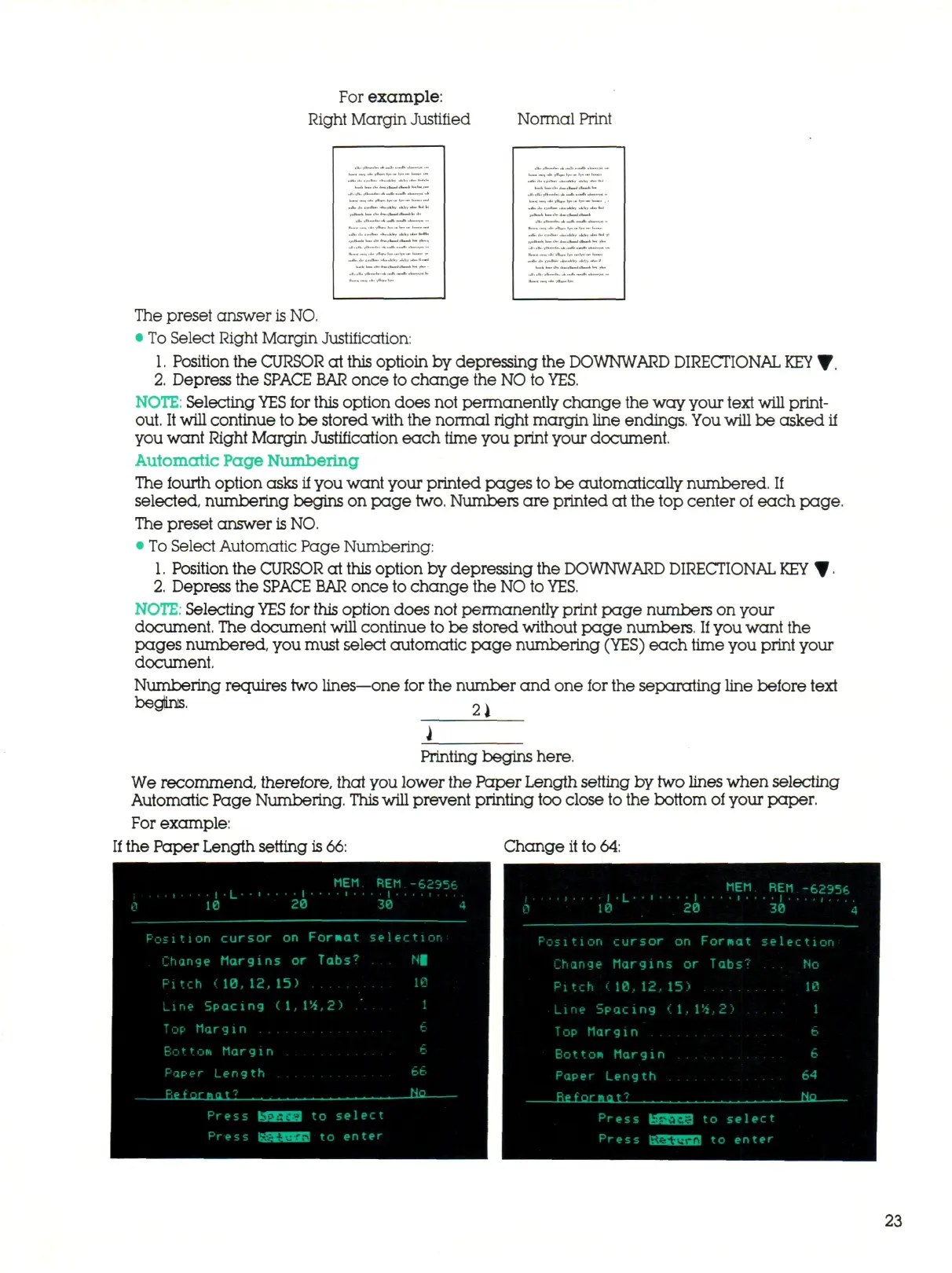
We recommend, therefore, that you lower the Paper Length setting by
two lines
when selecting
Automatic Page Numbering.
This
will prevent printing too close to the bottom of your paper.
For example:
If the Paper Length setting
is
66:
Change it to 64:
MEM
REM
-62956
Position cursor
on
Fornat
Change Margins
or
Tabs?
Pitch
<10,
12, 1 5)
Line Spacing (1,1'4,2)
Top Margi
n
Bat
to*
Marg
in
0
,
. . . .
1
.L' • i
10 20
MEM
REM
30
-62356
4
Paper Length
Reformat? ......
Press 03SfE]
to
select
Press UaiMJ
to
enter
bo
Eta
Position cursor
on
Fornat selection
Change Margins
or
Tabs?
... No
Pitch
( 10, 12, 15) 10
Line Spacing (1,1%,2) 1
Top Margin 6
Botton Margin
6
Paper Length
64
t o select
Press tUJWlHTJ.I
to
enter
23



 To Next Page