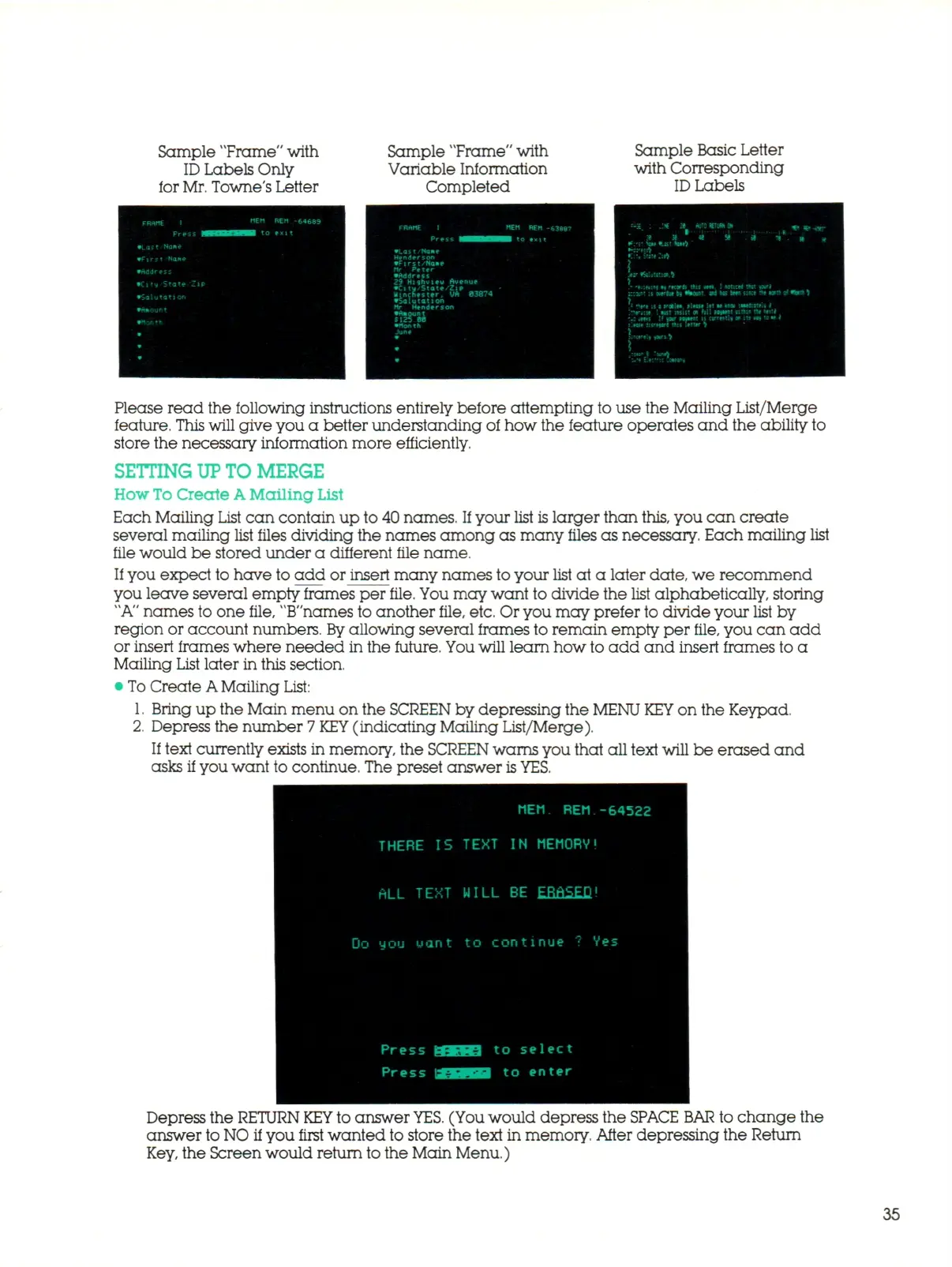
Sample "Frame" with
ID
Labels Only
for
Mr.
Towne's Letter
Sample "Frame" with
Variable Information
Completed
Sample Basic Letter
with Corresponding
ID
Labels
:->:
: M a WH HETUM»
t
. ^.^
•t 38 « 58 J i". I
•(;(.:•) ii 'Korfc rtis *n*- ! Wtitrt Ait
*-i*
H *%Mnt. •# he toff nra
rvt u i train
M*t»
itt * i»« intfcit
•*••*:» I wsr unit
OR
f il l
H*ni
ntta tt
:
.tf- tl *or
PMMI
IS o r m t l i • m •*
tut );jr*»»fl Hiu Irttw 9
HMll »0W5 >
•rl
to wt* of •tar* )
Wrtl
tow r
Please read the following instructions entirely before attempting to use the Mailing List/Merge
feature.
This
will give you
a
better understanding
of
how the feature operates
and
the ability to
store the necessary information more efficiently.
SETTING UP TO MERGE
How
To
Create
A
Mailing
List
Each Mailing List
c a n
contain
up
to 40 names.
If
your list is larger than
this,
you
can
create
several mailing list files dividing the names among
as
many files
as
necessary. Each mailing list
file would
be
stored under
a
different file name.
If you expect to have to
add or
insert many names to your list
at a
later date, we recommend
you leave several empty frames
per
file, You may want to divide the list alphabetically, storing
"A"
names to one file, "B"names to another file, etc. Or you may prefer to divide your list
by
region
or
account numbers.
By
allowing several frames to remain empty
per
file, you
can add
or insert frames where needed in the future. You will learn how to
add a nd
insert frames to
a
Mailing List later in this section.
• To Create
A
Mailing List:
1.
Bring
up
the Main menu on the SCREEN by depressing the MENU
KEY
on the Keypad.
2.
Depress the number
7 KEY
(indicating Mailing List/Merge).
If text currently exists
in
memory,
the
SCREEN
warns you that all text will
be
erased
and
asks if you want to continue. The preset answer
is
YES.
MEM
REM
-64522
THERE
IS
TEXT
IN
MEM ORV!
ALL TEXT WILL
BE
EBfl SEQ!
Do M O U u a n t
to
c o n t in u e
? V e -
Press
Press
to select
to enter
Depress the RETURN
KEY
to answer
YES.
(You would depress the
SPACE BAR
to change
the
answer to NO
if
you first wanted to store the text
in
memory. After depressing the Return
Key, the Screen would return to the Main Menu.)
35



 To Next Page