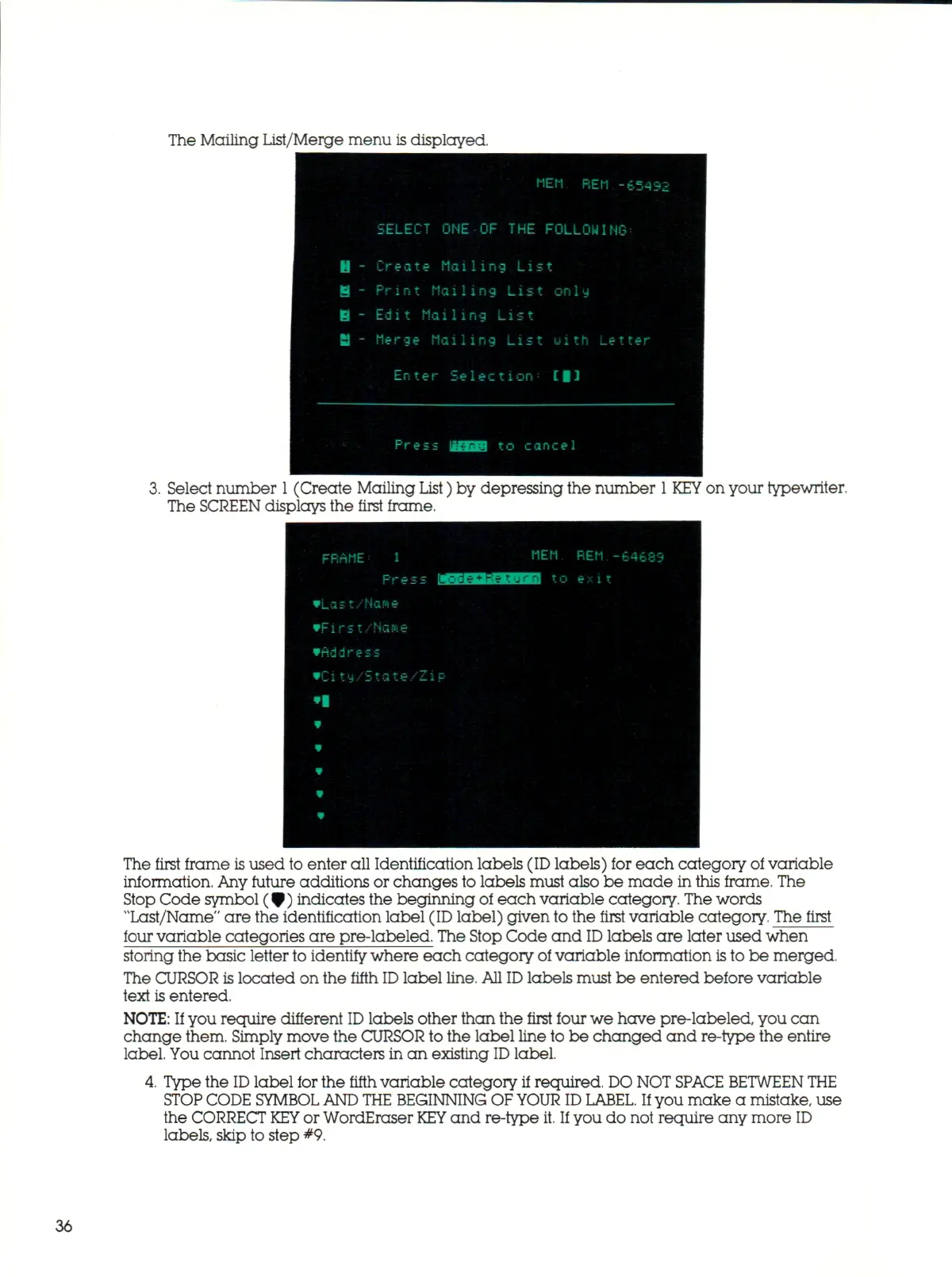
The Mailing List/Merge menu is displayed.
3.
Select number
1
(Create Mailing List) by depressing the number
1 KEY
on your typewriter.
The SCREEN displays the first frame.
The first frame
is
used to enter all Identification labels (ID labels) for each category of variable
information. Any future additions or changes to labels must also be made in this frame. The
Stop Code symbol (^ ) indicates the beginning of each variable category.
The
words
"Last/Name" are the identification label (ID label) given to the first variable category. The first
four variable categories are pre-labeled. The Stop Code and
ID
labels are later used when
storing the basic letter to identify where each category of variable information
is
to be merged.
The CURSOR is located on the fifth
ID
label
line.
All
ID
labels must be entered before variable
text is entered.
NOTE:
If you require different
ID
labels other than the first four we have pre-labeled, you can
change them. Simply move the CURSOR to the label line to be changed and re-type the entire
label. You cannot Insert characters in an existing
ID
label.
4.
Type the
ID
label for the fifth variable category if required.
DO
NOT
SPACE BETWEEN THE
STOP CODE SYMBOL AND THE
BEGINNING
OF YOUR ID
LABEL.
If you make a mistake, use
the CORRECT
KEY
or WordEraser
KEY
and re-type
it.
If
you do not require any more ID
labels,
skip to step #9.
36



 To Next Page