Inserting
A
MicroDisk
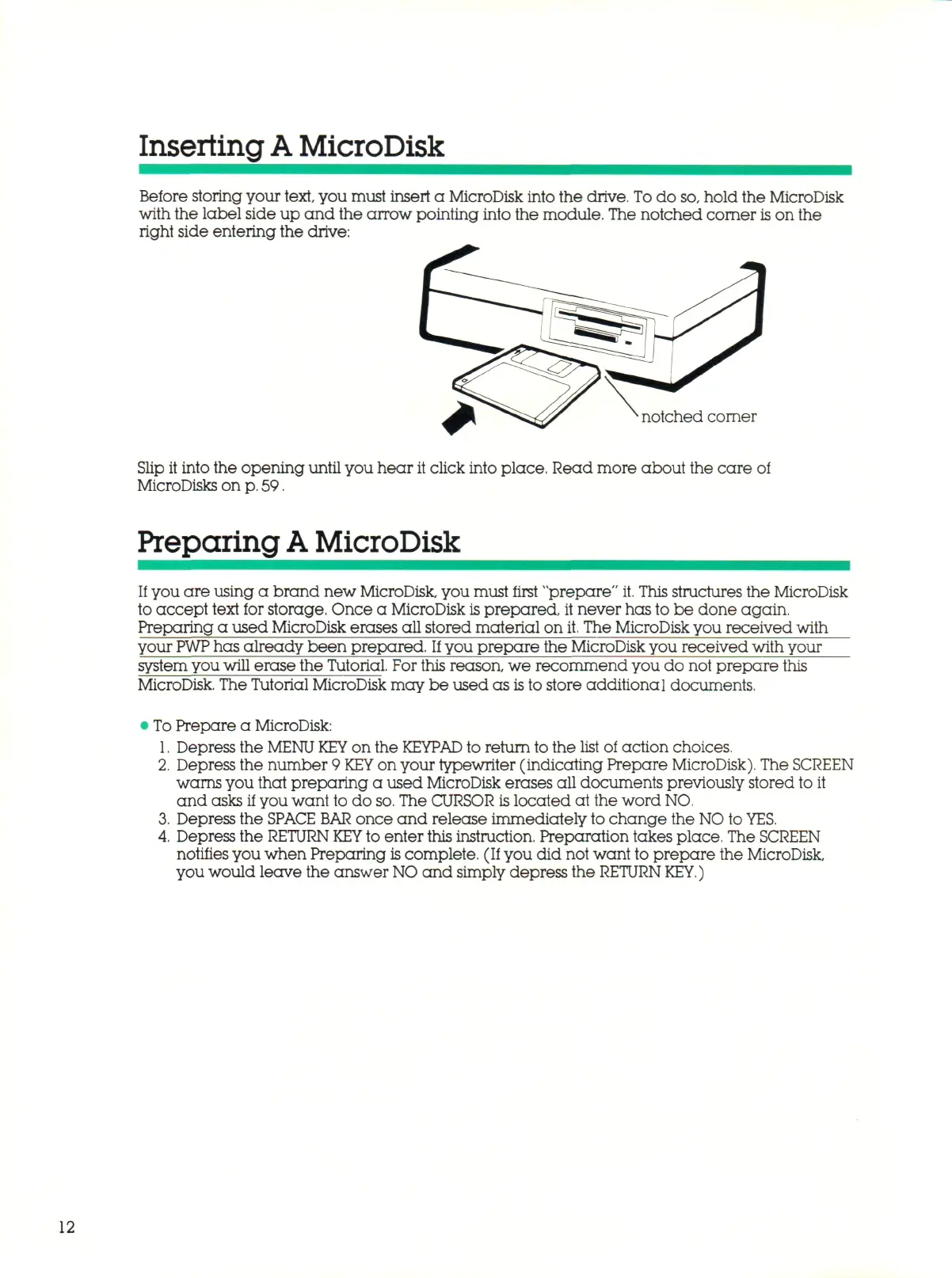
Before storing your
text,
you must insert a MicroDisk into the drive. To d o
so,
hold the MicroDisk
with the label side up and the arrow pointing into the module. The notched corner
is
on the
right side entering the drive:
notched corner
Slip it into the opening until you hear it click into place. Read more about the care of
MicroDisks on
p.
59.
Preparing
A
MicroDisk
If
you are using a brand new MicroDisk, you must first "prepare"
it.
This structures the MicroDisk
to accept text for storage, Once a MicroDisk
is
prepared, it never has to be done again.
Preparing a used MicroDisk erases all stored material on
it.
The MicroDisk you received with
your
PWP
has already been prepared.
If
you prepare the MicroDisk you received with your
system you will erase the Tutorial. For this reason, we recommend you do not prepare this
MicroDisk. The Tutorial MicroDisk may be used as
is
to store additional documents.
To Pre par e a MicroDisk:
Depress the
MENU KEY
on the
KEYPAD
to return to the list of action choices.
Depress the number 9
KEY
on your typewriter (indicating Prepare MicroDisk). The SCREEN
warns you that preparing a used MicroDisk erases all documents previously stored to it
and asks if you want to do
so.
The CURSOR is located at the word NO
Depress the
SPACE BAR
once and release immediately to change the NO to
YES.
Depress the
RETURN KEY
to enter this instruction. Preparation takes place. The SCREEN
notifies you when Preparing
is
complete. (If you did not want to prepare the MicroDisk,
you would leave the answer
NO
a n d simply depress the
RETURN KEY.)
12



 To Next Page