How to Store
Your
Text
1:
Insert a prepared MicroDisk.
2.
Depress the
MENU KEY
on the
KEYPAD
to return to the list of action choices.
3.
Depress the number 4
KEY
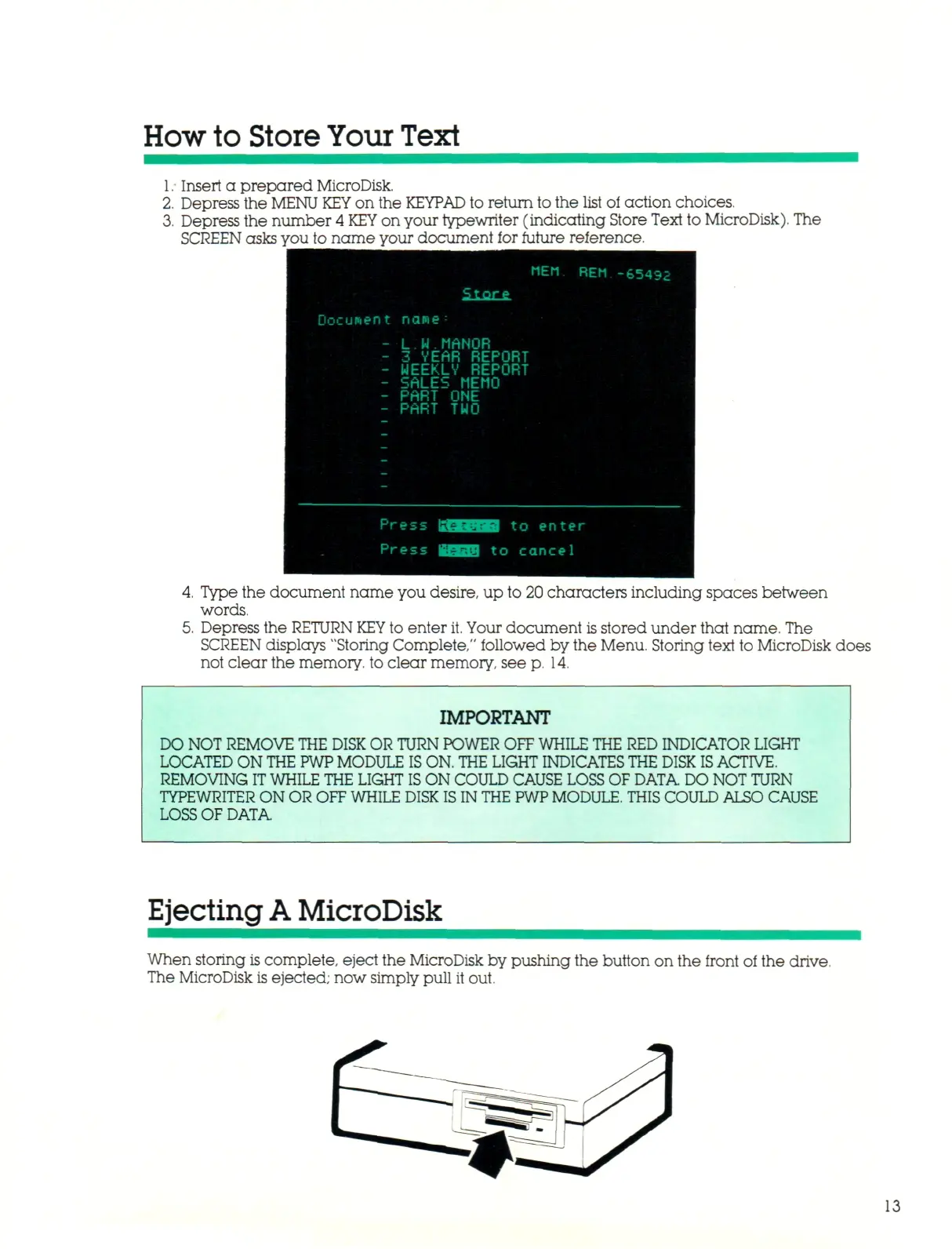
on your typewriter (indicating Store Text to MicroDisk). The
SCREEN asks
you to name your document for future reference.
"EM REM -6543;
Store
Document name
-
L.W.MANOR
- 3 VEAR REPORT
- MEEKLY REPORT
- SALES MEMO
- PART ONE
- PART TWO
Press
Press
IK
ecu:
•£3il2j
B
t o
t o enter
cancel
Type the document name you desire, up to 20 characters including spaces between
words.
Depress the RETURN
KEY
to enter
it.
Your document
is
stored under that name. The
SCREEN displays "Storing Complete," followed by the Menu. Storing text to MicroDisk does
not clear the memory, to clear memory, see p. 14.
IMPORTANT
DO
NOT REMOVE
THE DISK OR TURN
POWER
OFF WHILE THE RED
INDICATOR LIGHT
LOCATED ON
THE PWP MODULE IS
ON.
THE
LIGHT
INDICATES THE DISK IS
ACTIVE.
REMOVING
IT WHILE THE
LIGHT
IS
ON
COULD CAUSE LOSS
OF DATA
DO NOT TURN
TYPEWRITER ON OR
OFF WHILE DISK IS IN THE PWP
MODULE.
THIS COULD ALSO
CAUSE
LOSS
OF DATA.
Ejecting
A
MicroDisk
When storing is complete, eject the MicroDisk by pushing the button on the front of the drive.
The MicroDisk is ejected; now simply pull it out.
13



 To Next Page