3.
Move the CURSOR to the last character in the block to be moved. In this example, it
is
the
second space following the end of the sentence,
4.
Depress the MARKER
KEY.
The block of text is highlighted.
5.
Locate the CURSOR to the character or space to the immediate right of where you want
the copy moved. In this example, you would position it on the
"M"
at the beginning of the
third sentence.
6. Depress the MARKER
KEY
again. The block of text is moved to the new location.
Remember, to
BLOCK
MOVE:
MARKER, MARKER, MARKER.
Block Copy
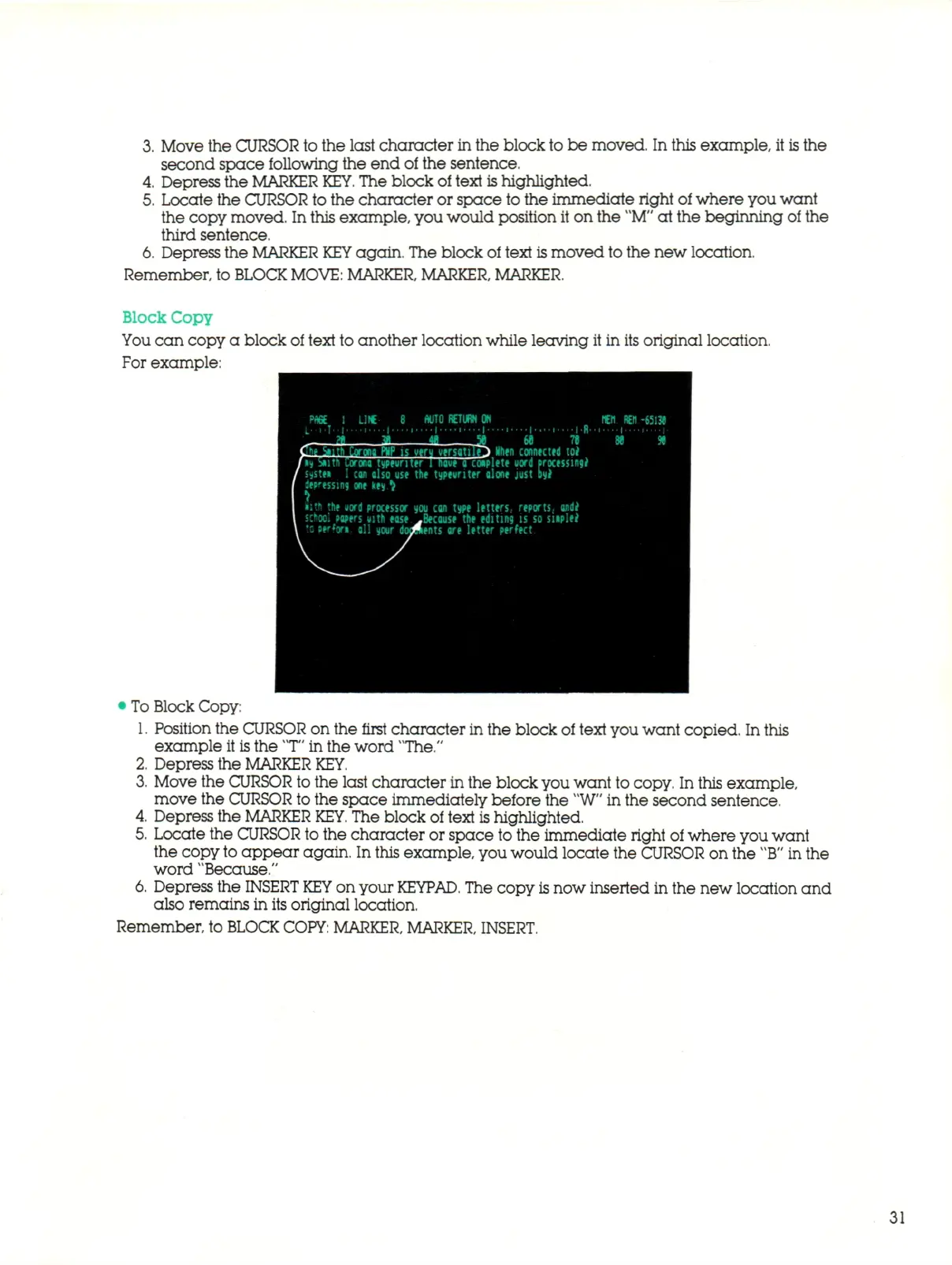
You can copy a block of text to another location while leaving it in its original location.
For example:
• To Block Copy:
1.
Position the CURSOR on the first character in the block of text you want copied. In this
example it is the T" in the word "The."
2.
Depress the MARKER
KEY.
3.
Move the CURSOR to the last character in the block you want to copy. In this example,
move the CURSOR to the space immediately before the "W" in the second sentence.
4.
Depress the MARKER
KEY.
The block of text
is
highlighted.
5.
Locate the CURSOR to the character or space to the immediate right of where you want
the copy
to
appear again. In this example, you would locate the CURSOR on the
"B"
in the
word "Because."
6. Depress the
INSERT KEY
on your
KEYPAD.
The copy
is
now inserted in the new location and
also remains in its original location.
Remember, to
BLOCK
COPY:
MARKER, MARKER, INSERT.
31



 To Next Page