Section
III:
Editing
Your Personal Word Processor has many features to help you efficiently and quickly edit text.
To edit text you have just typed:
1.
Locate the CURSOR to the beginning of the document by depressing the CURSOR
ADVANCE
KEY
followed by the
UPWARD
DIRECTIONAL
KEY
A
.
You a re ready to edit.
To edit text in memory when you are not currently in the Create, View or Edit function:
1.
Depress the
MENU
key.
2.
Depress the number
1
Key on your typewriter (indicating Create, View or Edit Text). The
SCREEN
asks if you want to (1) view, edit or a d d to text in memory, (2) erase text in
memory using current margins and tabs, or (3) erase text in memory using pre-set
margins and tabs.
3.
Since you want to retain the text in memory for editing, select option
1
by depressing the
number
1 KEY
on your typewriter. The text appears on the screen for editing.
To edit a document on a MicroDisk:
1.
Recall the document from the MicroDisk. The SCREEN returns to the Main menu when
Recall
is
completed
2.
Proceed with Steps 2 and 3 above.
Search/Search and Replace
The SEARCH
KEY
on the
KEYPAD is
used to quickly locate the CURSOR to a specific page, word
or phrase in your
text.
If
you are searching for text, you also have the option to automatically
replace the words with different
words.
The
PWP
searches from the CURSOR position forward,
therefore, be sure the CURSOR is located before the page, word or phrase you are searching
for when you depress the
SEARCH
KEY.
• To Search to a Specific Page:
1.
Depress the SEARCH
KEY
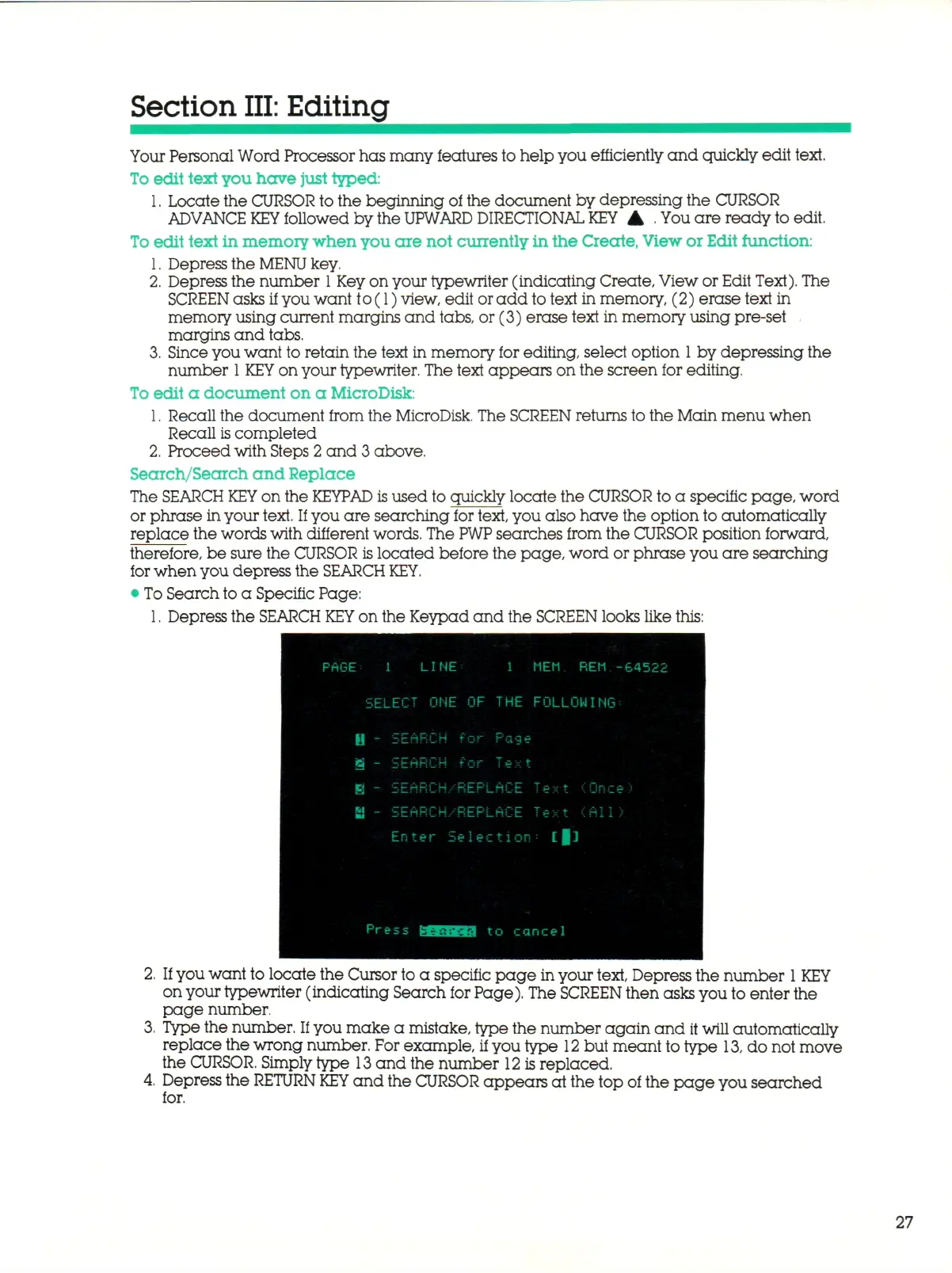
on the Keypad and the SCREEN looks like this:
1 LINE 1 MEM REM -64522
SELECT ONE OF THE FOLLOWING;
Press 3 1 I t o cancel
If
you want to locate the Cursor to a specific page in your text, Depress the number
1
KEY
on your typewriter (indicating Search for Page). The SCREEN then asks you to enter the
page number.
Type the number.
If
you make a mistake, type the number again and
it
will automatically
replace the wrong number. For example, if you type
12
but meant to type
13,
do not move
the
CURSOR.
Simply type
13
and the number
12
is replaced.
Depress the RETURN
KEY
and the CURSOR appears at the top of the page you searched
for.
27



 To Next Page