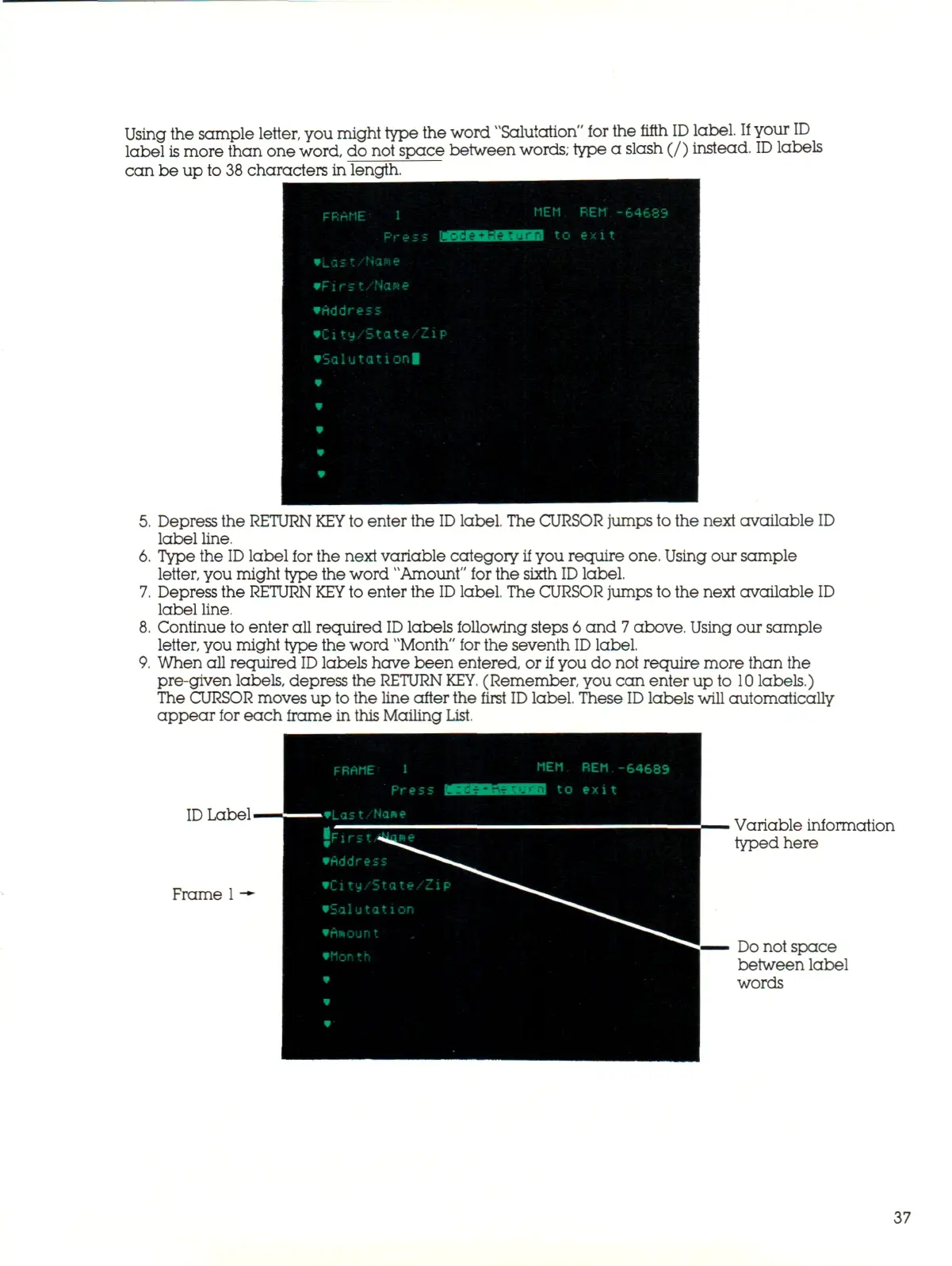
Using the sample letter, you might type the word "Salutation" for the fifth
ID
label.
If
your
ID
label is more than one word, do not space between
words;
type a slash (/) instead.
ID
labels
can be up to 38 characters in length.
FRAME 1
MEt1
Press wasmaaraiaa to
•Las
-.
'Na»e
•Fir
s.t/Heme
•Address
•City/State/Zip
•Salutationl
•
•
•
•
•
REM
exi t
-64689
1 1
5.
Depress the RETURN
KEY
to enter the
ID
label. The CURSOR jumps to the next available ID
label line.
6. Type the
ID
label for the next variable category if you require one. Using our sample
letter, you might type the word "Amount" for the sixth
ID
label.
7.
Depress the RETURN
KEY
to enter the
ID
label. The CURSOR jumps to the next available ID
label line.
8. Continue to enter all required
ID
labels following steps 6 and
7
abo ve. Using our sample
letter, you might type the word "Month" for the seventh
ID
label.
9. When all required
ID
labels have been entered, or
if
you do not require more than the
pre-given labels, depress the RETURN
KEY.
(Remember, you can enter up to
10
labels.)
The CURSOR moves up to the line after the first
ID
label. These
ID
labels will automatically
appear for each frame in this Mailing List.
FRAME
i
ID
Label-
Frame
1
-*•
MEM.
REM
-64683
^ to
exit
Variable information
typed here
•Address
City/State,
Z i
•Salutation
Do not space
between label
words
37



 To Next Page