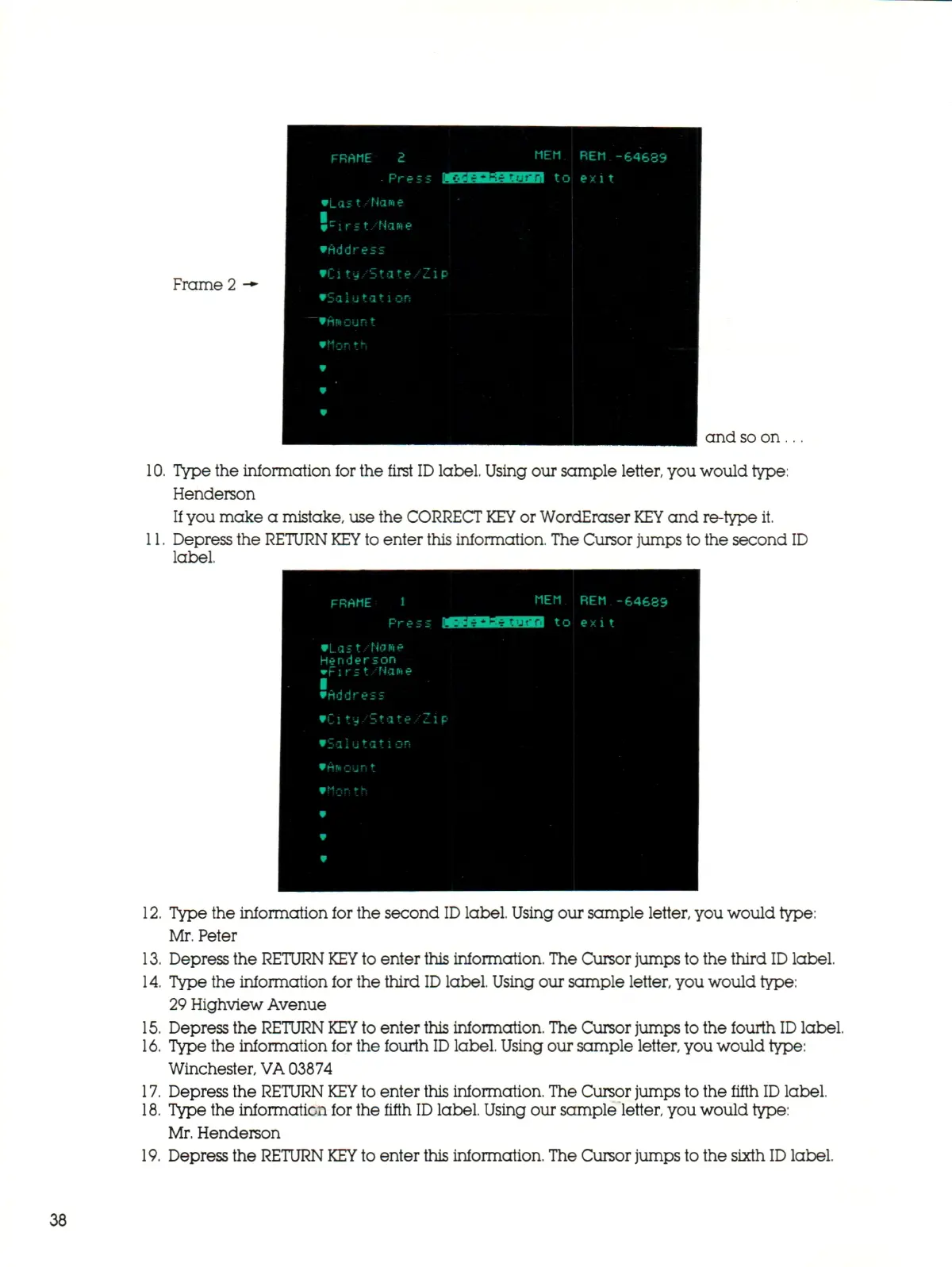
Frame 2 -*•
FRAME 2
Press
•Last/Na*e
f
c
irit. Name
•Address
•Citu,State,"Z
•Sal utat
1
on
—
•ft*cunt
•
I'^'l'^^JiT'Brf
i p
MEM
5JC1 to
REM -64689
exit
and so on ...
10.
Type the information for the first ID label. Using our sample letter, you would type:
Henderson
If you make a mistake, use the CORRECT
KEY
or WordEraser
KEY
and re-type it.
11.
Depress the RETURN
KEY
to enter this information. The Cursor jumps to the second ID
label.
FRAME 1
Press MEB
•Last/None
Henderson
wr it's t Name
•
•Address
•City,'State, Zip
•Salutation
•Anount
V
r.4 _ _ ,.
K
•
MEM
tiBRHIi] to
REM -64689
ex i t
12.
Type the information for the second
ID
label. Using our sample letter, you would type:
Mr. Peter
13.
Depress the RETURN
KEY
to enter this information. The Cursor jumps to the third
ID
label.
14.
Type the information for the third
ID
label. Using our sample letter, you would type:
29 Highview Avenue
15.
Depress the RETURN
KEY
to enter this information. The Cursor jumps to the fourth
ID
label.
16.
Type the information for the fourth
ID
label. Using our sample letter, you would type:
Winchester,
VA
03874
17.
Depress the RETURN
KEY
to enter this information. The Cursor jumps to the fifth
ID
label.
18.
Type the information for the fifth
ID
label. Using our sample letter, you would type:
Mr. Henderson
19.
Depress the RETURN
KEY
to enter this information. The Cursor jumps to the sixth
ID
label.
38



 To Next Page