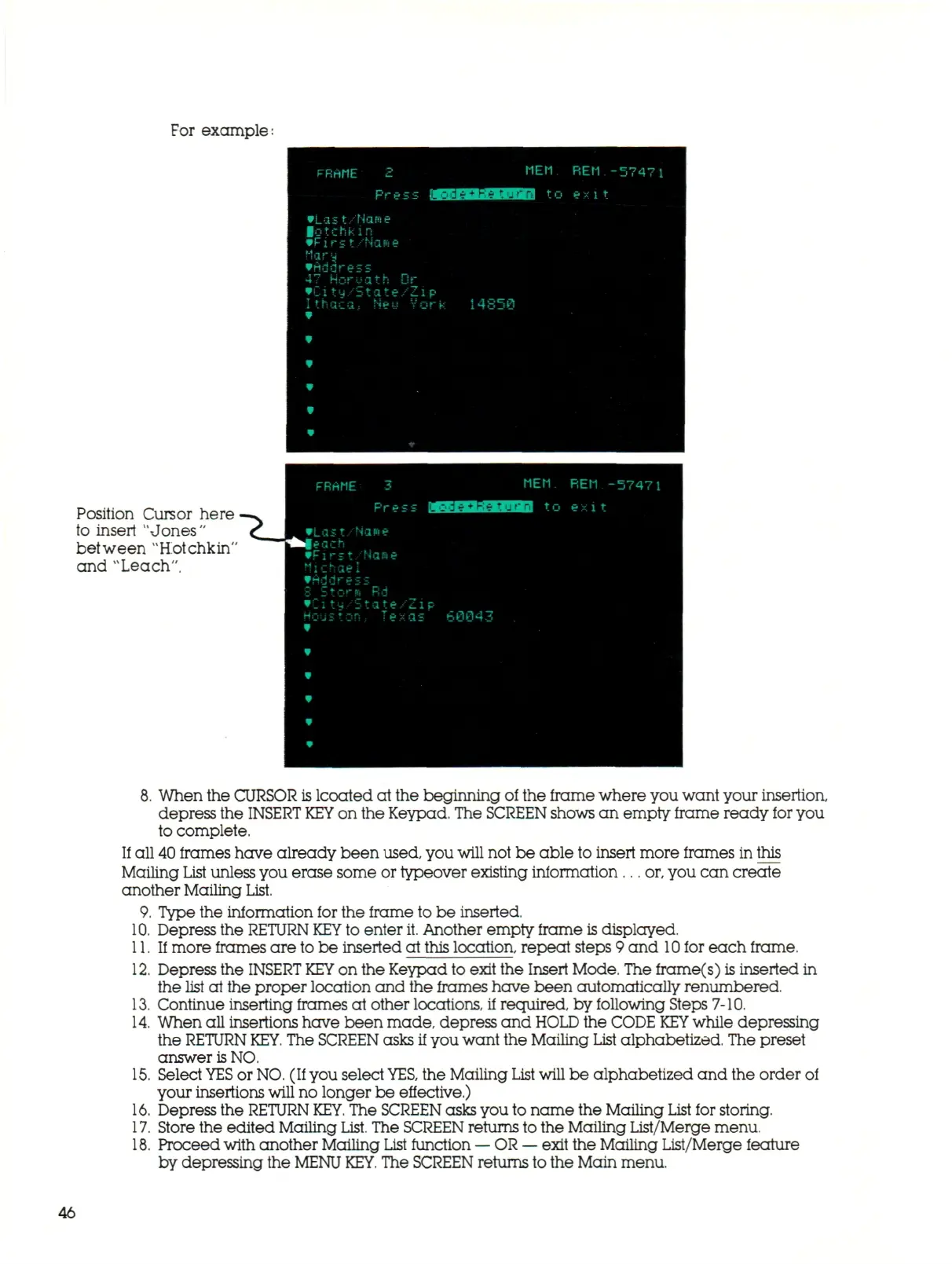
For example:
FRAME 2
Pre:
•Last/Name
lotchkm
• Fi
r;t/HQMe
flary
•Address
•!_- i -.
-i
_•
:
.
=,*
:
. V .-
Ithaca,
Neu
•
•
*
w
*
MEM
: f^^fOgUJII^J t c
ZIP
Vork 14850
REM -57471
exit
Position Cursor here
to insert "Jones"
between "Hotchkin'
and "Leach".
8. When the CURSOR
is
lcoated at the beginning of the frame where you want your insertion,
depress the
INSERT KEY
on the Keypad. The
SCREEN
shows an empty frame ready for you
to complete.
If all 40 frames have already been used, you
will
not be able to insert more frames in this
Mailing List unless you erase some or typeover existing information...
or,
you can create
another Mailing List.
9. Type the information for the frame to be inserted.
10.
Depress the
RETURN KEY
to enter
it.
Another empty frame is displayed.
11.
If more frames are to be inserted at this location, repeat steps 9 an d
10
for each frame.
12.
Depress the
INSERT KEY
on the Keypad to exit the Insert Mode. The frame(s) is inserted in
the list at the proper location and the frames have been automatically renumbered.
13.
Continue inserting frames at other locations, if required, by following Steps 7-10.
14.
When all insertions have been made, depress and
HOLD
the CODE
KEY
while depressing
the
RETURN
KEY.
The
SCREEN
asks if you want the Mailing List alphabetized. The preset
answer
is
NO.
15.
Select
YES
or
NO.
(If you select
YES,
the Mailing
List
will be alphabetized and the order
of
your insertions will no longer be effective.)
16.
Depress the
RETURN
KEY.
The
SCREEN
asks you to name the Mailing List for storing.
17.
Store the edited Mailing
List.
The SCREEN returns to the Mailing List/Merge menu.
18.
Proceed with another Mailing
List
function
—
OR
—
exit the Mailing List/Merge feature
by depressing the
MENU
KEY.
The SCREEN returns to the Main menu.
46



 To Next Page