- 107 -
Note:
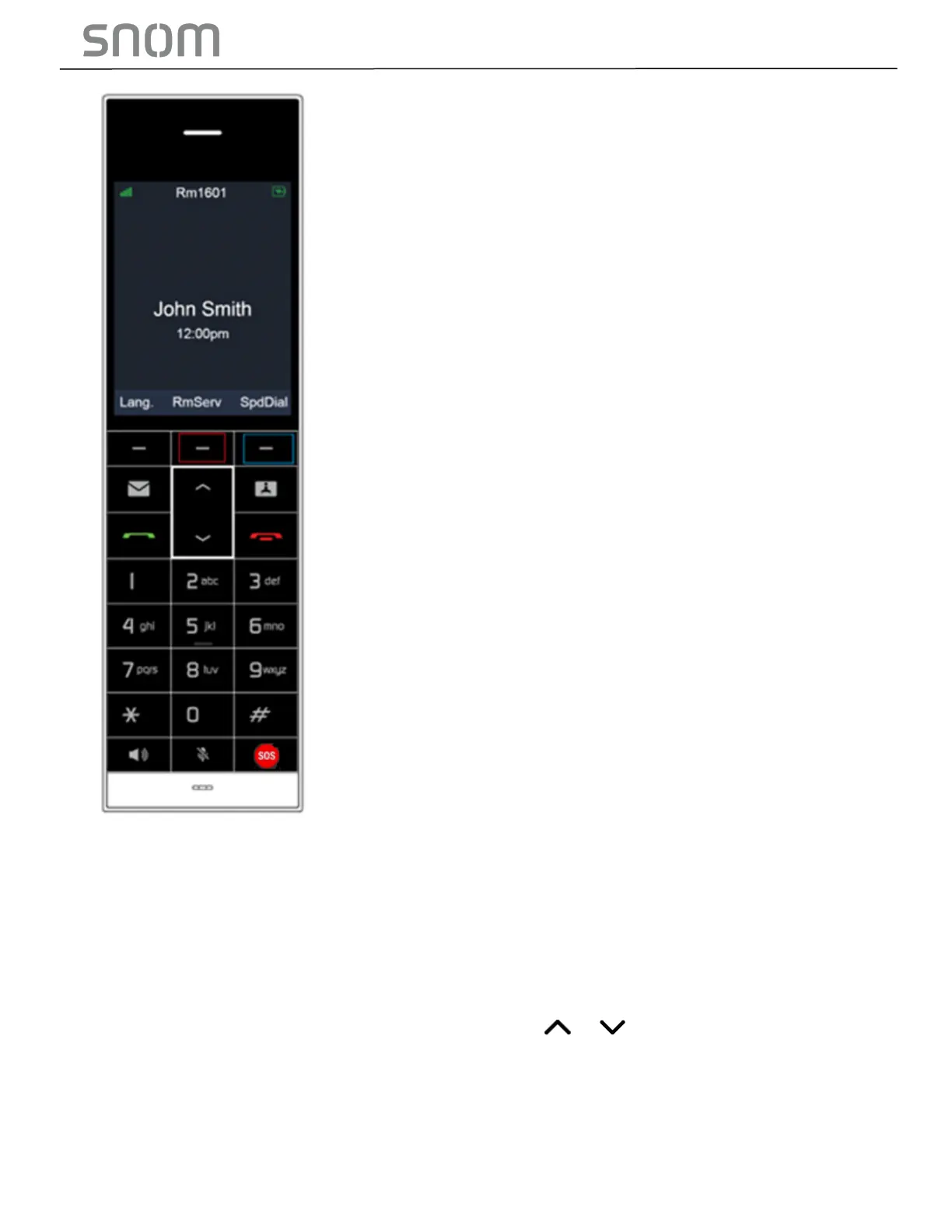
1. The fourth row of the Speed Dial Settings is for setting the middle soft key of HD1, both of
which are highlighted by red box above.
* Soft keys perform the action indicated by the on-screen labels.
* When user presses the middle soft key highlighted by red box, the telephone number input
in value column of the fourth row in the Speed Dial Settings will be dialed.
2. When user presses SpdDial, the right soft key highlighted by blue box, the speed dial icon
list will appear on the handset color screen. Press or to select a speed dial entry.
Press OK, then its corresponding speed dial number will be dialed.



 To Next Page