21
v1.01
M215SC User Manual Getting to know
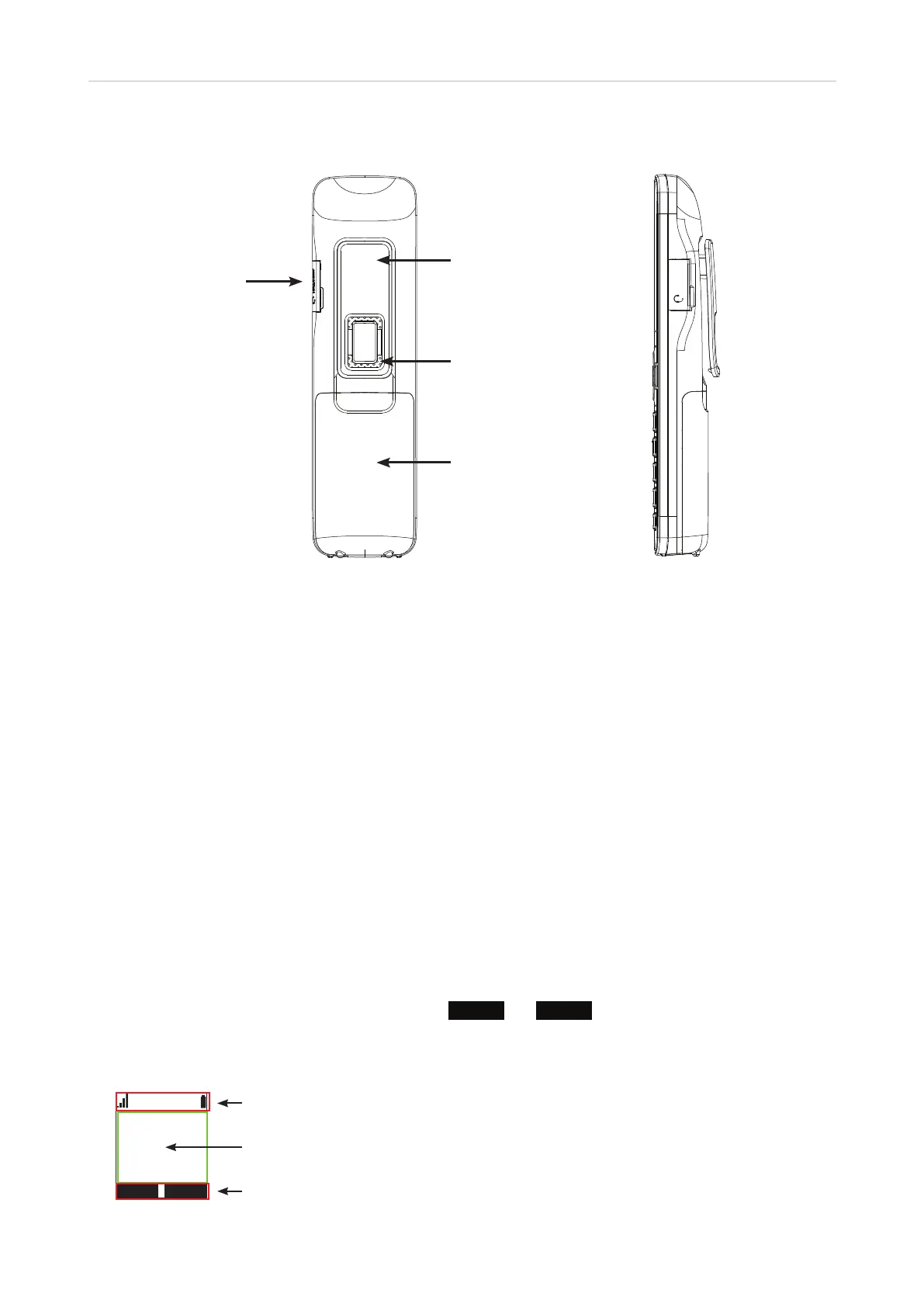
Handset rear and right side
HEADSET
• Headset connector. On the side of the handset is a 2.5 mm audio jack for connecting a wired, IP-capable
headset.
• Rear loudspeaker. The rear loudspeaker is located underneath the integrated belt clip.
• Battery compartment. For information on how to open and close the compartment and on how to replace
the battery, see the instructions on page 16.
LED indicators and keypad illumination
• Message Waiting Indicator (MWI). When there are new messages on the mailbox, the LED is lit, and the
phone displays the "New Messages" notification. See "Listening to messages" on page 36 on how to listen
to them.
• Keypad illumination. The number keys and the star and pound (hash) keys are illuminated for
approximately 10 seconds every time any hard key on the handset is pressed.
• Speakerphone LED. The red LED on the speakerphone lights up when and for as long as speakerphone is
turned on. Pressing the key a second time will turn o both speakerphone mode and the LED on the key.
Display screen
Icons in the info line at the top of the display screen indicate the current status of the handset. The two black
areas in the bottom line of the display screen, labeled
LINE
and
MENU
, respectively, on the idle screen,
indicate which functions or actions the context-sensitive function keys underneath the display will be able to
access or execute. All other information (e.g., menus, messages, etc.) is shown in the text area; on the idle
screen, the time and date are displayed in this area immediately above the function key line.
PM 01/01
HANDSET 1
Headset connector
Integrated belt clip
Loudspeaker
Battery
compartment
Info line
Text area
Function key line



 To Next Page