23
v1.01
M215SC User Manual Getting to know
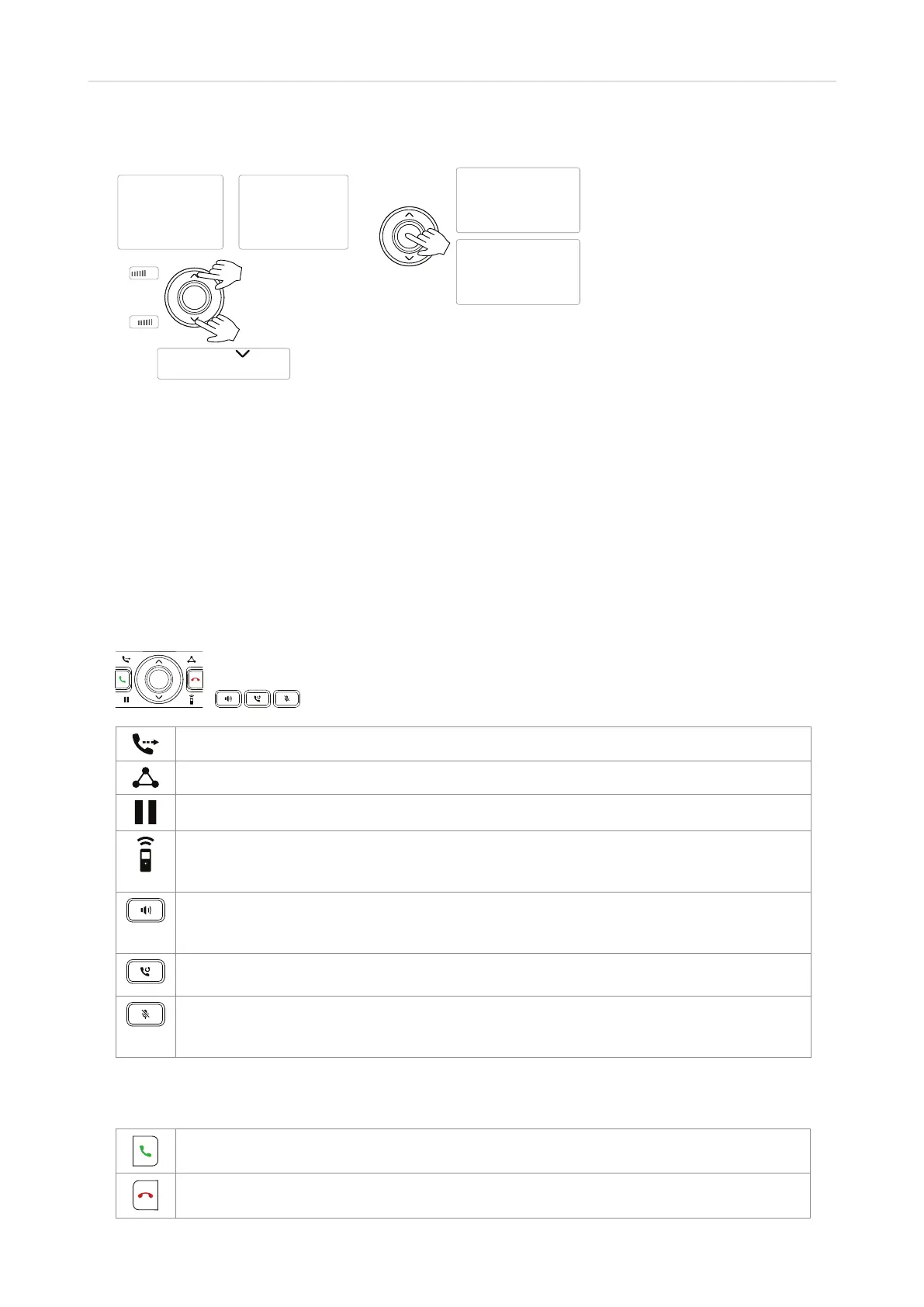
Navigation keys
Settings menu
Menü Einstellungen
Menu Paramètres
Menu Impostazioni
Menú Ajustes
OK/select
Bestätigen/auswählen
Confi rmer/sélectionner
Confermare/selezionare
Confi rmar/seleccionar
In call/Im Gespräch/
En appel/In chiamata/
En llamada:
Volume/Lautstärke/
Volumen
On idle/In Ruhe:
Call history/Gesprächslisten
In/au/en menu/Menü/
menú & list/Liste/lista:
Scroll/Scrollen/Faire
défi ler/Scorrere/
Desplazarse
+
-
• Up and down arrows on the outer ring of the navigation key.
◦ In a call: Adjusting the volume.
◦ In menus and lists: Press the top and bottom arrow to navigate up and down, respectively, in menus
and lists.
• Down arrow on idle screen: Press to open call history.
• Center button.
◦ On idle screen: Press to open the main menu.
◦ In menus and lists: Press to select highlighted item, i.e., open a submenu etc.
Dedicated function keys
Transfer an active call. See "Transferring calls" on page 34.
Start and end a three-way conference on the phone. See "Conference" on page 33.
Put the active call on hold, and unhold a held call. See "Hold" on page 31
Intercom. Press the key to call one of the other extensions registered at the base station.
Intercom calls are not handled by the PBX but by the base station only. See "Making an
intercom call" on page 30.
Press the key top turn on speakerphone; the red LED of the key lights up and remains on
for as long as speakerphone is turned on. Pressing the key a second time will turn o both
speakerphone mode and the LED on the key.
Redial previously dialed calls. The last-dialed call is presented first: press the up and down
arrows on the navigation key to select another call.
Muting and unmuting the microphone during an active call. The muted microphone is
indicated by the symbol to the right of the signal strength indicator in the upper left corner of
the display.
Call keys
Press to dial number entered on keypad or selected from directories and call lists.
Press to end calls and, in some contexts, exit or end actions.



 To Next Page