33
v1.01
M215SC User Manual Using the phone
Conference
The maximum number of participants is three (your phone and two others) for phone-based conferences.
Note: For information and instructions on server-based conferences hosted by your service
provider or by your network, if provided, please ask your service provider and/or your IT
administrator.
1. When in an active call, press
. The active call is automatically put on hold, and the Conference screen
appears.
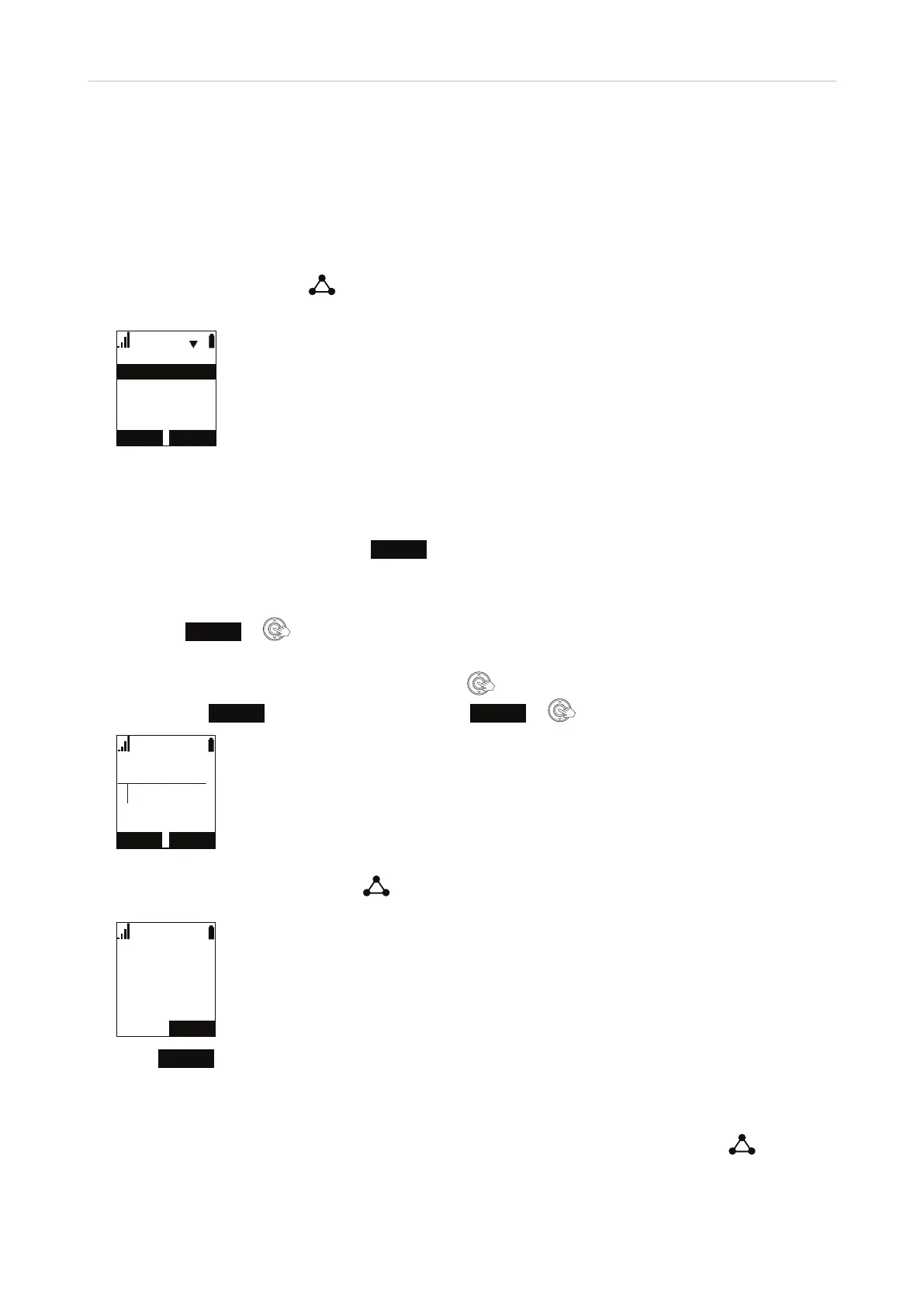
&RQIHUHQFHZLWK
$KDQGVHWSDUW\
$QHZSDUW\
◦ Select A handset party if you want to transfer the call to another handset registered at the same base
station.
◦ Select A new party if you want to transfer the call to any other number.
2. With your selection highlighted, press
SELECT
.
3. Dialing the third party:
◦ If you selected A handset party, you will see the Intercom screen. Select a handset from the list and
press
SELECT
or to dial.
◦ If you selected A new party, you will see the message "Conference with" on the display. Enter the
number you want to transfer the call to or press
to select a number from the directory or a call list.
The label
DIAL
appears on the screen. Press
DIAL
or to dial.
%/,1'
/LQH
7UDQVIHUWR
&$1&(/ 6(/(&7
&RQIHUHQFHZLWK
',$/
(1'
4. With the new party on the line, press
to start the conference with the call on hold.
/LQH
&RQIHUHQFH
5. Press
END
to end the conference call and the connections to both parties.
Starting a conference with a held call
1. If you have an active call and a call on hold and want to start a conference with them, press
. The
"Conference with" screen with the held call(s) appears.
7



 To Next Page