18
v1.01
M215SC User Manual Getting to know
Getting to know
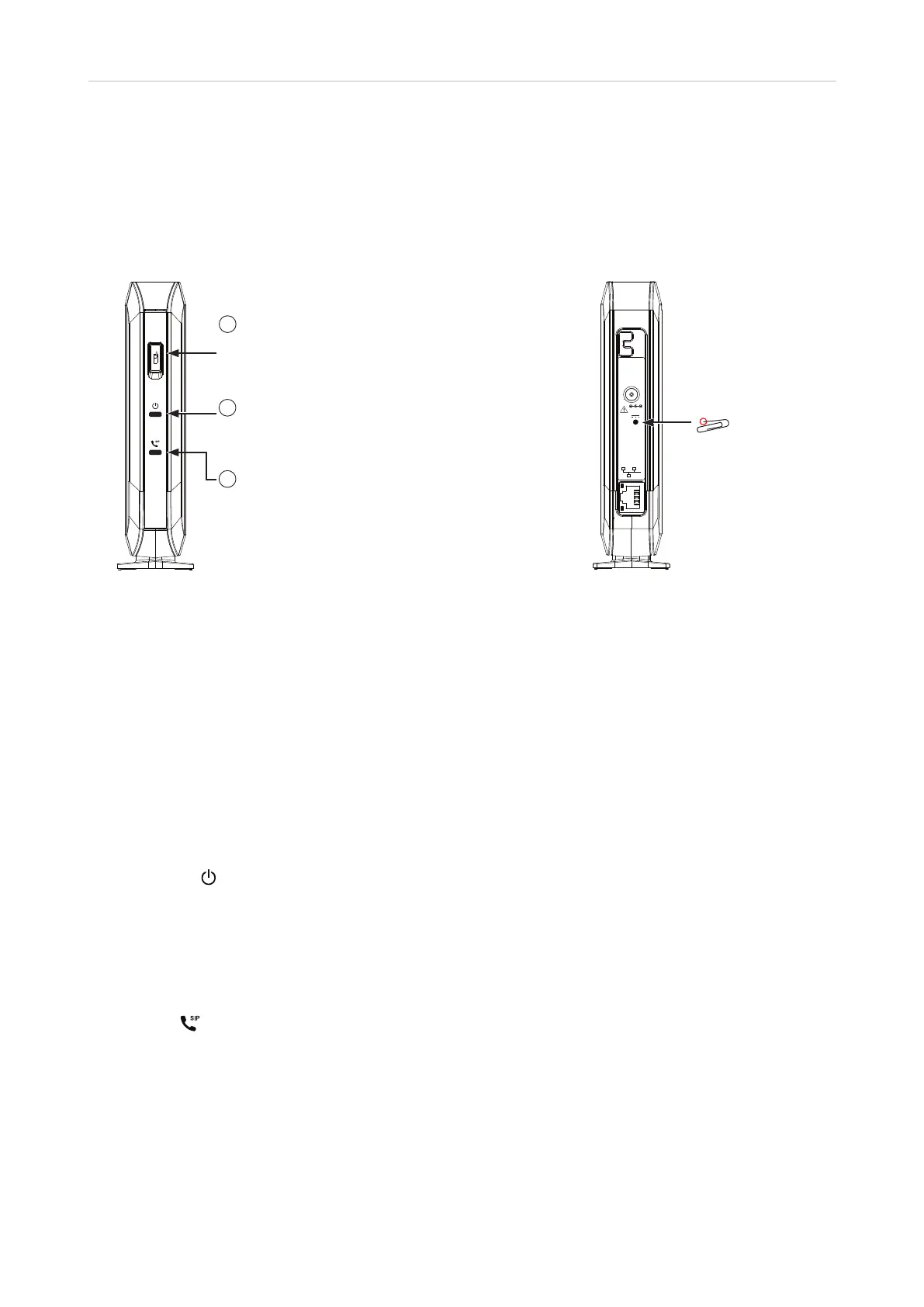
M200 SC base station
1
Handset locator button
• Press briefl y to ring the handsets
• Press for 4 seconds to register a
handset
2
Power LED
Flashing when joining network and when
registering/deregistering a handset
3
SIP LED
• Flashes when reregistering/
deregistering a handset
• Lit when all SIP accounts are
registered
• O when no SIP account is registered
Use only
Supplied
Adapter
DC 5V
RESET
Reset key
Fig. 1 Fig. 2
Handset locator button
The handset locator button serves two purposes:
• Pressed briefly, it pages all handsets registered at the base station.
• Pressed for four seconds, it will register any M15 SC handset set in registration mode.
LED Status Indicator
After the PoE cable - or the PoE cable and the power adaptor, if PoE is not available - is connected to the unit,
the orange LEDs will begin to blink, indicating that the unit is booting. When the solid green LEDs come on, the
unit is connected to the network and is operational.
• Power LED
◦ Flashing
- When the base station is joining the network.
- When the base station is registering/deregistering a handset.
◦ Steady: The base station is connected to power and network and has a valid IP address.
• SIP LED
◦ Flashing when registering/deregistering a handset.
◦ Steady when at least one SIP account is enabled in the SIP Account Management settings on the web
user interface (WUI).
◦ O when no SIP account is enabled in the SIP Account Management settings on the WUI.
Needs checking



 To Next Page