22
v1.01
M215SC User Manual Getting to know
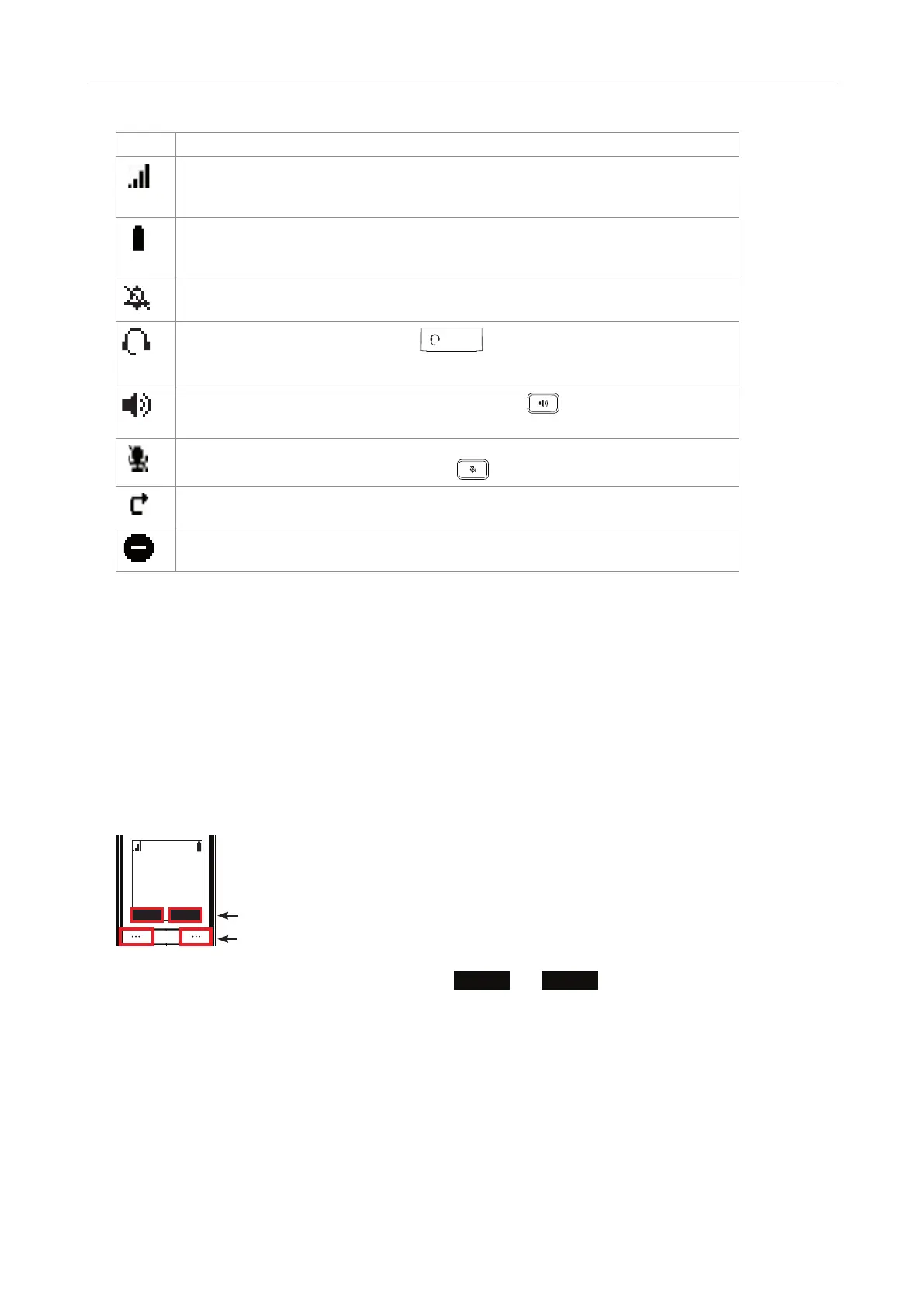
Icon Status
Indicating signal strength from one bar (weak) to four bars (strong). When the
handset is out of range of the base station, the icon is not visible, and the "out of
range" message appears in the text area of the display.
Indicating battery strength from 1/3 to 3/3. The battery symbol flashes when the
battery is empty of almost empty. For more information, see "Battery charging
status" on page 17.
The symbol appears to the right of the signal strength symbol when the ringer is
o, i.e., when the ringer volume has been reduced to zero.
When a headset is connected to the
HEADSET
jack on the right side of the headset,
the symbol appears to the left of the battery symbol when you dial a call and when
you accept a ringing call, indicating that audio is delivered via the headset.
Speakerphone is active after the speakerphone key was pressed, as
indicated by the symbol to the left of the battery symbol.
The symbol appears to the right of the signal strength symbol when the
microphone has been muted by pressing
.
The symbol appears to the left of the battery symbol when "Call Forward All" has
been set to "on" in the Features -> Call forward menu.
The symbol appears to the left of the battery symbol when "do not disturb" has
been set to "on" in the Features -> DND menu.
Display screen navigation
See "Navigation keys" on page 23.
Hard Keys
Context-sensitive function keys
The two keys underneath the display are context-sensitive function keys (soft keys) for executing the function
currently available on that key, as indicated by the text in the label above the key.
PM 01/01
HANDSET 1
• When the phone is idle, the available functions are
Line
and
Menu
.
• During calls or when you are editing settings, contacts etc., you will see the options available at that
particular moment (hold, transfer, etc.).
Labels
Context-sensitive function keys



 To Next Page