51
v1.01
M215SC User Manual Base station web user interface (WUI)
2. Enter your user name and password in the pop-up window:
3. Click on OK.
WUI structure and handling
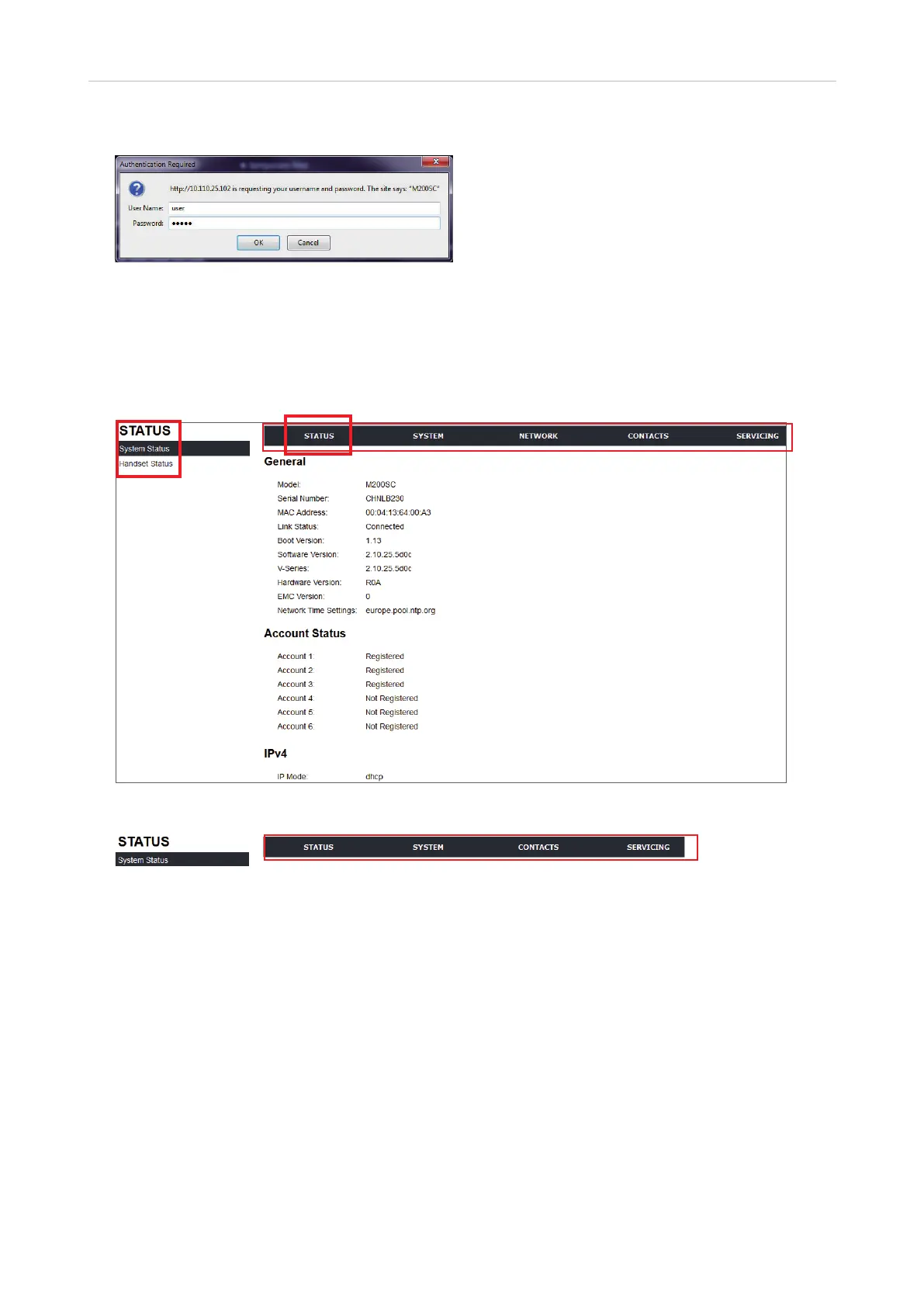
The WUI always opens on the System Status page.
Fig. 1
Fig. 2
The long black bar at the top of the window contains the main menu. The vertical menu in the left sidebar of
the window shows the submenus of whatever main menu item you have clicked. Fig. 1 shows the WUI in admin
mode; Fig. 2 shows the menu bar in user mode, i.e., the Network menu item is not visible.
1. Click on an item in the top bar to open the page for the top item in the vertical menu on the left side of the
window.
2. Click on any other item in the sidebar to view that page.
3. When you have edited the settings on a page, always click on the Save button at the bottom of the page
before opening another page or logging out.
Main menu
• Status. This menu has two pages, System Status and Handset Status, which contain information on your
phone's hardware and software, SIP account registration, and network connection. Neither page has any
settings that can be changed.



 To Next Page