30
v1.01
M215SC User Manual Using the phone
3. Press to scroll to a directory, if necessary, then press
REVIEW
or to open it.
4. Scroll through the list with
/ ; in the case of LDAP, select whether you want to search for the first or last
name and press
SELECT
, enter the first letter(s) of the name and press
SEARCH
.
5. Press
DIAL
or to dial the number on the display.
Speed dialing
Press the number key assigned to the speed dial number for two seconds to dial the number.
Making an intercom call
You can call the other handsets registered at the base station without the call going to the PBX.
1. Press
.
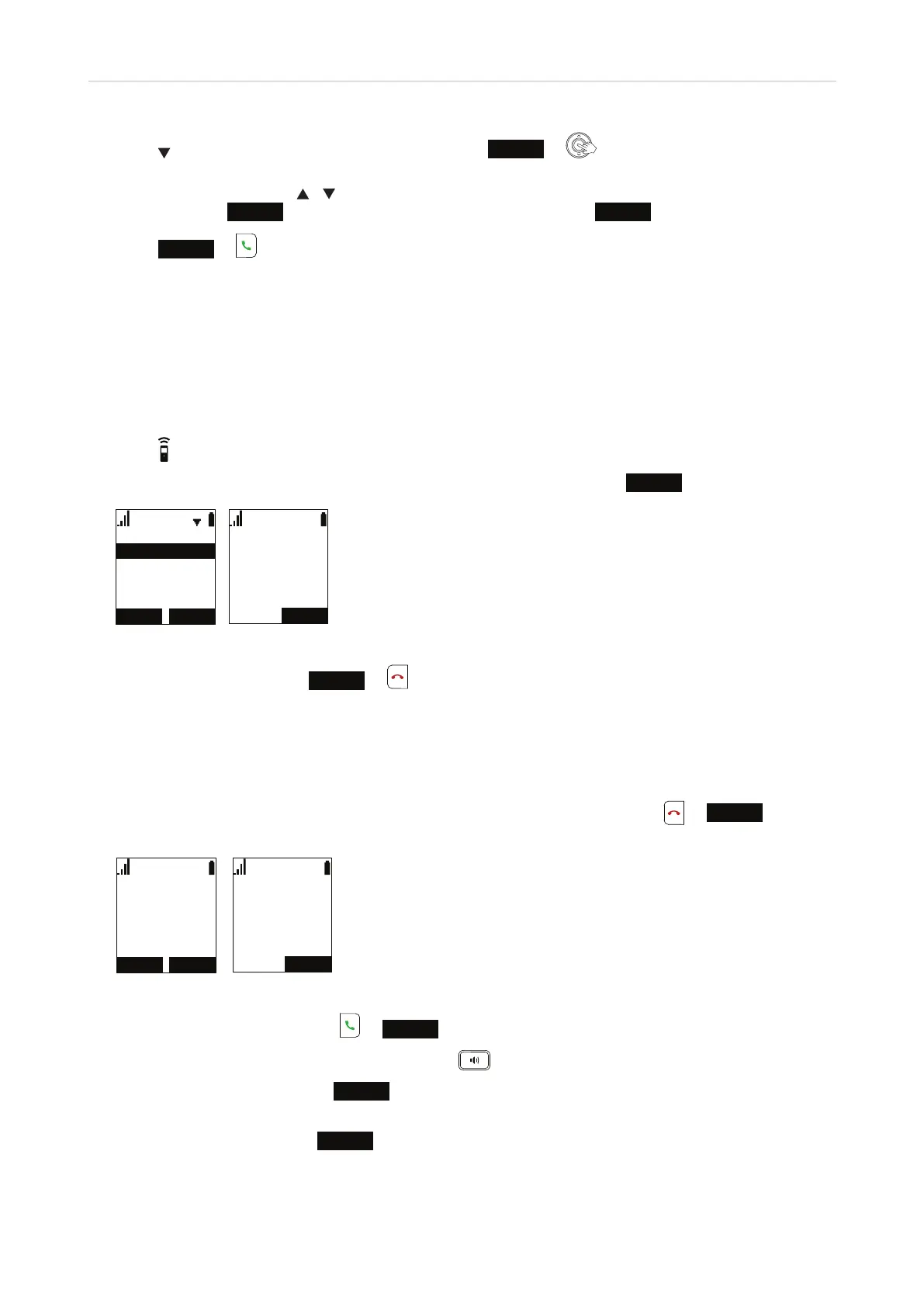
2. In the Intercom menu (Fig. 1), select one of the available handsets and press
SELECT
.
,QWHUFRP
+$1'6(7
+$1'6(7
+$1'6(7
$OOKDQGVHWV
(1'
,QWHUFRP
+$1'6(7
Fig. 1 Fig. 2
3. To end the call (Fig. 2), press
END
or or put the handset in the charger.
Accepting calls
Incoming calls are announced by the ringer, unless it has been turned o in User Settings -> Ringers -> Ringer
volume, and by the "Incoming call" message on the display. To end calls (Fig. 2), press
or
END
or put the
handset in the charger.
5(-(&7
/LQH
$QJHOD0DUWLQ
,QFRPLQJ&DOO
$16:(5
(1'
/LQH
2QDFDOO
$QJHOD0DUWLQ
Fig. 1 Fig. 2
• To accept an incoming call, press
or
ANSWER
.
• To accept an incoming call on speakerphone, press
.
• To reject an incoming call, press
REJECT
.
• Intercom calls from other handsets registered at the base station cannot be rejected. You can turn o the
ringer for the call by pressing
SILENCE
.



 To Next Page