40
v1.01
M215SC User Manual Directories
Directories
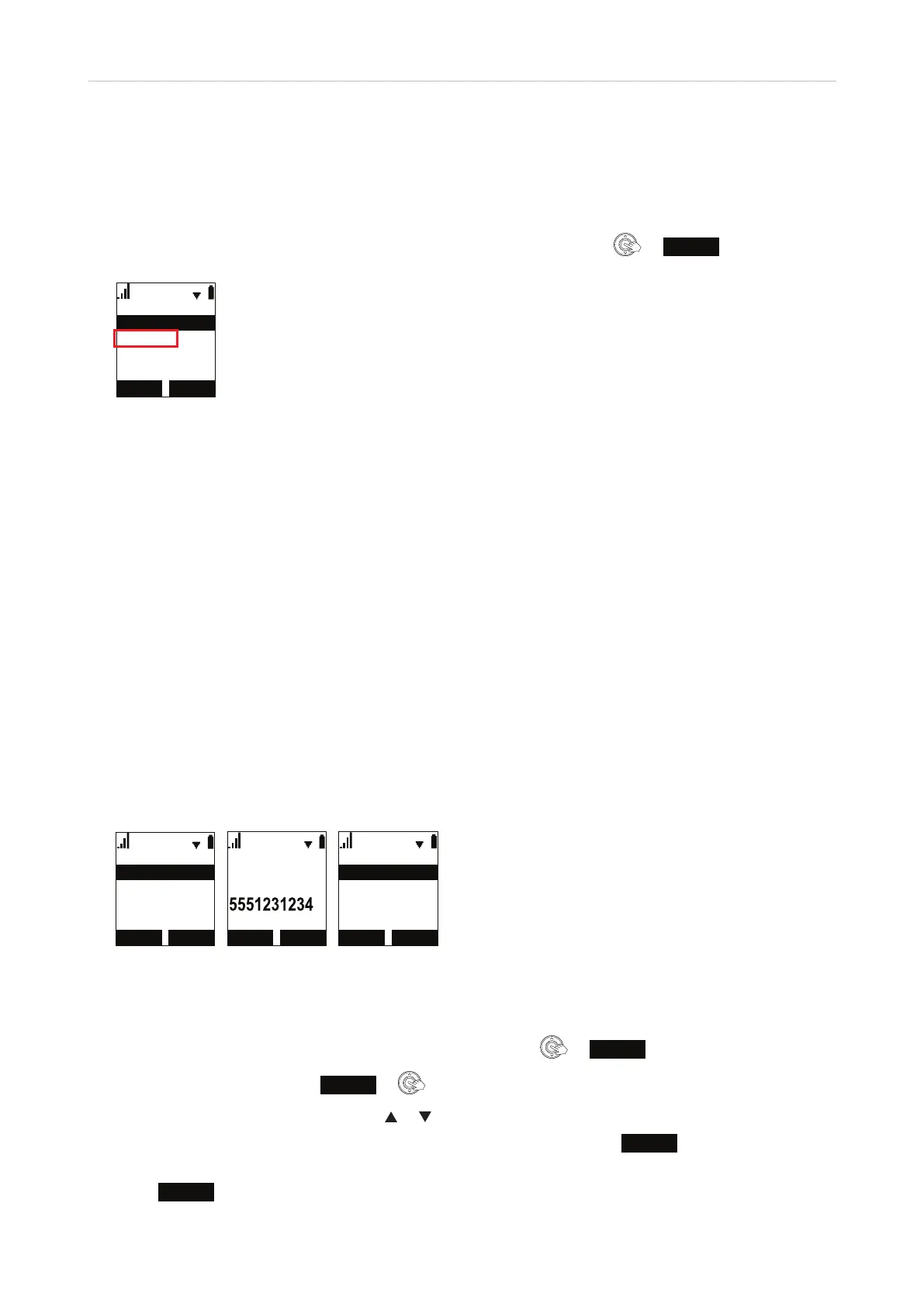
The phone has three contact lists; it can also provide access to external directories like LDAP. To open the
directory, scroll down to "Directory" in the Main Menu of the handset and press
or
ENTER
.
%$&. (17(5
,QWHUFRP
0DLQ0HQX
&DOOKLVWRU\
'LUHFWRU\
0HVVDJH
• Contact lists.
◦ The Local directory contains the contacts available only on one handset. It can be edited only from that
handset.
◦ The Base directory contains the contacts stored on the base station and available to all handsets
registered at the base station. It can be edited on the base station and all handsets registered at the
base station.
◦ The Blacklist (deny list) is also stored on the base station and contains the contacts that are blocked
from ringing on the phone; callers hear the busy signal. It can be edited on the base station and all
handsets registered at the base station.
• LDAP. If available and enabled on the base station, LDAP is shown in the Directory menu. LDAP cannot be
edited on the base station or any of the handsets. The LDAP directory is provided by your network, your
VoIP provider, or another external source. The necessary settings for access to it are made on the base
station.
Local directory, base directory, blacklist
Calling a number from the directory
'LUHFWRU\
%DVHGLUHFWRU\
/RFDOGLUHFWRU\
%ODFNOLVW
$P\
:RUN
/HH
/RFDOGLUHFWRU\
$GGQHZ
6HDUFK
'HOHWHDOO
Fig. 1 Fig. 2 Fig. 3
Method 1
1. In the Main Menu of the handset, scroll to "Directory" and press
or
ENTER
.
2. Select the directory and press
REVIEW
or (Fig. 1).
3. Scroll through the contacts by pressing
or on the navigation key.
4. If the contact has more than one phone number (work, mobile, other), press
TYPE
until you see the one
you want to dial (Fig. 2).
5. Press
DIAL
to call the number.



 To Next Page