54
v1.01
M215SC User Manual Base station web user interface (WUI)
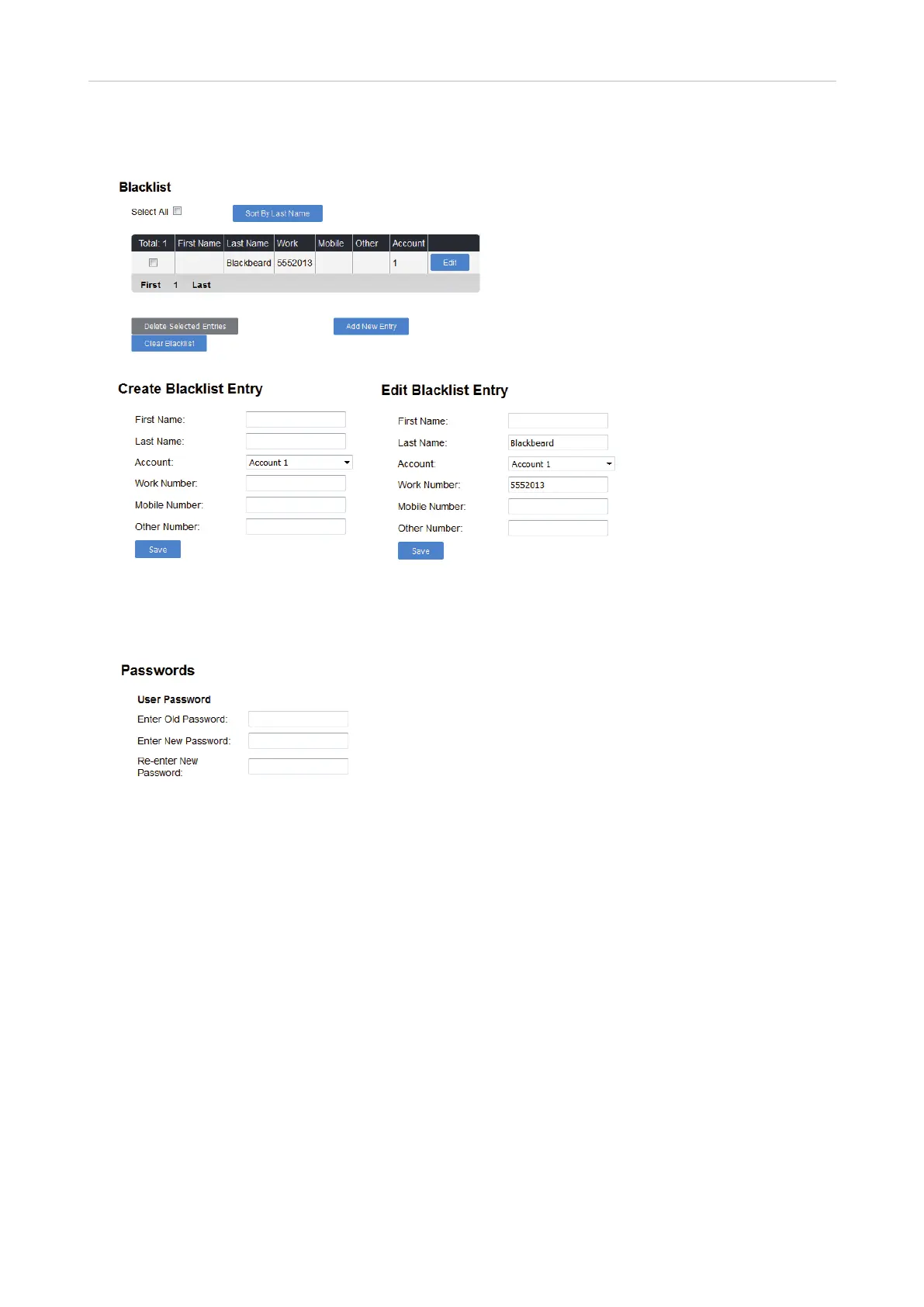
• Blacklist (deny list). This directory contains the phone numbers of contacts whose calls you don't want to
ring on the phone. It looks like and is managed the same way as the base station directory.
Servicing page
In user mode, you can change the user password for the WUI on the Security page.
Admin settings
• Status. This menu has two pages, System Status and Handset Status. Neither page has any settings that
can be changed.
◦ System Status. View information on the base station's hardware and software, the registration status
of the six accounts, and the network connection.
◦ Handset Status. View name and registration status of the six possible handsets.
• System. In admin mode, this page contains the general account settings for setting up and registering
the SIP accounts, the call settings, and the user preference for the accounts. The pages for assigning SIP
accounts to and customizing the names of handsets are also accessible.
• Network. This menu, which is accessible in admin mode only, has two pages, Basic and Advanced, where
the network settings for IPv4 and IPv6, respectively, VLAN, VPN, etc. are configured.
• Contacts. This is a page where the base station's phone directory that is accessible to all registered
handsets and the blacklist (deny list) are located and maintained. This is also where LDAP is configured.
• Servicing. This menu item contains numerous submenus with the time and date, language, and security
settings, as well as the settings for firmware updates, provisioning, certificates, and TR069.
See "Appendix 1 - Base Station Settings" on page 55 for a list of all settings.



 To Next Page