44
v1.01
M215SC User Manual Configuring the handset
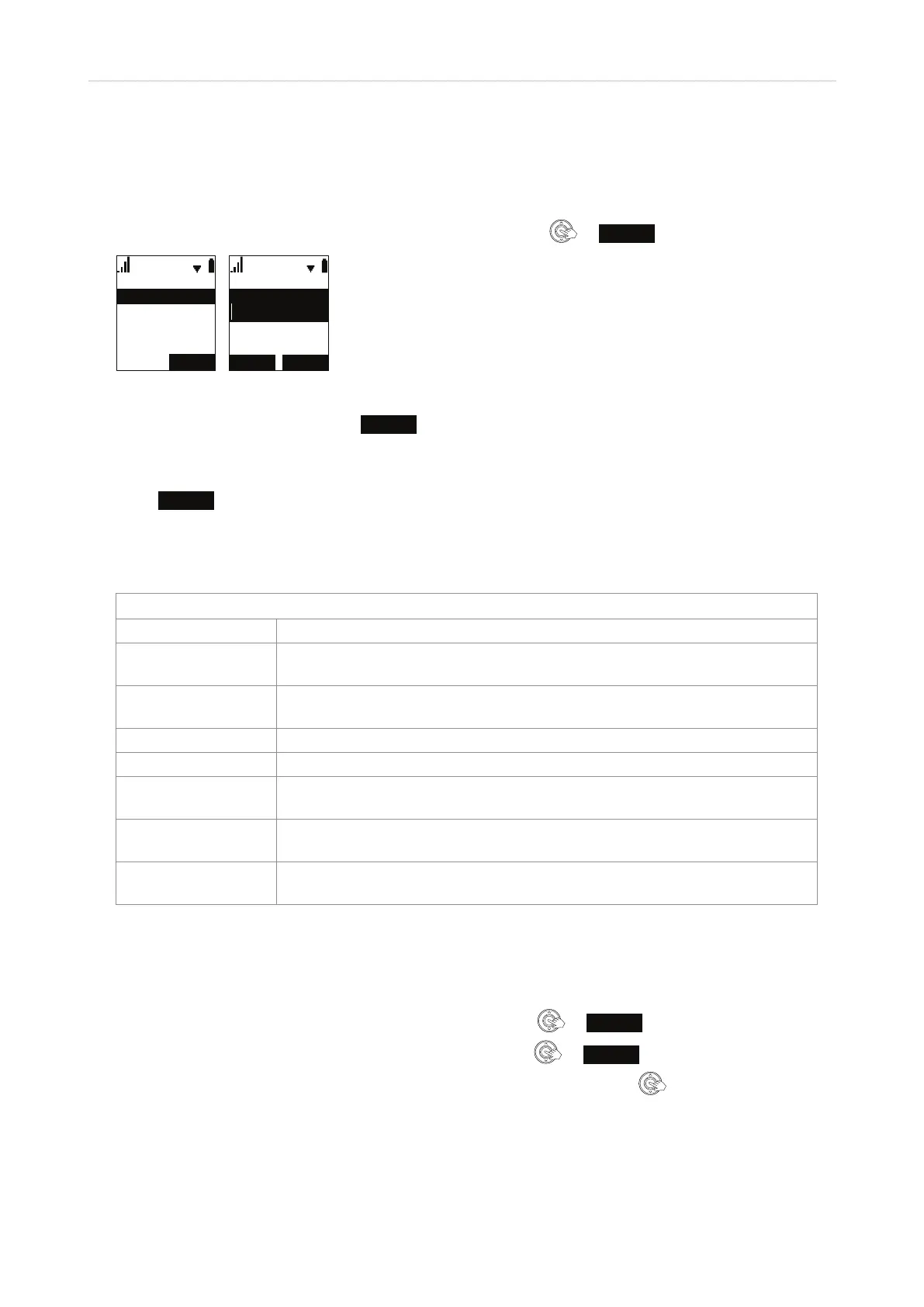
Speed dial
Keys 1 - 0 can be used to speed dial ten numbers by long-pressing the respective key. Setting the speed dial
numbers:
1. In the Main Menu of the handset, scroll to "Speed Dial" and press
or
ENTER
.
$''
(PSW\
6SHHGGLDO
(PSW\
(PSW\
(PSW\
(GLW(QWU\
1XPEHU
1DPH
$EF
%$&. 6$9(
Fig. 1 Fig. 2
2. Scroll to an "Empty" entry and press
ADD
(Fig. 1).
3. On the "edit entry" screen, enter a name and number (Fig. 2). If you want to assign a dierent outgoing
number ("line") than your handset's, scroll further down and also enter a line.
4. Press
SAVE
.
Features
Features Menu
Items Description
DND (do not disturb) When enabled, calls to the line/account/extension will not ring; the caller will
hear the busy signal. Setting: See "Do not disturb (DND)" on page 38.
Call forward Forwarding incoming calls: Always, when busy, or when the phone is not
answered. See "Call forwarding" on page 39.
Block anonymous See "Rejecting anonymous calls" on page 38.
Dial as anonymous See "Hiding your caller ID" on page 44.
Lift HS answer Answering calls by lifting the handset from the cradle. See "Answering calls by
removing handset from charger" on page 45.
Miss call alert Showing or hiding the total number of missed calls on the idle screen. See
"Missed call alert" on page 45.
Call waiting Turning call waiting o and on. The default setting is on. See "Call Waiting" on
page 31.
Hiding your caller ID
The default setting is "o".
1. In the Main Menu of the handset, scroll to "Features" and press
or
ENTER
.
2. In the Features menu, scroll to "Dial as anonymous" and press
or
ENTER
.
3. Scroll to the line (account/identity) whose caller ID you want to hide and press
. Its status changes to
on.



 To Next Page