25
v1.01
M215SC User Manual Using the phone
Using the phone
To be able to use the M-series DECT phones, the base station must be connected to your network's or your VoIP
service provider's PBX, and the handset(s) must be registered at the base station. The base station follows most
Snom configuration and management schemes. It is recommended to have a local HTTP/HTTPS server for
firmware updates, central configuration management, and hosting firmware files for base stations, handsets,
and repeaters. Handsets are updated over the air by the base station.
Note: The default PIN for deregistering the handset from the base station is 0000. It can be
changed in the admin settings of the handset for all handsets registered at the base station. If
the PIN has been changed, you will also be prompted to enter it when registering the handset.
Registering the handset to the base station
To be able to make and receive calls on the handset, it must be registered at the base station, and an account
must have been configured for it on the base station. Make sure that the handset has a charged battery before
proceeding.
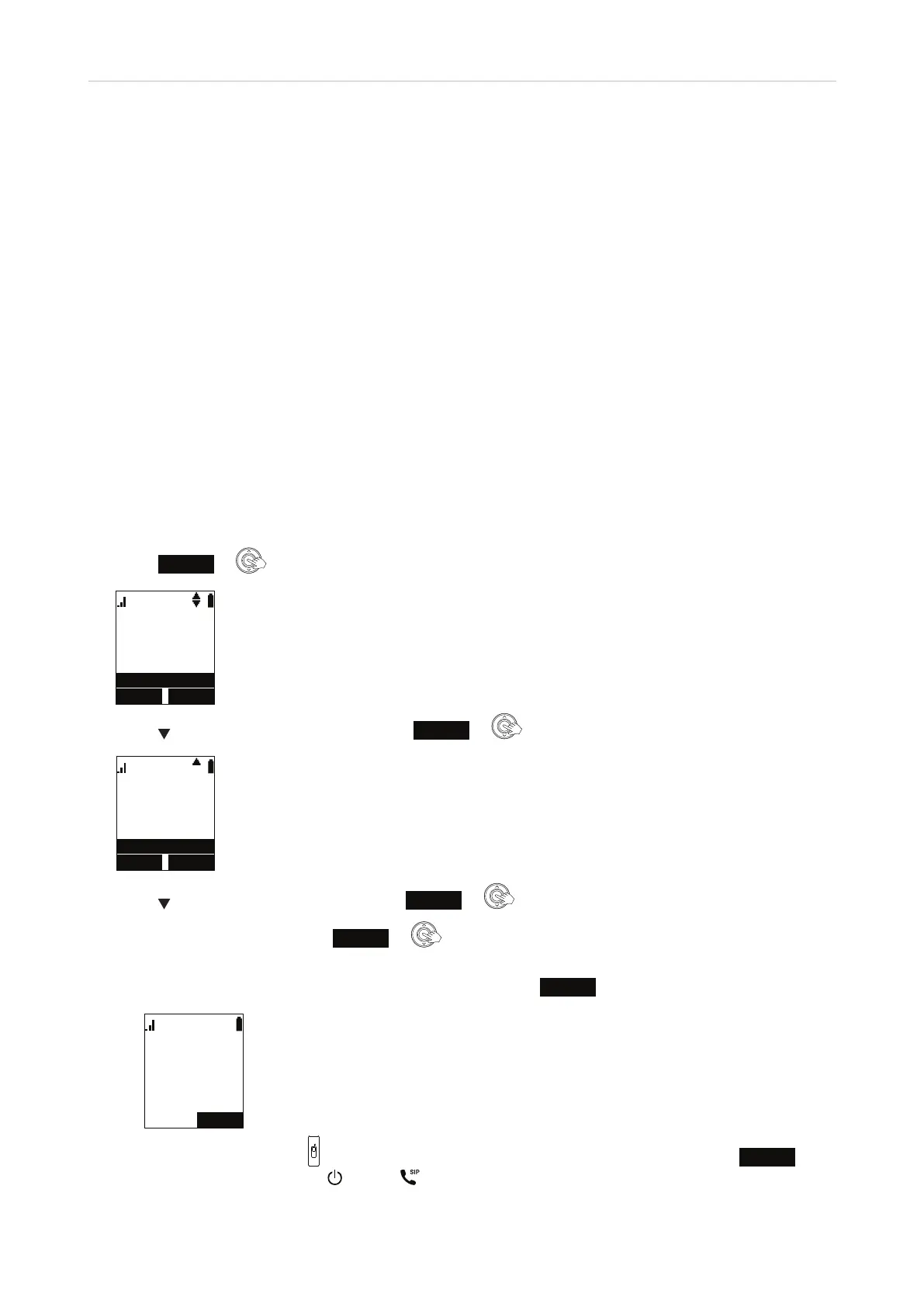
1. Press
Menu
or on the handset. The Main Menu appears.
8VHUVHWWLQJV
0DLQ0HQX
6WDWXV
)HDWXUHV
6SHHGGLDO
2. Press to scroll to User settings and press
Enter
or .
5HJLVWUDWLRQ
8VHUVHWWLQJV
.H\7RQH
/LQNORVWWRQH
/RZEDWWWRQH
3. Press to scroll to Registration and press
Enter
or .
4. With Handset highlighted, press
Select
or . You will see a succession of prompts on the display,
beginning with:
a. "Which device do you want to register the handset to?" Press
Base
. You will be prompted to:
3UHVVDQG
KROG+$1'6(7
/2&$725NH\
DWEDVHIRU
VHFRQGV
b. Press the locator button on the base station for four seconds, then release it and press
Next
on the handset. The power
and SIP LEDs on the base station begin to flash. You will then be
prompted to:



 To Next Page