Click the Reboot WiSky button to restart the Wi-Fi controller.
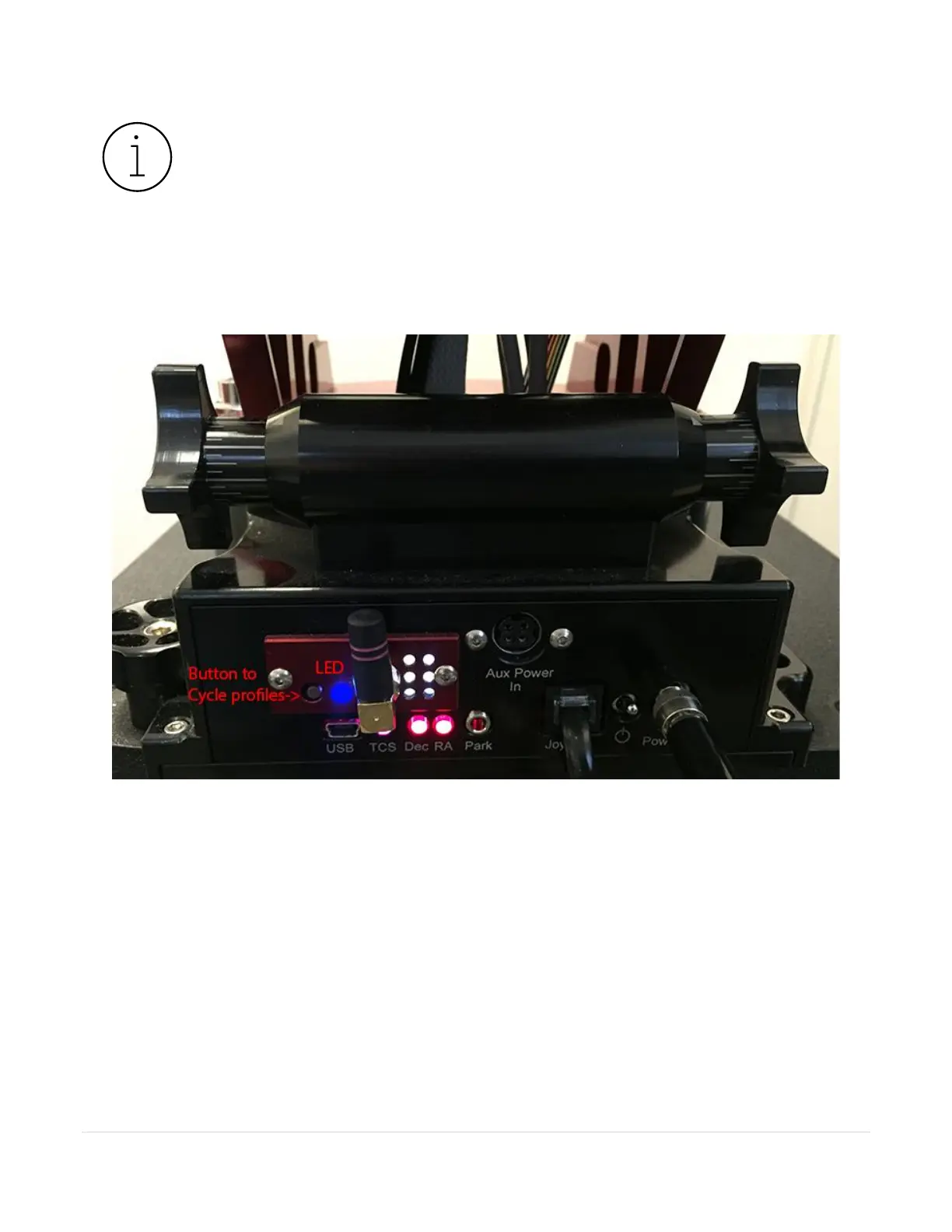
Figure 75 shows the location of the Status LED and button to cycle through each profile.
Figure 75: The WiSky’s Profile LED glows with a steady dark blue when configured for the default ad hoc network profile.
Press the circular button next to the WiSky LED to cycle through each profile. The LED changes color based on the
active profile chosen.
The default ad hoc network created by the WiSky board is named SWBisqueMKS5xxx, where XXX represents three
numbers. The name will differ slightly in your list of available Wi-Fi networks.



 To Next Page