EasyManua.ls Logo

Solartron 1260 - Page 180

Solartron 1260
295 pages
Print Icon
To Next Page IconTo Next Page
To Previous Page IconTo Previous Page
Loading...
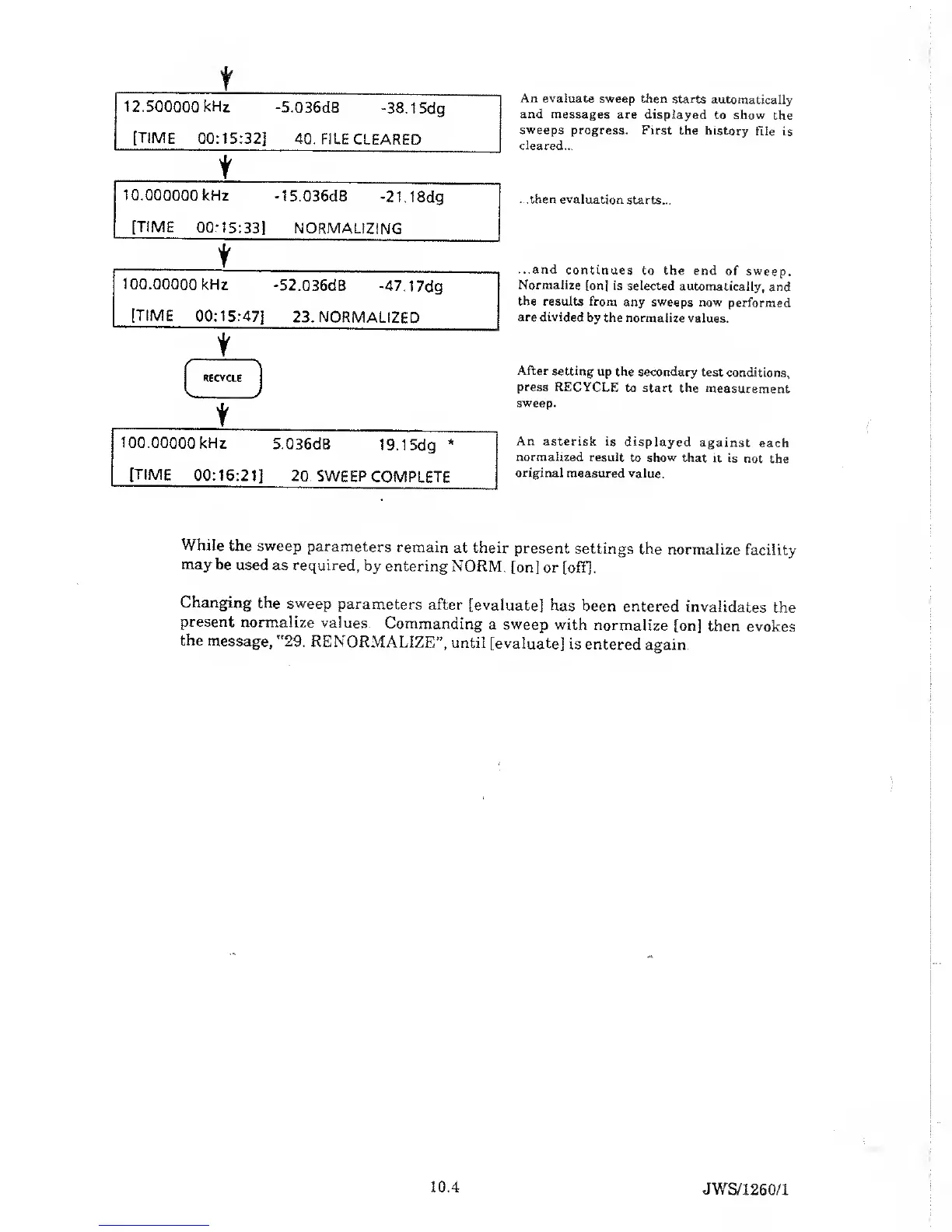
An evaluate sweep
then starts
automatically
and messages
are displayed to show
the
sweeps progress.
First the
history
File is
cleared...
...then
evaluation starts...
...and
continues
to the end
of sweep.
Normalize
[on] is selected
automatically,
and
the results from
any sweeps
now
performed
are divided
by the
normalize values.
After
setting up the
secondary
test conditions,
press
RECYCLE
to start
the
measurement
sweep.
An
asterisk is
displayed
against
each
normalized
result
to
show
that
it is not
the
original measured
value.
While
the
sweep
parameters
remain
at their
present
settings the
normalize
facility
may
be used as required,
by entering
NORM,
[on] or
[off].
Changing
the sweep
parameters
after
[evaluate] has
been
entered
invalidates
the
present
normalize
values.
Commanding
a
sweep with
normalize
[on] then
evokes
the
message,
'
29.
RENORMALIZEā€,
until
[evaluate] is
entered
again.
10.4
JWS/1260/1

Table of Contents

Related product manuals