EasyManua.ls Logo

Solartron 1260 - Setting the Plotter Axes

Solartron 1260
295 pages
Print Icon
To Next Page IconTo Next Page
To Previous Page IconTo Previous Page
Loading...
t
^
ENTER
J
|
COORDS
[
Z,0
]
VARIABLE
RESULT
PHASE CIRCUIT
t
_
( 77
PREV
t
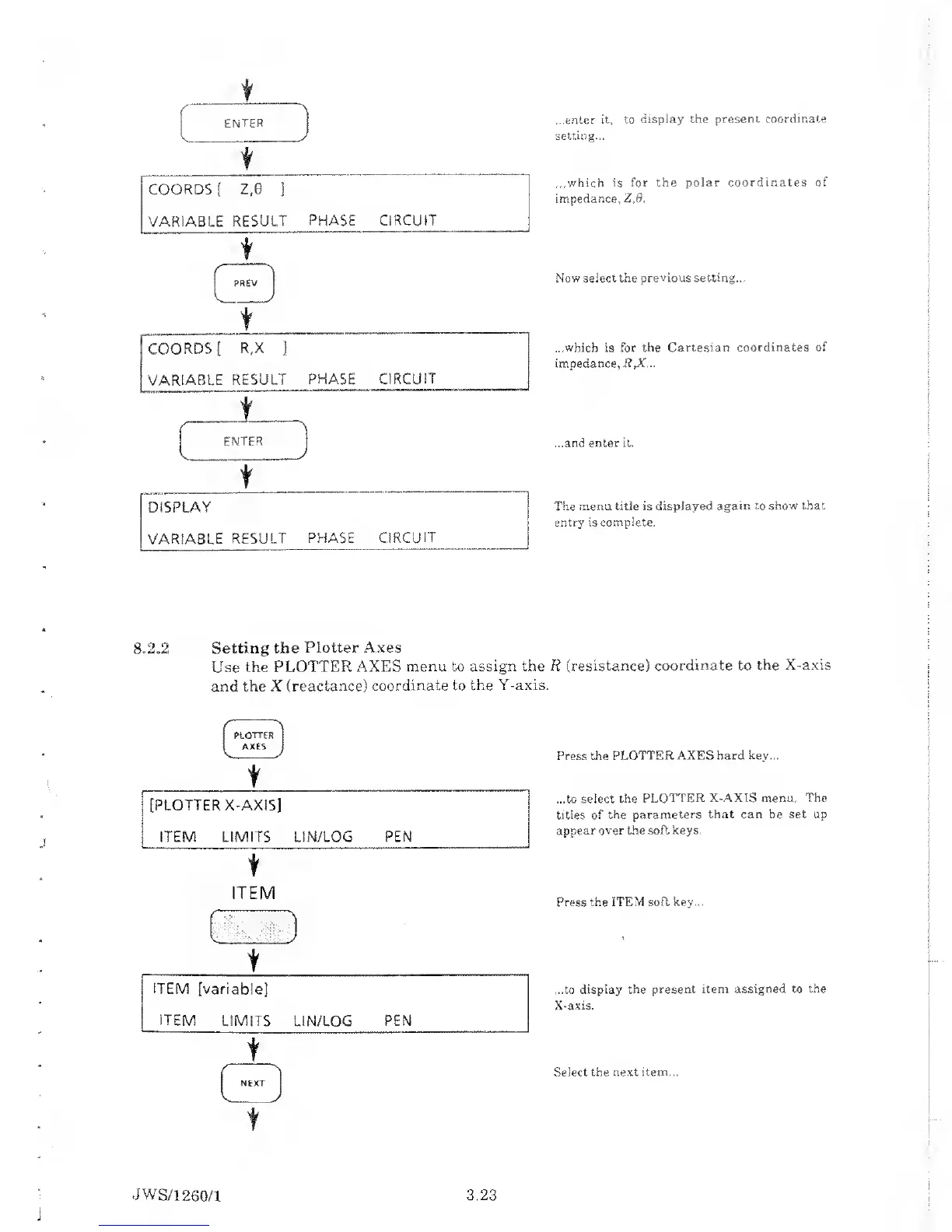
...enter it, to
display the
present coordinate
setting...
...which is
for the polar coordinates
of
impedance,
Z,6.
Now select the previous
setting...
...which
is for the
Cartesian coordinates of
impedance, R,X...
...and enter it.
The menu title
is displayed again to show that
entry is
complete.
8*2*2 Setting
the Plotter Axes
Use the
PLOTTER AXES
menu
to
assign the R
(resistance)
coordinate to the X-axis
and the X
(reactance) coordinate to
the Y-axis.
PLOTTER
[
AXES
t
[PLOTTER X-AXIS]
ITEM LIMITS
LIN/LOG
PEN
t
ITEM
t
J
ITEM
[variable]
ITEM
LIMITS
LIN/LOG
PEN
t
f
Press the
PLOTTER AXES
hard key...
...to select the
PLOTTER X-AXIS menu.
The
titles of
the parameters that
can
be
set up
appear over the soft keys.
Press the ITEM soft
key...
...to
display the
present item assigned to
the
X-axis.
Select
the
next
item...
JWS/1
260/1
3.23

Table of Contents

Related product manuals