EasyManua.ls Logo

Solartron 1260 - Commanding; Series of Measurements; Preparing the History File

Solartron 1260
295 pages
Print Icon
To Next Page IconTo Next Page
To Previous Page IconTo Previous Page
Loading...
7.2
PREPARING
THE
HISTORY
FILE
The
flow
of data to
the
history
file
is
controlled
from
the
DATA
OUTPUT
menu,
for
the
present
example
the
default
settings
are
used.
As
a
result:
y
the
file
is
cleared
automatically
at
the
beginning
of
sweep....
(CLEAR set
to
[auto]
on
[FILE
CONFIGURE]
page)
and, as
the sweep
progresses.,
the
basic
data of
all
measurements
are
filed. ...
(FILE
set
to
[all
j
on
[DATA
OUTPUT]
page)
>
in
normal format.
(FORMAT
set to
[normal]
on
[FILE
CONFIGURE]
page)
7.3
COMMANDING
A
SERIES
OF
MEASUREMENTS
To
complete a
sweep,
a
measure
command
must be
gi
ven
for
each
point
defined
in
the
SWEEP
menu.
SINGLE
commands
advance
the
sweep
one
measurement
at
a
time,
and
allow
measurement
results to
be
assessed
as
they
occur.
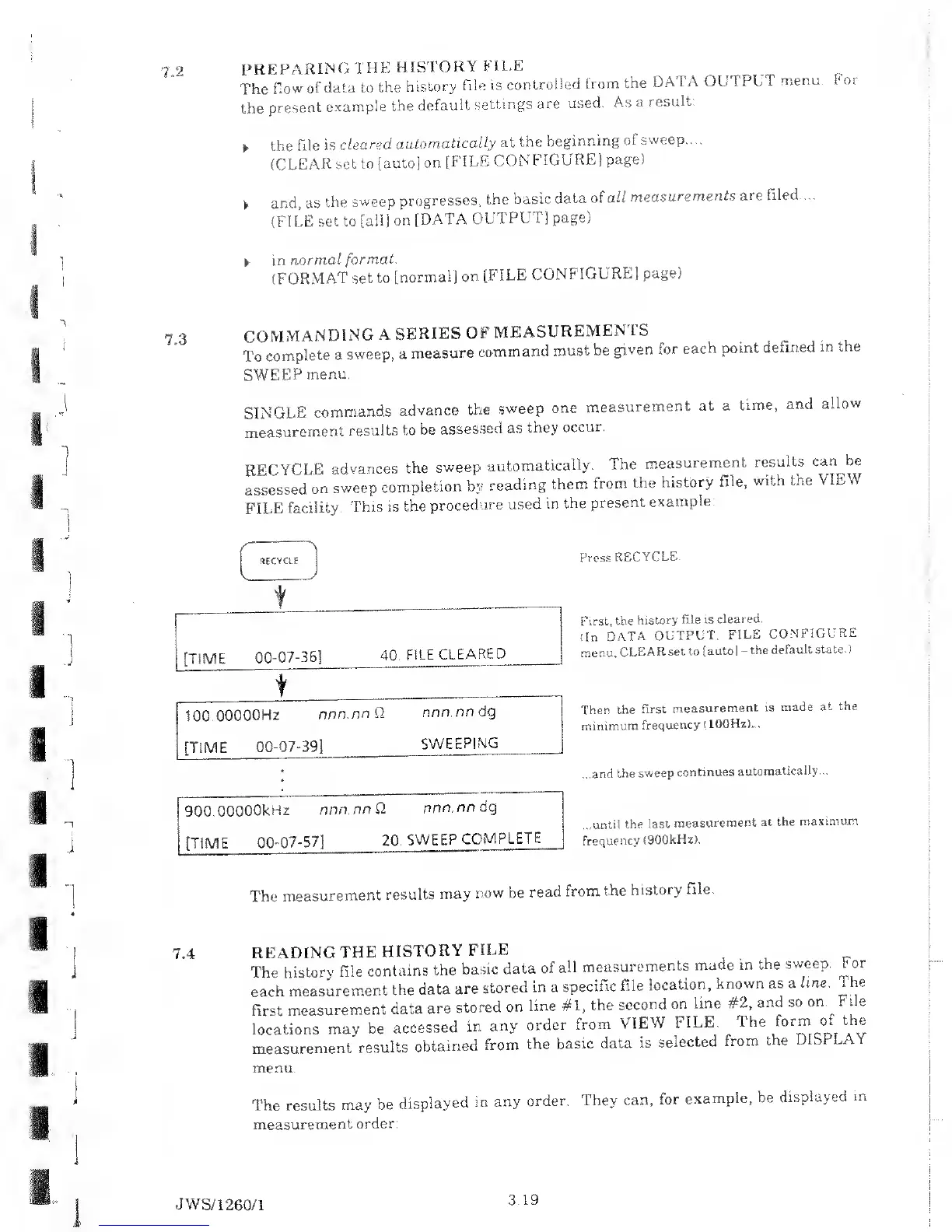
RECYCLE
advances
the
sweep
automatically.
The
measurement
results
can be
assessed
on
sweep
completion
by
reading
them
from the
history
file,
with the
VIEW
FILE
facility.
This
is
the
procedure
used
in the
present
example:
RECYCLE
[TIME
00-07-36]
40. FILE
CLEAR
ED
100.00000Hz
nnn.nn Q
nnn.nn dg
[TIME
00-07-39]
SWEEPIN
G
900.00000kHz
nnn.nn Q
nnn.nn
dg
[TIME
00 07-57]
20.
SWEEP
COMPLETE
Press
RECYCLE.
First,
the
history
file is
cleared.
(In
DATA
OUTPUT,
FILE
CONFIGURE
menu,
CLEAR
set to
[auto]
-
the
default
state.)
Then
the
first
measurement
is
made
at the
minimum
frequency
(
100Hz)...
...and
the
sweep
continues
automatically...
...until
the
last
measurement
at the
maximum
frequency
(900kHz).
The
measurement
results
may
now be
read
from
the
history
file.
7.4
tEADING
THE
HISTORY
FILE
'he
history
file
contains
the
basic
data
of
all
measurements
made
m
the
sweep.
For
ach
measurement
the
data
are
stored
in
a
specific
File
location,
known
as a
line.
The
irst
measurement
data
are
stored
on
line
#1,
the second
on
line
#2,
and so
on
File
ocations
may
be
accessed
in
any
order
from
VIEW
FILE
The
tovm
i of
the
measurement
results
obtained
from
the
basic data
is
selected
from
the
DILI
LAY
nenu.
The results
may be
displayed
in
any
order.
They
can,
for
example,
be
displayed
in
measurement
order:
JWS/
1260/1
3.1.9

Table of Contents

Related product manuals