EasyManua.ls Logo

Solartron 1260 - Setting the Display

Solartron 1260
295 pages
Print Icon
To Next Page IconTo Next Page
To Previous Page IconTo Previous Page
Loading...
6.5
COMMANDING
A
MEASUREMENT
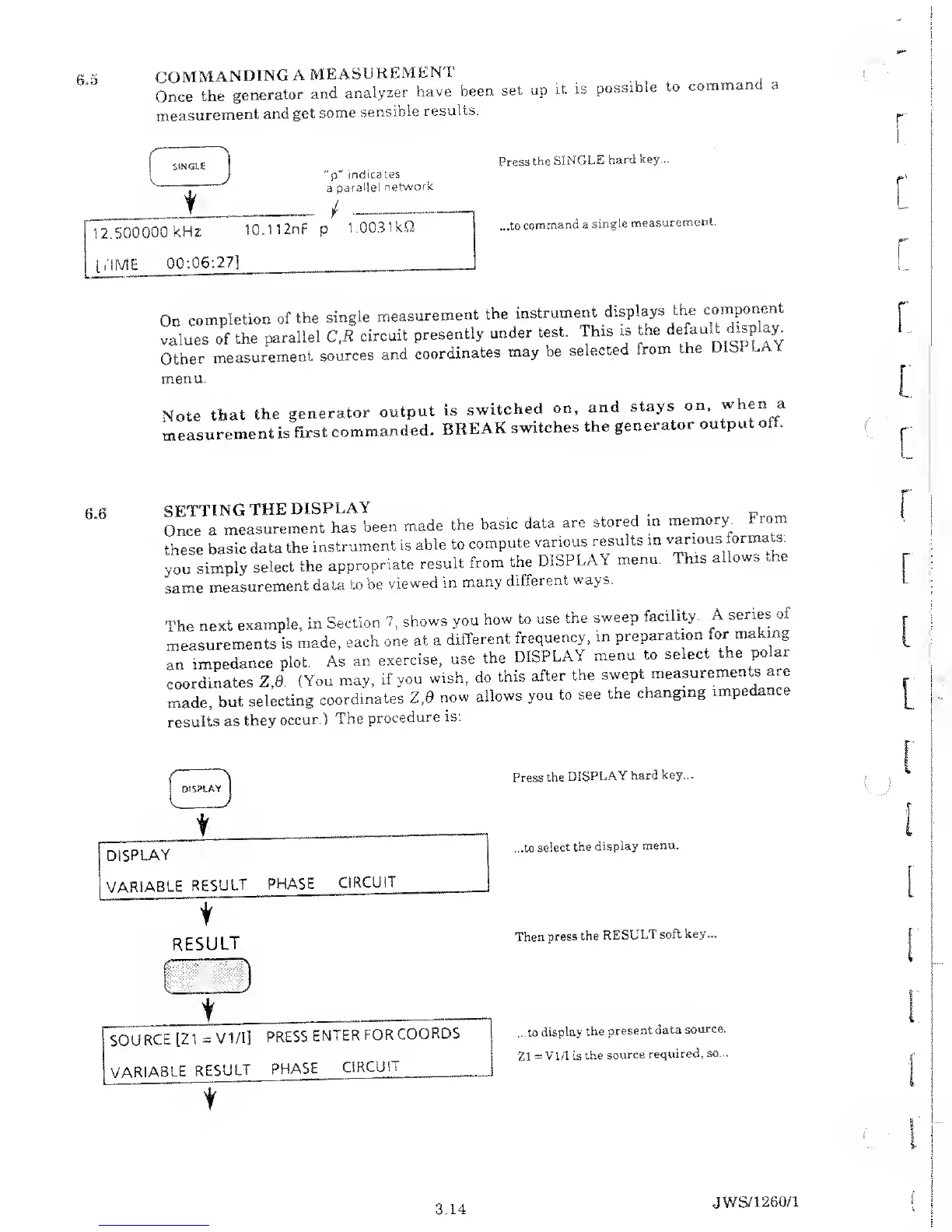
Once
the
generator
and
analyzer
have
been
set
up
it is
possible
to
command
measurement
and
get
some
sensible
results.
a
SINGLE
“p"
indicates
a
parallel
network
12.500000
kHz
10.1
12nF
p
1.0031kQ
DIME
00:06:2.7]
Press
the
SINGLE
hard
key...
...to
command
a
single
measurement.
On
completion
of the
single
measurement
the
instrument
displays
the
component
values
of the
parallel
C,R
circuit
presently
under
test.
This
is
the
defau.t
display
Other
measurement
sources
and
coordinates
may
be
selected
from
the
Dlb
menu.
Note
that
the
generator
output
measurement
is
first
commanded.
is
switched
on,
and
stays
on,
when a
BREAK
switches
the
generator
output
off.
6.6
SETTING
THE
DISPLAY
,
Once
a
measurement
has
been
made
the
basic
data
are
stored
m
these
basic
data
the
instrument
is
able
to
compute
various
results
in
you
simply
select
the
appropriate
result
from
the
DISPLAY
menu,
same
measurement
data to
be
viewed
in
many
different
ways.
memory.
From
various
formats:
This
allows
the
[he
next
example,
in
Section
7,
shows
you
how to
use
the
sweep
facility
A
series o
neasurements
is
made,
each
one
at a
different
frequency,
in
preparation
for
making
m
impedance
plot.
As
an
exercise,
use
the
DISPLAY
menu
to
select
the
polar
-oordinates
Z.0.
(You
may,
if
you
wish,
do
this
after
the
swept
measurements
are
made,
but
selecting
coordinates
Z.0
now
allows
you
to
see
the
changing
impedance
results
as
they
occur.)
The
procedure
is:
Press
the
DISPLAY
hard key...
...to
select
the
display
menu.
Then
press the
RESULT
soft key...
...to
display
the
present
data
source.
Z1
=
V
1/1 is
the source
required, so...
3.14
JWS/1260/1

Table of Contents

Related product manuals