EasyManua.ls Logo

Solartron 1260 - Performing a Simple Measurement with the 1260 Analyzer

Solartron 1260
295 pages
Print Icon
To Next Page IconTo Next Page
To Previous Page IconTo Previous Page
Loading...
MAKIN
G
A
S
I MP
L E
M
E
A
S
UR
E MENT
In
this example
the
impedance
of
a simple
C.R
network
is
measured
at
a single
denned frequency
and
the
results
of
analysis
are
displayed.
6.1
PRELIMINARIES
2 .
Ensure that
the
instrument
is
correctly
installed,
as
described
in
Chapter
2.
Switch
on the
power,
at
source
and
on
the
intrument
front
pane)
Check
ihat
the
"POWER
RESTORED”
message
is
displayed.
Ifit
is,
proceed
with the
example
if
it, isn’t,
refer
to
Section
2
in
this
Chapter.
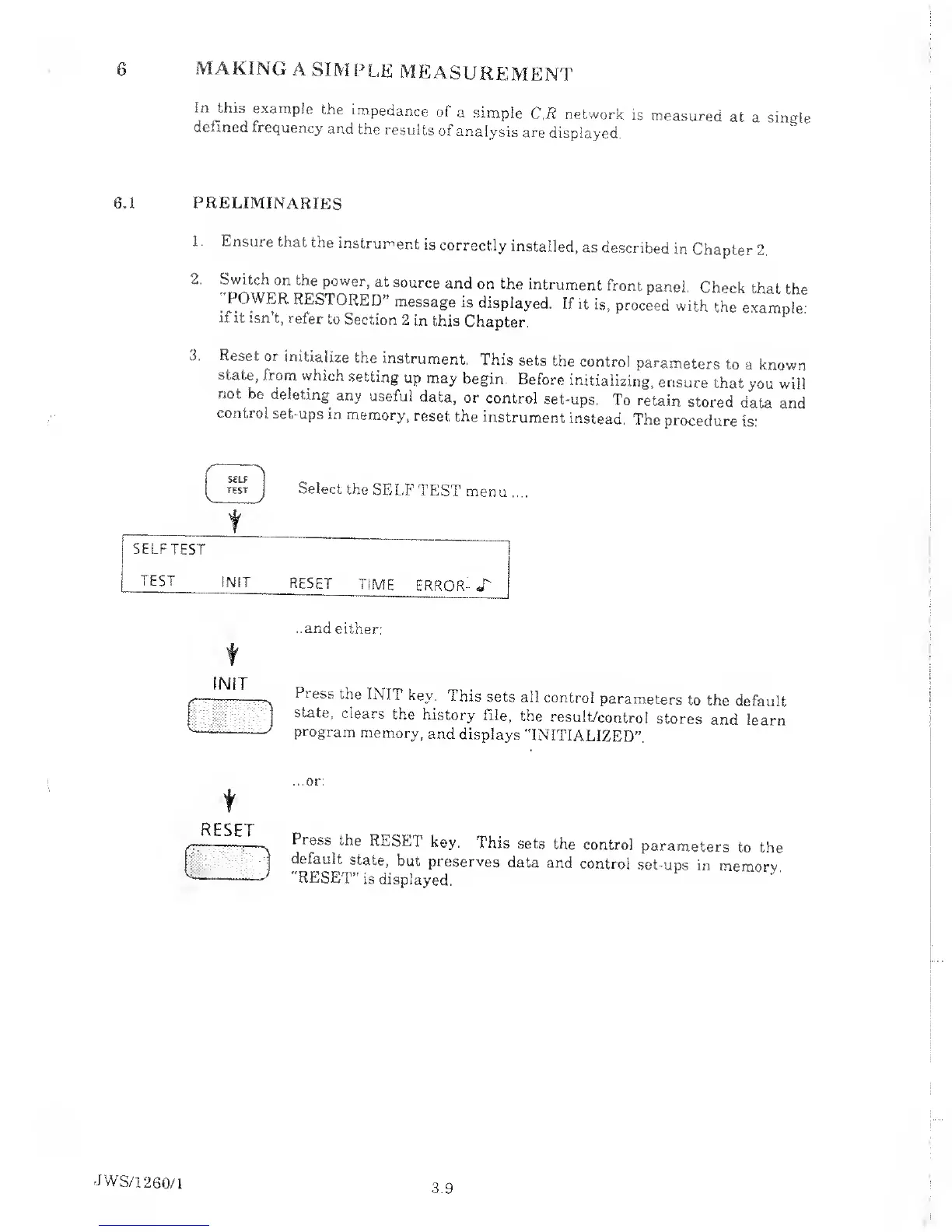
3. Reset
or
initialize
the
instrument.
This
sets
the
control
parameters
to
a
known
state,
from
which
setting
up may
begin.
Before
initializing,
ensure
that
you will
not
be
deleting
any
useful
data,
or
control
set-ups.
To
retain
stored
data and
control
set-ups
in
memory,
reset
the
instrument
instead.
The
procedure
is:
SELF
TEST
Select
the
SELF
TEST
mem
SELF
TEST
TEST
f NIT
RESET
TIME
ERROR-
X'
..and
either:
IN IT
Press
the
INIT
key.
This
sets all
control
parameters
to
the
default
state,
clears
the
history
file,
the
result/contro!
stores
and
learn
program
memory,
and
displays
"INITIALIZED”.
f
RESET
'
'
>
VL:
.
'
...or:
Press
the
RESET
key.
This
sets
the
control
parameters
to
the
default
state,
but
preserves
data
and
control
set-ups
in
memorv.
"RESET”
is
displayed.
JWS/1
260/1
3.9

Table of Contents

Related product manuals