EasyManua.ls Logo

Solartron 1260 - Page 40

Solartron 1260
295 pages
Print Icon
To Next Page IconTo Next Page
To Previous Page IconTo Previous Page
Loading...
6.2
CONNECTING
THE
ITEM
UNDER
TEST
Herns
under
test
may
be
connected
to
the
instrument
either
directly
through
the
front
panel
terminals
or
through
one
of
the
test
modules
that
fit over
the
terminals.
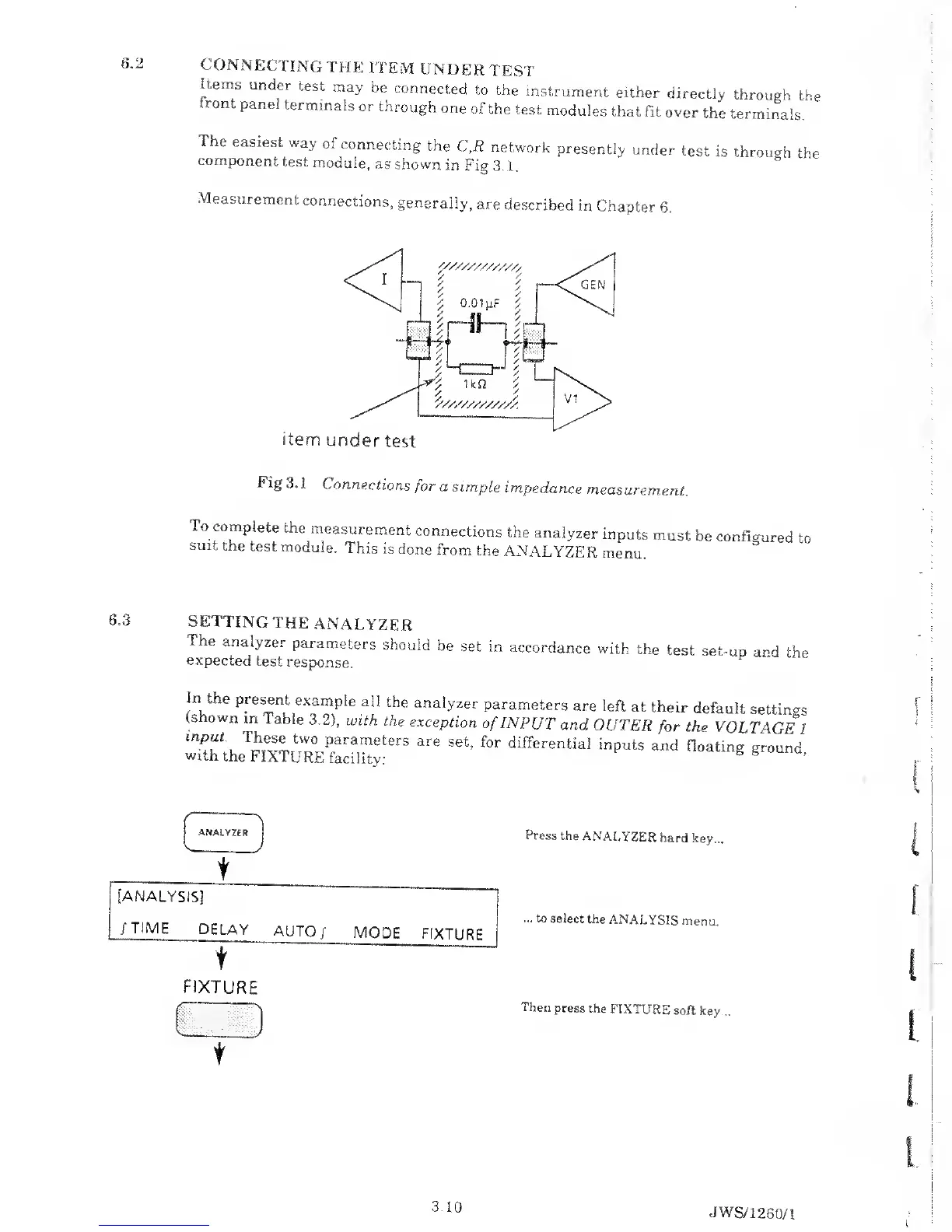
The
easiest
way
01
connecting
the
C,R
network
presently
under
test
is
through
the
component
test
module,
as
shown
in
Fig
3
.
1 .
Measurement
connections,
generally,
are
described
in
Chapter
6.
item
under
test
Fig
3.
1
Connections
for a simple
impedance
measurement..
To
complete
the
measurement
connections
the
analyzer
inputs
must
be
suit
the
test
module.
This is
done
from
the
ANALYZER
menu.
configured
to
6.3
SETTING
THE
ANALYZER
Tne
analyzer
parameters
should
be
set in
accordance
with
the
test
set-up
and
the
expected
test
response.
In
the
present
example
all
the
analyzer
parameters
are
left
at their
default
settings
(shown
m 1
able
3.2), with
the
exception
of
INPUT
and
OUTER
for
the
VOLTAGE
l
2«C
rs
are
setj
for
differenfcial
inputs
and
noatmg
g;
° und
>
f
Press
the
ANALYZER
hard
key...
...
to
select the
ANALYSIS
menu.
Then
press
the
FIXTURE
soft key.
3.10
JWS/1
260/1

Table of Contents

Related product manuals