EasyManua.ls Logo

Solartron 1260 - Vernier

Solartron 1260
295 pages
Print Icon
To Next Page IconTo Next Page
To Previous Page IconTo Previous Page
Loading...
11
VERNIER
Use
VERNIER to adjust the generator output,
whether
measurements
are being
made
or not.
VERNIER
can also
be
used to adjust
the size of the
plotting
field,
whilst watching the
pen
movement.
11.1
ADJUSTING
GENERATOR
PARAMETERS:
FREQ,
AMPL,OR BIAS
The
generator
parameter on
which the
vernier is
to
act
is selected
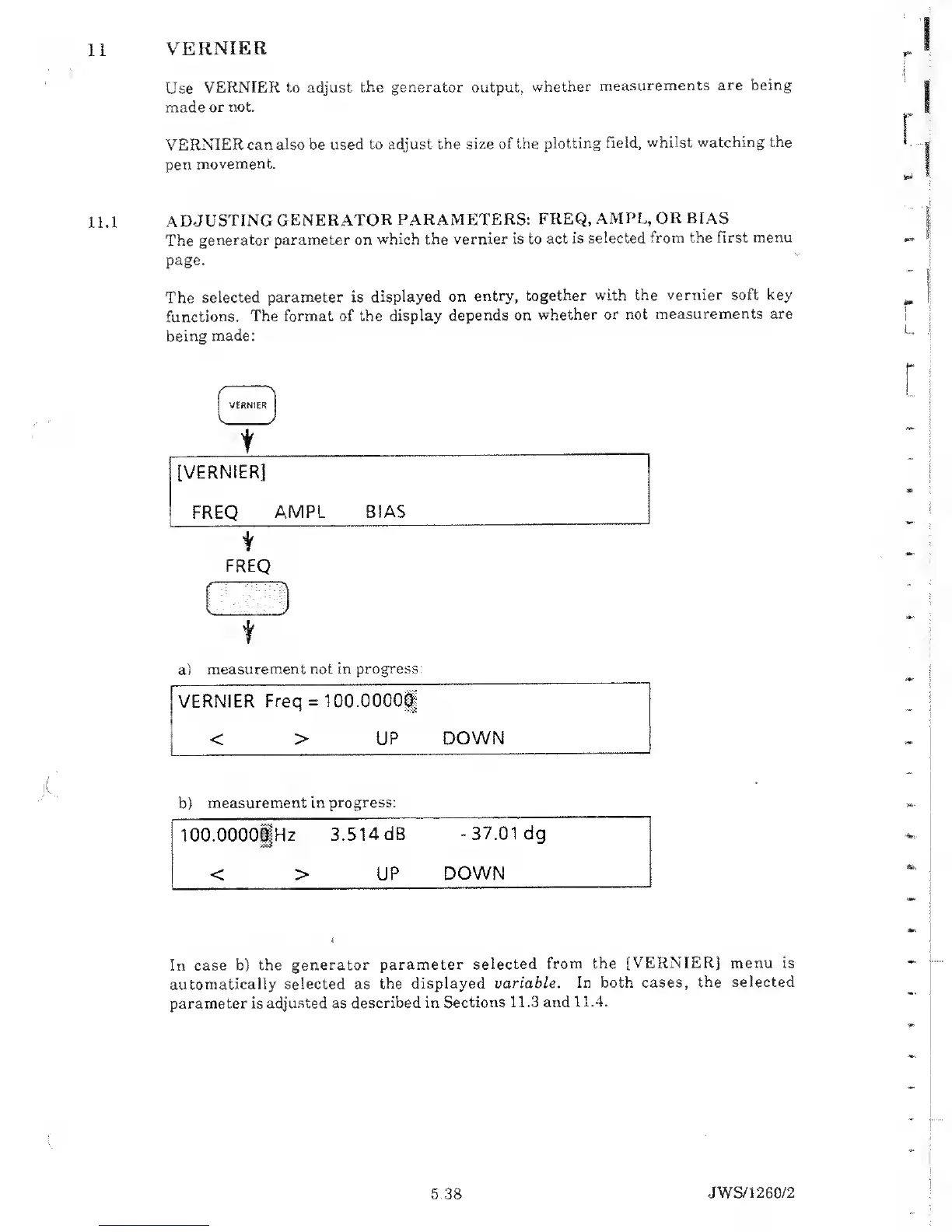
from the first menu
page.
The
selected
parameter is
displayed on
entry,
together
with the vernier soft key
functions.
The format of the
display
depends on
whether or not
measurements are
being
made:
/
'N
VERNIER
V >
t
[VERNIER]
FREQ
AMPL BIAS
FREQ
i i
t
a)
measurement not in
progress:
VERNIER
Freq
=
IGO.OOGO!
< >
UP
DOWN
b)
measurement
in progress:
lOO.OOOOgjHz
3.514 dB
-37.01
dg
< > UP
DOWN
In case b)
the generator
parameter
selected
from the
[VERNIER] menu is
automatically selected as
the displayed
variable.
In both cases,
the selected
parameter is adjusted as
described in Sections
11.3 and
11.4.
5.38
JWS/1
260/2

Table of Contents

Related product manuals