EasyManua.ls Logo

Solartron 1260 - Setting the Display Coordinates

Solartron 1260
295 pages
Print Icon
To Next Page IconTo Next Page
To Previous Page IconTo Previous Page
Loading...
_L2
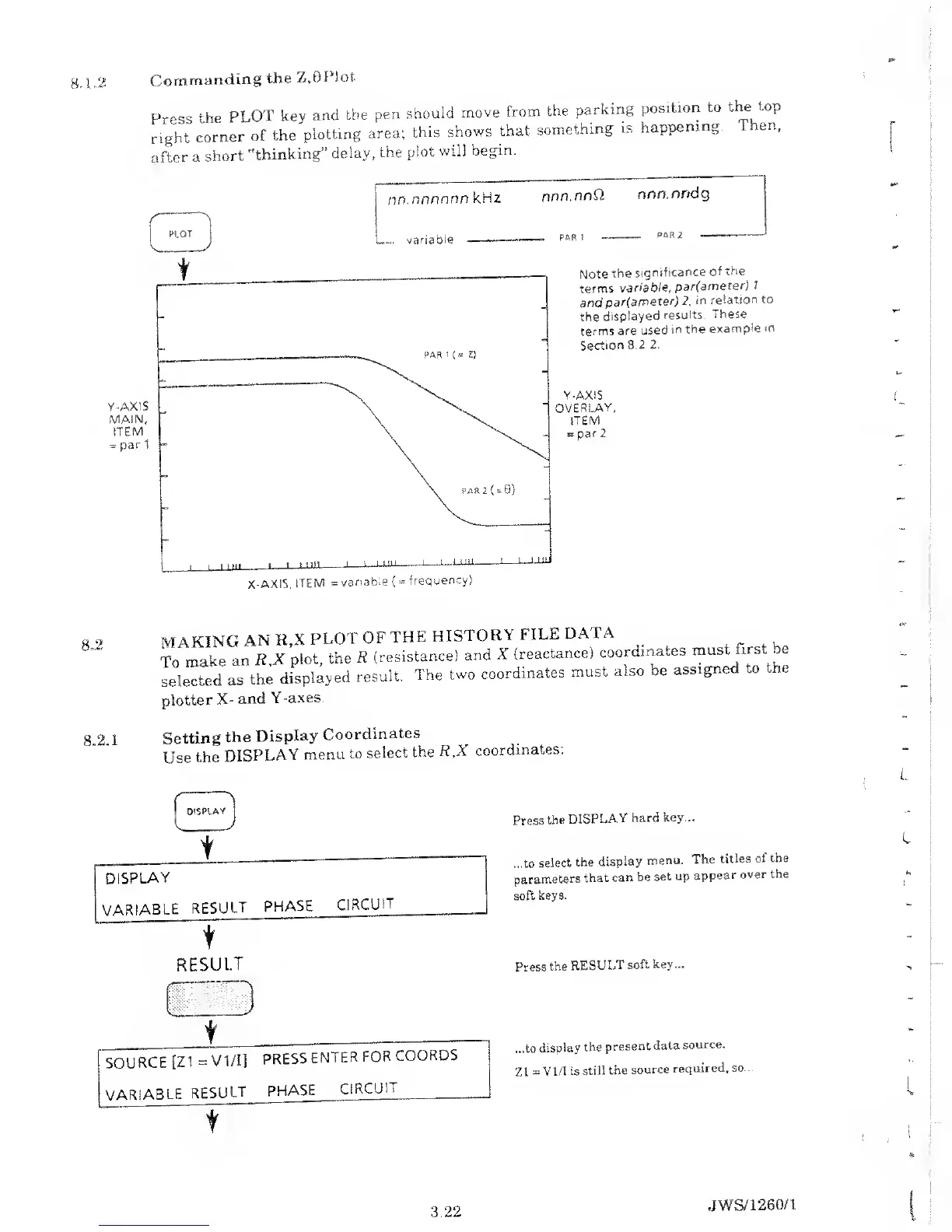
Commanding
the
Z,8PIot
Press
the
PLOT
key
and
the
pen
shouid
move
from
the
parking
position
to
the
top
right
corner
of the
plotting
area;
this
shows
that
something
is
happening.
1. en,
after
a
short
"thinking”
delay,
the
plot
will
begin.
nn.nnnnnn
kHz
nnn.nnQ
nnn.nndg
,
RIOT
V J
variaoie
Note
the
significance
of
the
terms
variable,
par(ameter)
7
and
par(ameter) 2,
in
relation
to
the
displayed
results.
These
terms
are used
in
the
example
m
Section
8.2
2.
Y-AXiS
OVERLAY,
ITEM
=
par
2
MAKING
AN
R,X
PLOT
OF
THE
HISTORY
FILE
DAI
A
,
To
make
an
R.X
plot,
the
R
(resistance)
and X
(reactance)
coordma.es
must
first be
selected
as
the
displayed
result.
The
two
coordinates
must
also
be
assigned
to
the
plotter
X-
and
Y-axes.
8.2.1
Setting
the
Display
Coordinates
Use
the
DISPLAY
menu
to
select
the
R,X
coordinates:
t
Press
the
DISPLAY
hard
key...
I
DISPLAY
...to
select
the
display
menu.
The
titles
of
the
parameters
that
can
be
set up
appear
over the
VARIABLE
RESULT
PHASE
CIRCUIT
soft
keys.
L.
t
RESULT Press
the
RESULT
soft key
...
t
...to
display
the
present
data
source.
Z1
=
VI
/I is
still
the
source
required, so...
SOURCE
[Z
1
= VI/I]
PRESS
ENTER
FOR
COORDS
VARIABLE
RESULT
PHASE
CIRCUIT
3.22
JWS/1260/1

Table of Contents

Related product manuals