EasyManua.ls Logo

Solartron 1260 - Page 38

Solartron 1260
295 pages
Print Icon
To Next Page IconTo Next Page
To Previous Page IconTo Previous Page
Loading...
p
v*
I
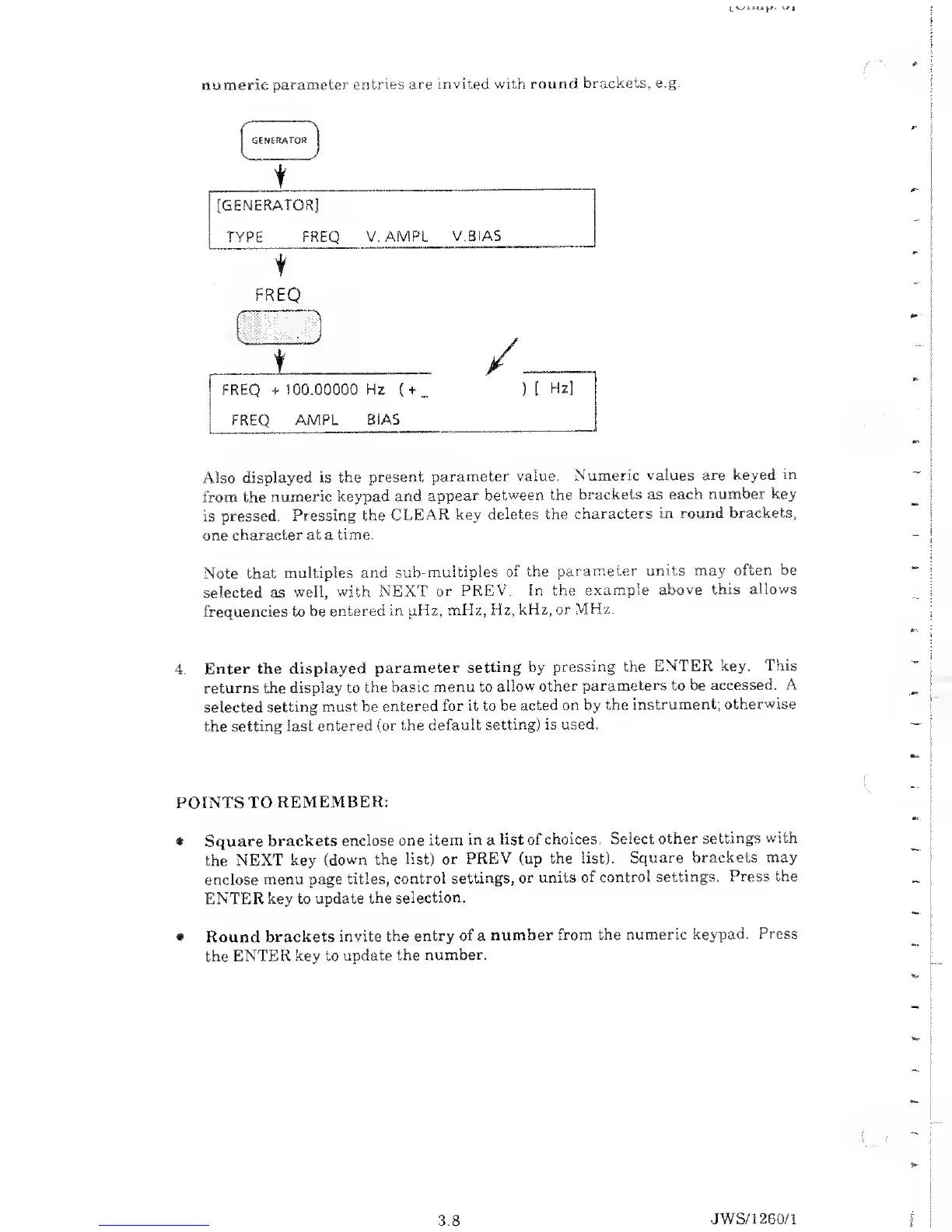
numeric parameter entries
are invited with
round
brackets, e.g.
! GENERATOR
j
[GENERATOR]
TYPE FREQ
V. AMPL
V.BIAS
t
FREQ
( )
+
/
j
i
FREQ
+ 100.00000 Hz
(
+•
...
) [
Hz]
:
FREQ AMPL
BIAS
Also
displayed is the
present
parameter
value.
Numeric values
are keyed in
from the
numeric
keypad and
appear between
the
brackets
as
each
number key
is
pressed.
Pressing
the CLEAR
key
deletes the
characters in
round brackets,
one character at a
time.
Note
that
multiples and
sub-multiples
of the
parameter
units may
often be
selected
as
well, with NEXT
or
PREV. In the
example
above this
allows
frequencies to he
entered in pHz,
mHz, Hz,
kHz, or
MHz.
4.
Enter the
displayed
parameter
setting by
pressing the ENTER
key. This
returns the
display to the
basic menu to
allow
other
parameters to be
accessed. A
selected setting
must be entered
for it to be
acted
on
by
the
instrument;
otherwise
the
setting last
entered (or the
default
setting) is
used.
POINTS TO
REMEMBER:
$
Square
brackets
enclose one
item in a
list of choices.
Select
other settings
with
the NEXT
key
(down the list)
or
PREV
(up
the
list). Square
brackets may
enclose menu page
titles,
control
settings,
or units
of control
settings. Press the
ENTER key to
update the
selection.
Round
brackets invite
the entry
of
a
number
from the
numeric keypad.
Press
the ENTER key to
update
the
number.
3.8
JWS/1 260/1

Table of Contents

Related product manuals