EasyManua.ls Logo

Solartron 1260 - Page 191

Solartron 1260
295 pages
Print Icon
To Next Page IconTo Next Page
To Previous Page IconTo Previous Page
Loading...
Key
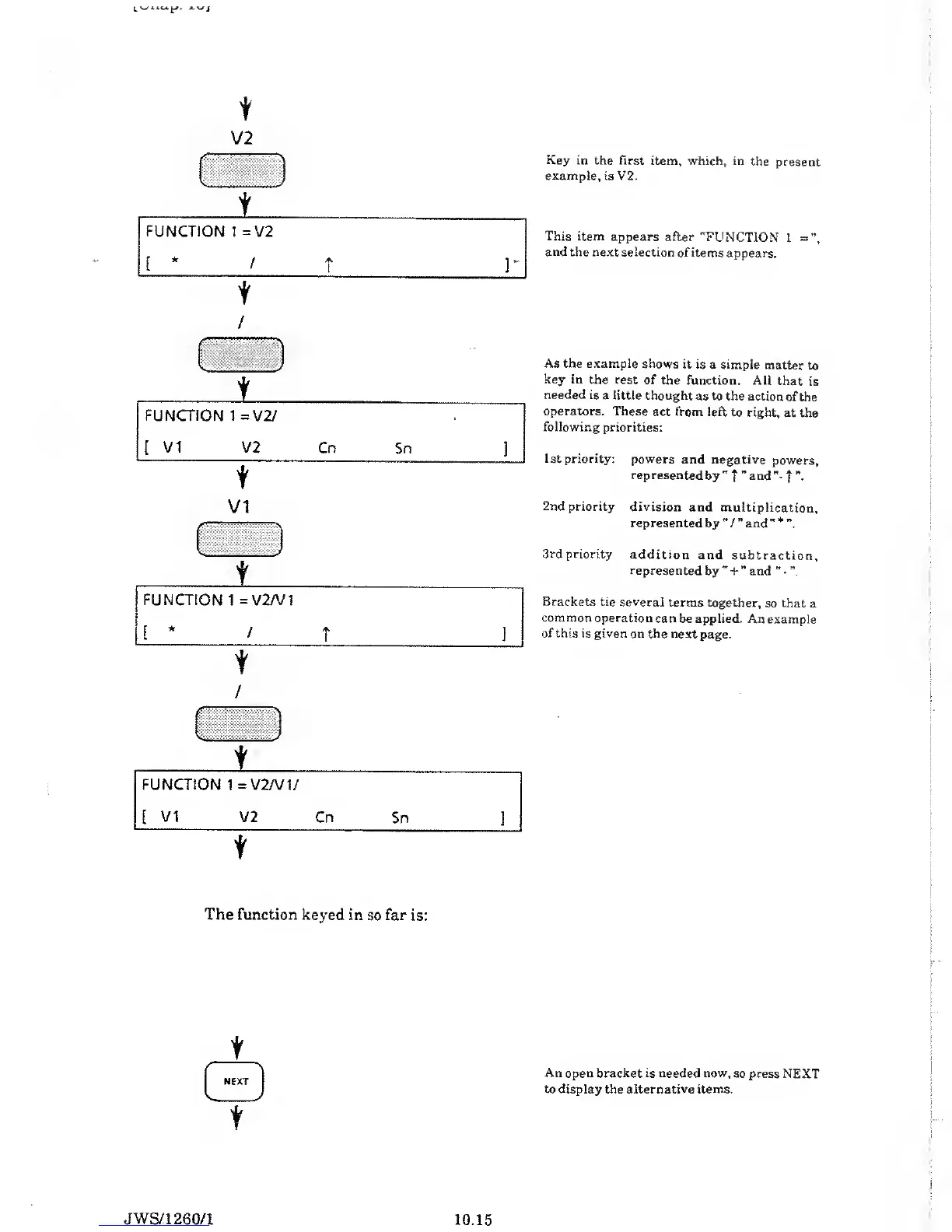
in the first item, which,
in the
present
example,
is V2.
t
V2
k
^
1
FUNCTION
1
=
V2
[
*
/
t
r
t
/
:
'
//.
*
s
>
i
FUNCTION 1 =V2/
[
VI
V2 Cn
Sn
]
t
VI
^
.
1
...
t
FUNCTION
1
=
V2/V
1
[
*
/
T
]
1
^
iisliii
i
FUNCTION
1
=
V2/V
1/
[
VI V2
Cn
Sn
]
t
This item
appears after
"FUNCTION
1
=",
and the
next selection
of items
appears.
As the example
shows it is
a simple
matter
to
key in
the rest of
the function.
All that
is
needed is
a little thought
as to the action
of the
operators. These
act from left
to right,
at the
following priorities:
1st priority: powers
and negative
powers,
represented
by
"
f
and
f
2nd priority division
and
multiplication,
represented
by
"
/
and
" *
3rd priority
addition and
subtraction,
represented
by
"
+
and
"
-
”,
Brackets
tie several
terms together,
so that a
common operation
can be applied.
An example
of this is given on
the next
page.
The function keyed
in
so
far
is:
t
o
t
An open bracket is needed now,
so press NEXT
to display the alternative items.
JWS/1
260/1
10.15

Table of Contents

Related product manuals