EasyManua.ls Logo

Solartron 1260 - Page 94

Solartron 1260
295 pages
Print Icon
To Next Page IconTo Next Page
To Previous Page IconTo Previous Page
Loading...
7.
1.2.1
7.1.3
7.1.4
7.2
7.3
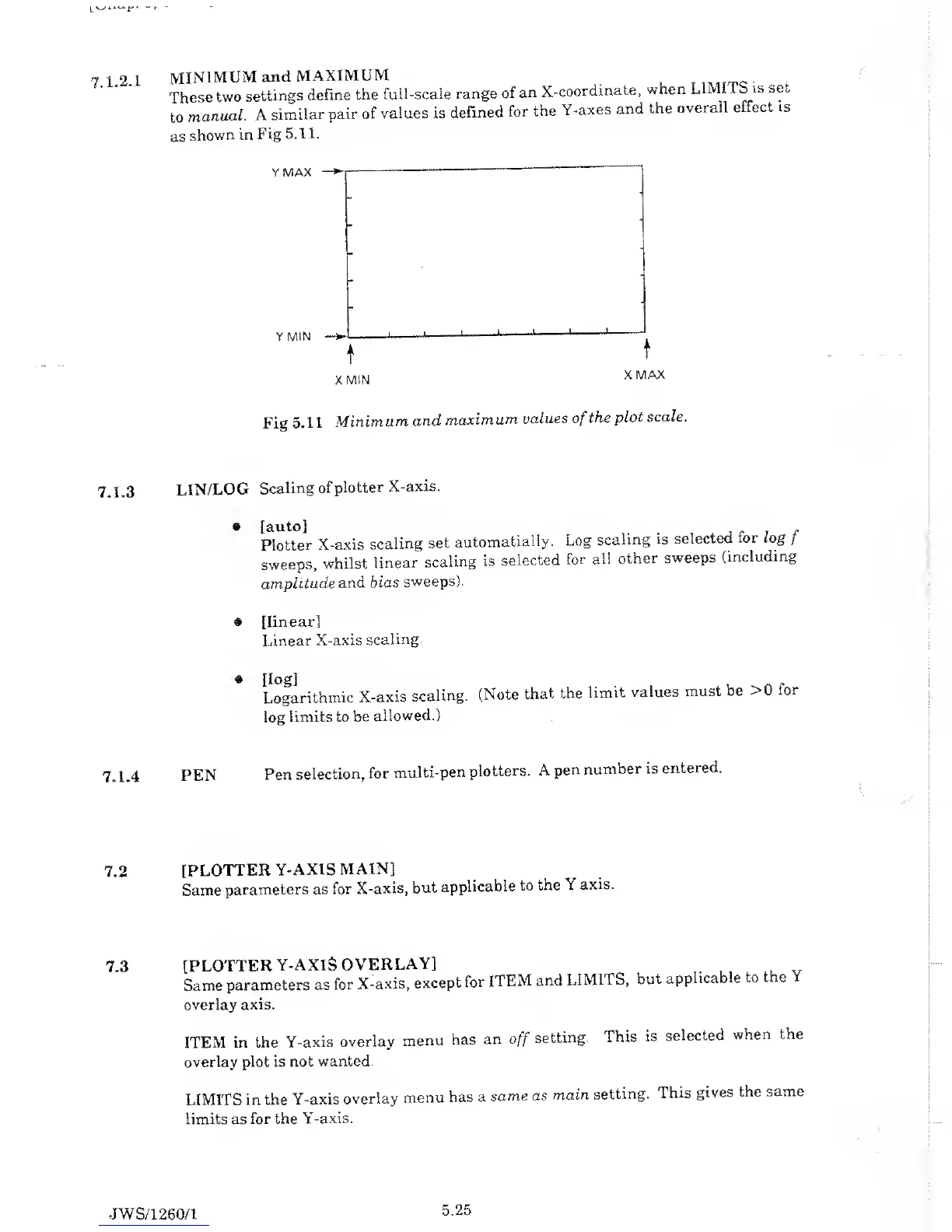
MINIMUM
and
MAXIMUM
_
T
.,
Tfrc
.
,
These
two
settings
define
the
full-scale range
of
an
X-coordinate,
when
LIMI
1 b
is
set
to
manual.
A
similar
pair of
values is
defined
for
the
Y-axes
and
the
overall
effect
is
as
shown
in
Fig
5.11.
Fig
5.1 1
Minimum
and
maximum
values
of
the
plot scale.
LIN/LOG
Scaling
of
plotter
X-axis.
Plotter
X-axis
scaling
set
automatially.
Log
scaling
is
selected
ior log
f
sweeps,
whilst
linear
scaling
is
selected
for
all
other
sweeps
(including
amplitude
and
bias
sweeps).
#
[linear]
Linear
X-axis
scaling.
Logarithmic
X-axis
scaling.
(Note
that
the
limit
values
must be
>0 for
log
limits
to be
allowed.)
PEN
Pen
selection,
for
multi-pen
plotters.
A
pen
number
is
entered.
[PLOTTER
Y-AXIS
MAIN]
Same
parameters as
for
X-axis,
but
applicable
to
the \
axis.
[PLOTTER
Y-AXIS
OVERLAY]
Same
parameters
as
for
X-axis,
except
for
ITEM
and
LIMITS,
but
applicable
to
the
overlay
axis.
ITEM
in the
Y-axis
overlay
menu
has
an
off
setting.
This
is
selected
when the
overlay
plot is not
wanted.
LIMITS
in the
Y-axis
overlay
menu
has a
same
as
main
setting.
This
gives
the
same
limits as
for the
Y-axis.
JWS/1260/1
5.25

Table of Contents

Related product manuals