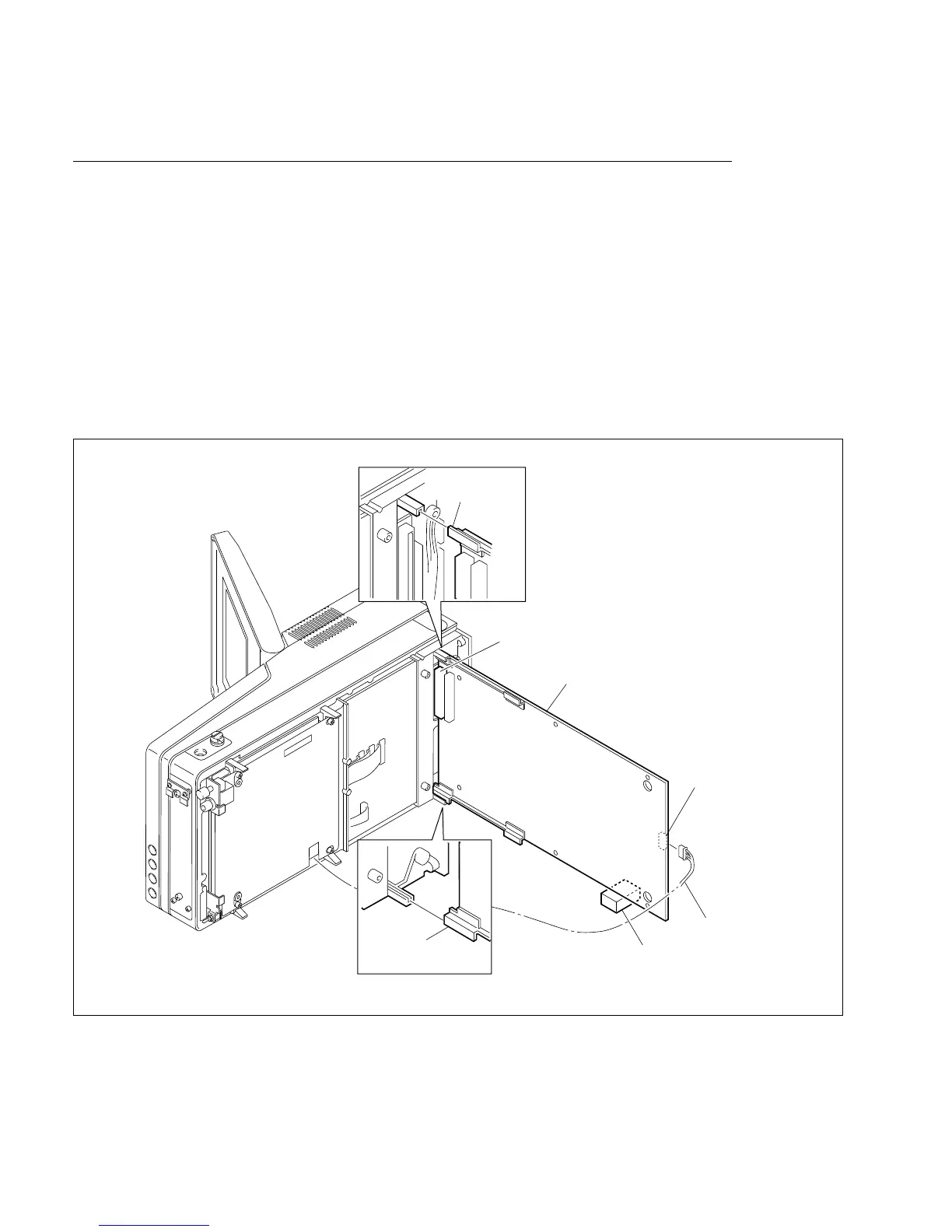
1-6
BVW-55 P2
Cushion
CN100
CN1
DM-121 board
Reinforcement
plate (portion A)
Harness
Reinforcement
plate (portion A)
Side A
1-1-3. DM-121 Board
Extension
n
Be sure to turn off the power when removing and installing the board. To turn off the power, be sure to
disconnect the cable connected at the DC IN connector or the battery, in addition to turning off the power
switch.
1. Remove the DM-121 board. (For the removal, refer to “1-8-2. DM-121 board” of the maintenance
manual Part1.)
2. Connect the connector (CN100) while inserting portions A of reinforcement plates on the DM-121
board into the foot grooves of the unit.
3. Connect the harness connecting between the RP-107 and DM-121 boards to the connector (CN1).
4. Place the cushion between the DM-121 board and floor to fix the DM-121 board.
1-1. Board Extension








 To Next Page