3-9
BVW-55 P2
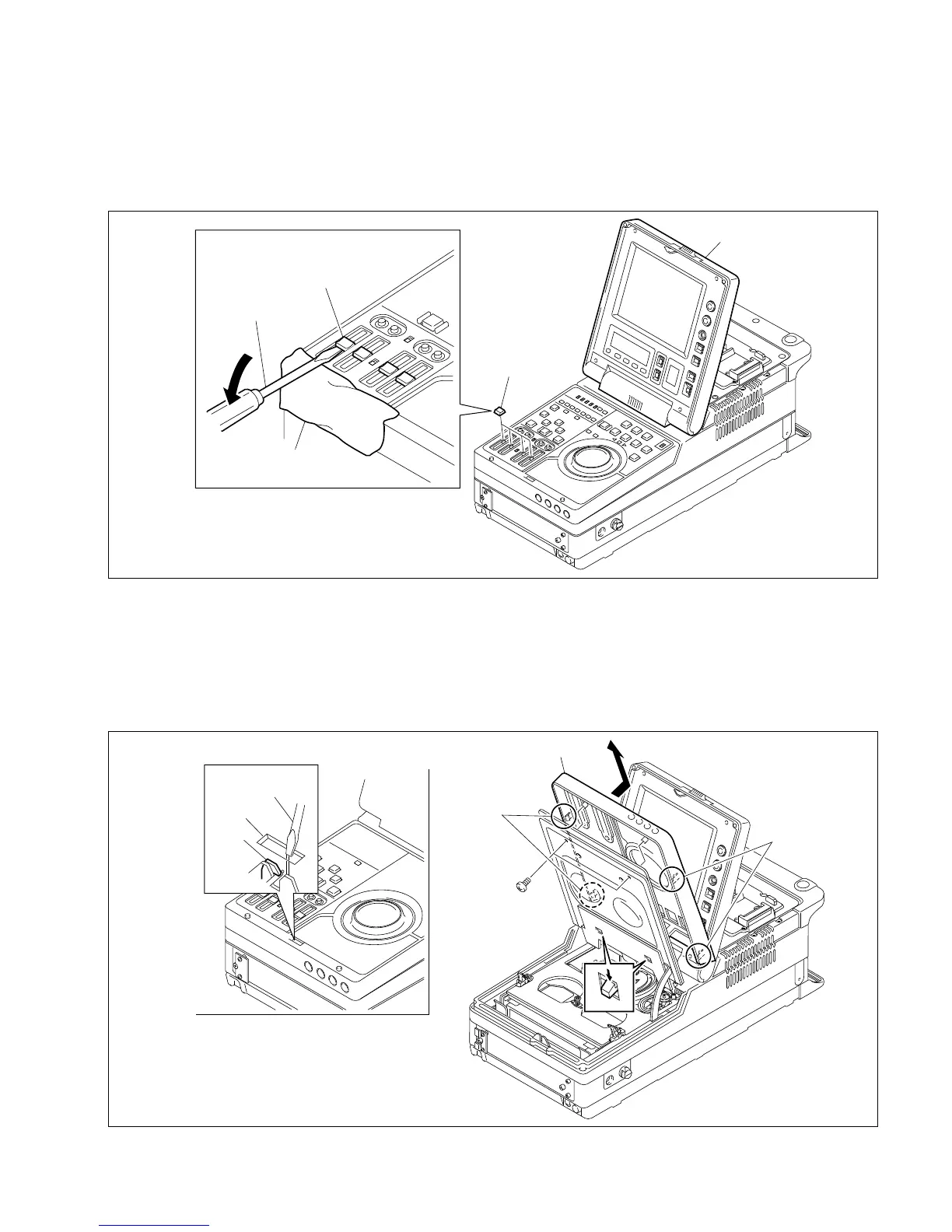
3-1-7. Control Panel Removal and Installation
1. Open the display panel.
2. Remove the fader control knobs as shown in the figure.
3 Insert a screwdriver into the square hole on the control panel, and unhook. Open the control panel.
4. Remove the two screws fixing the control panel.
n
Be careful no to drop the removed screws in the mechanical deck assembly.
5. Remove the six claws on the control panel, then remove the control panel in the direction indicated
by the arrow.
6. Install the control panel in the reverse order of removal.
Display panel
Fader control knobs
Fader control knob
Flatblade screwdriver
Cloth or similar one
BVTT3 x 8
Control panel
Claws
Claws
Hook
Flatblade
screwdriver
Hole
Claws
3-1. General Information on Parts Replacement and Alignment








 To Next Page