3-29
BVW-55 P2
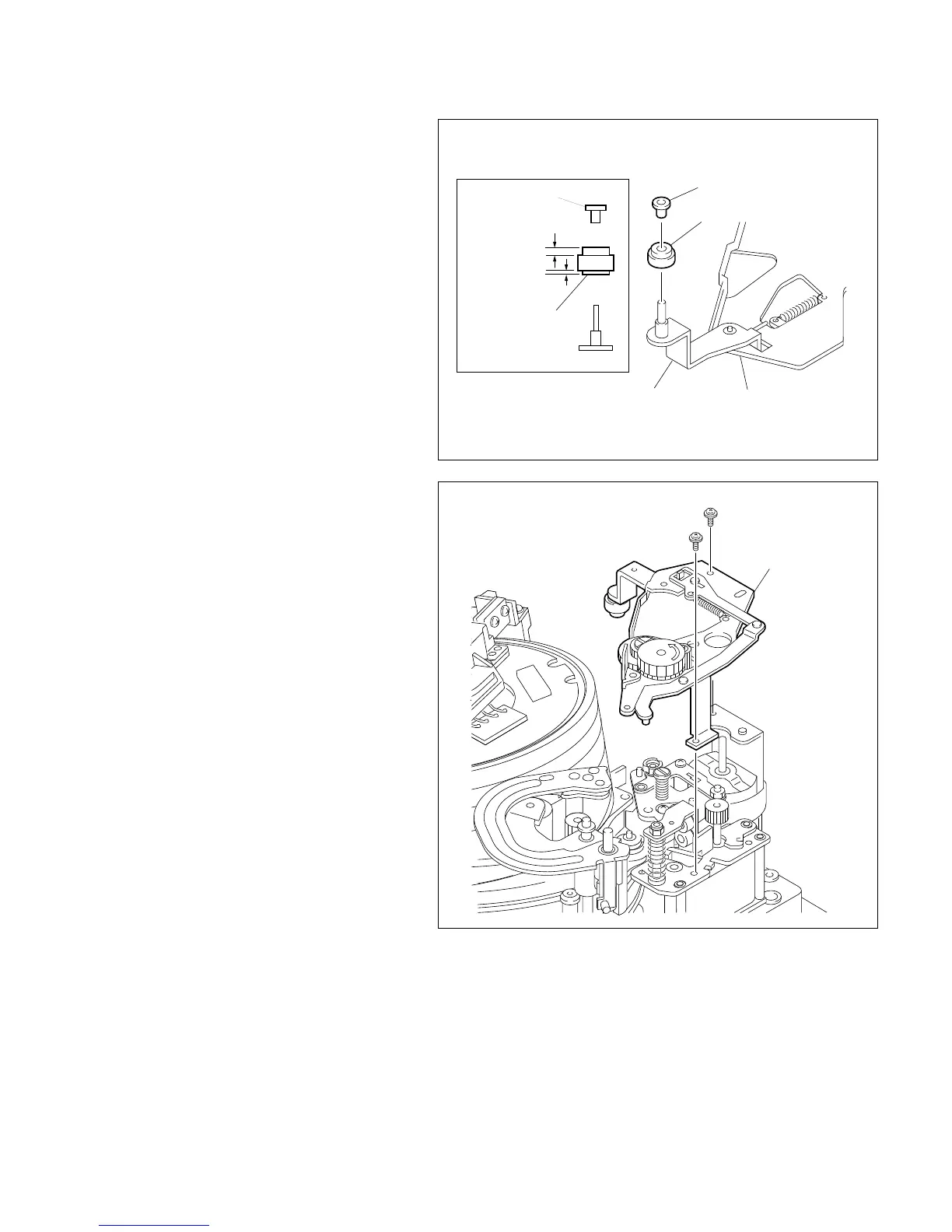
2. Cleaning roller replacement
(1) Remove the CR cap, and then lift the clean-
ing roller out.
(2) Put a new cleaning roller into the shaft in the
direction indicated by the figure.
(3) Push a new CR cap into the shaft and push
the spacer as far as it will go while supporting
the arm by finger.
3. VH cleaner assembly installation
(1) Install the VH cleaner assembly with the two
screws.
[Tightening torque: 9 x 10
_2
N.m
{0.9 kgf.cm}]
3-6. Video Head Cleaner Replacement
CR cap
CR cap
Wide
Narrow
Cleaning roller
Cleaning roller
VH cleaner assembly
Arm
PWH1.4 x 3.5
VH cleaner assembly






 To Next Page