1-1. DSR-2000
Chapter 3 Recording and Playback
54
Chapter 3 Recording and Playback
Playback using the capstan override function
You can use the capstan override function to adjust the playback speed
temporarily. This function is convenient for playback phase
synchronization with another VCR playing back the same program.
1
(A) Hold down the PLAY button, and turn the search dial in the
desired direction to adjust the playback speed.
The range of speed adjustment is ±15% in steps of 1%.
(B) Hold down the PLAY button, and press the TRIM buttons to
adjust the playback speed.
The playback speed can be adjusted to ±8% only.
The SERVO indicator in the display section goes off.
2
When the adjustment is completed, release the PLAY button.
The tape transport returns to normal speed, and the SERVO indicator
in the display section lights on again.
Display section
Chapter 3 Recording and Playback
Chapter 3 Recording and Playback
55
Dynamic Motion Control (DMC) Playback
Overview
DMC playback allows you to vary the playback speed for a certain section
of a tape, in variable mode (from −1 to +1 times normal speed), and store
the varying speed in memory for later playback at the same varying speed.
For example, during a live broadcast of a sporting event you can set the
start and end points of highlights while recording, and then provide
immediate DMC playback of those highlights.
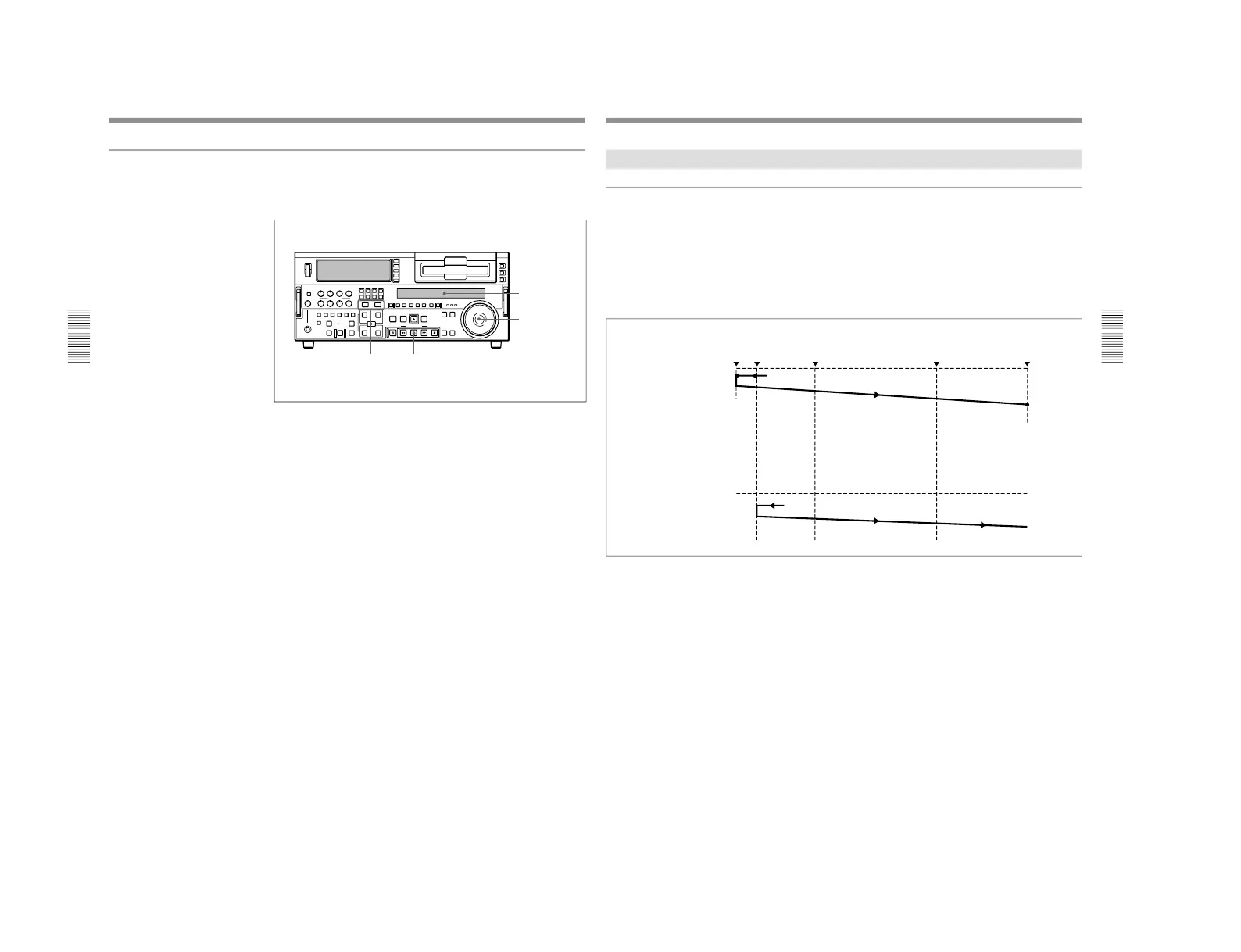
During DMC playback the tape moves as shown in the following figure.
On-air start point
Preroll point Speed variation start point
Speed variation end point
On-air end point
Waiting for the on-air cue
before starting DMC playback.
Stop
Press the REVIEW button.
Normal speed
playback
DMC playback
Normal speed playback
Stop
Press the REVIEW button
again at the on-air cue.
Starting DMC playback
immediately after preroll
Press the PREVIEW button.
Normal speed
playback
DMC playback
Normal speed playback



 To Next Page