1-1. DSR-2000
Chapter 4 Editing
80
Chapter 4 Editing
Checking Edit Results—Preview
When you have set the edit points, the PREVIEW button flashes,
indicating that you can carry out a preview.
To carry out a preview, press the PREVIEW button.
The PREVIEW button changes from flashing to continuously lit, and the
preview is carried out.
At the end of the preview, the PREVIEW button flashes again.
To stop the preview
Press the STOP button.
The tape stops at the position where you pressed the button.
To return the tape to the preroll point
Press the PREROLL button.
To return the tape to the IN point or OUT point
Press the PREROLL button and the IN button or OUT button
simultaneously.
After the preview, make any necessary adjustments to the edit points, then
repeat the preview.
For details of how to modify or delete edit points, see the section “Modifying Edit
Points” (page 76).
PREVIEW button
Automatic Editing
Chapter 4 Editing
Chapter 4 Editing
81
Monitor output during a preview
During a preview, you can monitor the following video and audio on a
monitor connected to the recorder.
•From the preroll point to the IN point, you can monitor the playback from
the recorder.
•From the IN point to the OUT point, you can monitor the playback from
the player through the recorder in E-E mode.
•From the OUT point to the postroll point, you can monitor the playback
from the recorder.
The following figure illustrates this.
Executing Automatic Editing
Overview of editing operations
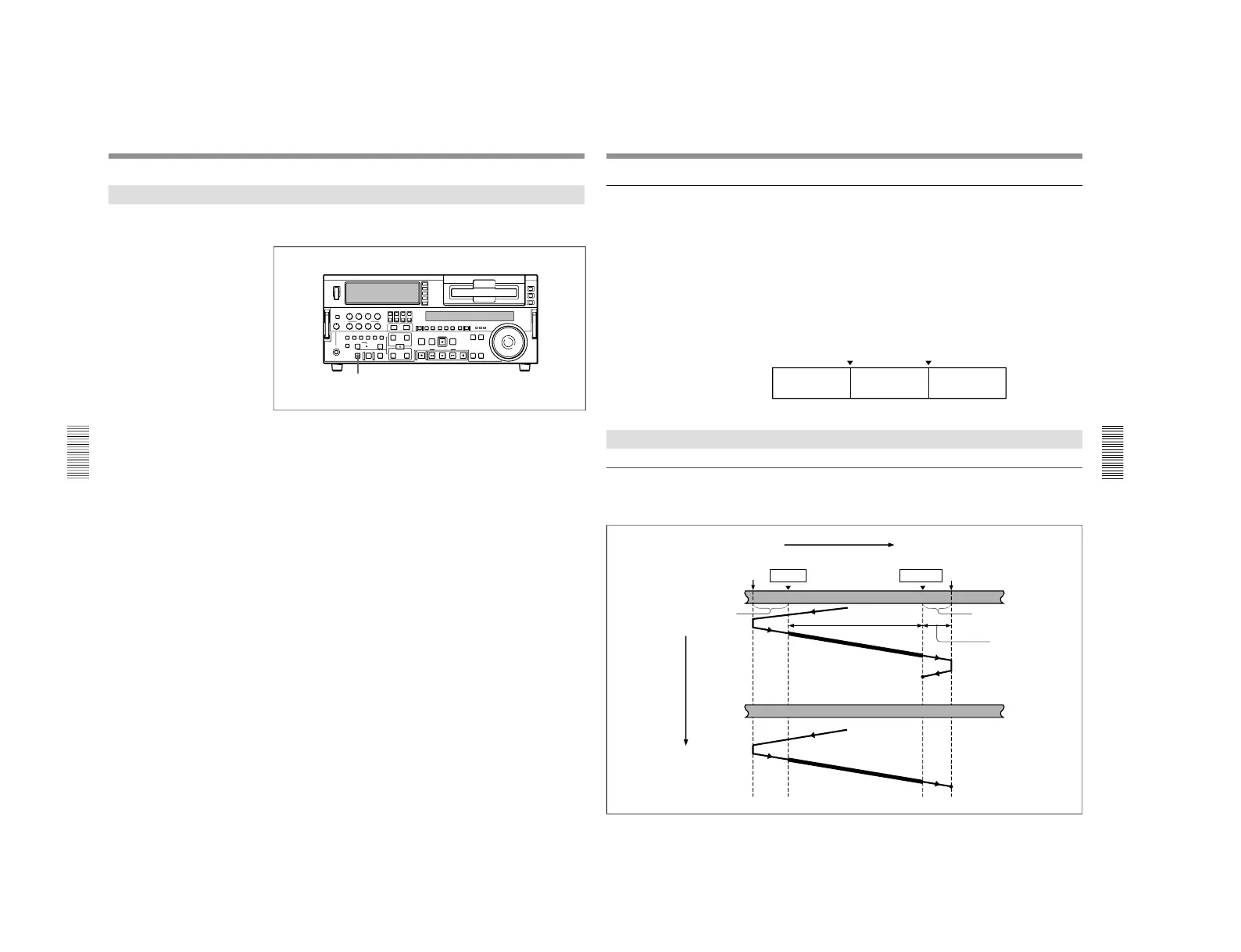
The figure below shows how the recorder and player operate during
editing.
IN point
OUT point
Playback (recorder)
E-E mode (player)
Playback (recorder)
Tape transport
Preroll point
IN point
OUT point Postroll point
Recorder
Preroll
Editing results
Postroll
Recording overlap
(When editing in
assemble mode)
Stop
Player
Time flow
Playback
Stop



 To Next Page