1-1. DSR-2000
Chapter 4 Editing
82
Chapter 4 Editing
Monitor output during an edit
During execution of an automatic edit, on a monitor connected to the
recorder, you can monitor the same video and audio as during a preview
(see page 81).
However, during preread editing (see page 87), only the playback from the
recorder can be monitored.
Using a single monitor for video and audio on both player and recorder
For efficient editing if only one monitor is available, use the following
method.
1
Connect the monitor to the recorder.
2
In the setup menus, set item 008 to
“AUTO”.
3
Press the PLAYER button on the recorder.
This forces the recorder to E-E mode, in which the player video and
audio signals are output to the monitor.
Note
Continuous recording must exist on the recorder tape to be used in issert
editing. It is not possible to carry out editing on a section of the tape with
no signal recorded.
Starting automatic editing
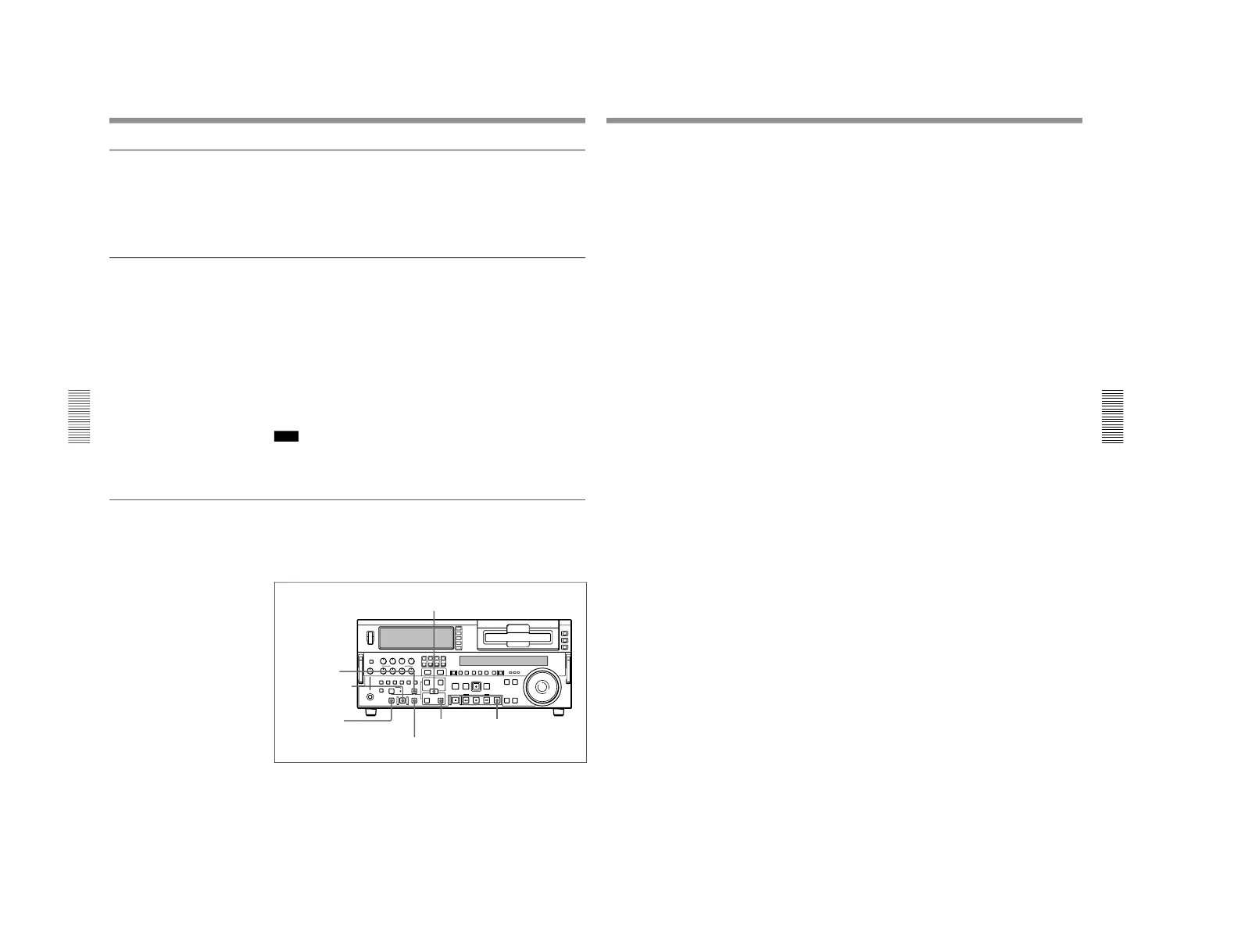
When you have set the edit points, press the flashing AUTO EDIT button.
The AUTO EDIT button changes from flashing to continuously lit, and the
automatic editing operation begins.
At the end of the editing operation, the AUTO EDIT button goes off.
ENTRY/SHIFT button
DELETE button
AUTO EDIT button
PREVIEW button
REVIEW button
OUT button STOP button
Automatic Editing
Chapter 4 Editing
Chapter 4 Editing
83
To change the OUT point after starting automatic editing
operation
After starting the automatic editing operation, to end the operation before
the preset OUT point, hold down the ENTRY/SHIFT button and press the
OUT button.
The position where you pressed the button becomes the OUT point, and
editing ends.
To abandon automatic editing
Press the STOP button.
The automatic editing operation is abandoned. At the same time, the
PREVIEW button and AUTO EDIT button start flashing, and the state
before the editing was started is restored.
In this case, the IN and OUT points already set are preserved so that you
can carry out a preview or automatic editing operation again by pressing
the PREVIEW button or AUTO EDIT button.
Reviewing the editing results
After carrying out an editing operation, you can carry out a review, to
check the editing results on the monitor.
To carry out a review, after carrying out the edit, and before you set any
new edit points or make other settings, press the REVIEW button.
The REVIEW button lights, and the review is carried out.
At the end of the review the REVIEW button goes off, and the tape returns
to the OUT point.
After automatic editing, to adjust the edit points and reexecute
the edit
Hold down the DELETE button and press the ENTRY/SHIFT button to
recall the edit points. After adjusting the edit points, press the AUTO
EDIT button to carry out the edit again.
For details of how to adjust edit points, see the section
“Modifying Edit Points
”
(page 76).



 To Next Page