5-10
HDS-7150/7100
5-9. Installation of Switch Tip (accessory)
The BKDS-2010 is supplied with the switch tips.
For installing the switch tip, use the cap pull tool.
Tool number : 3-179-054-01
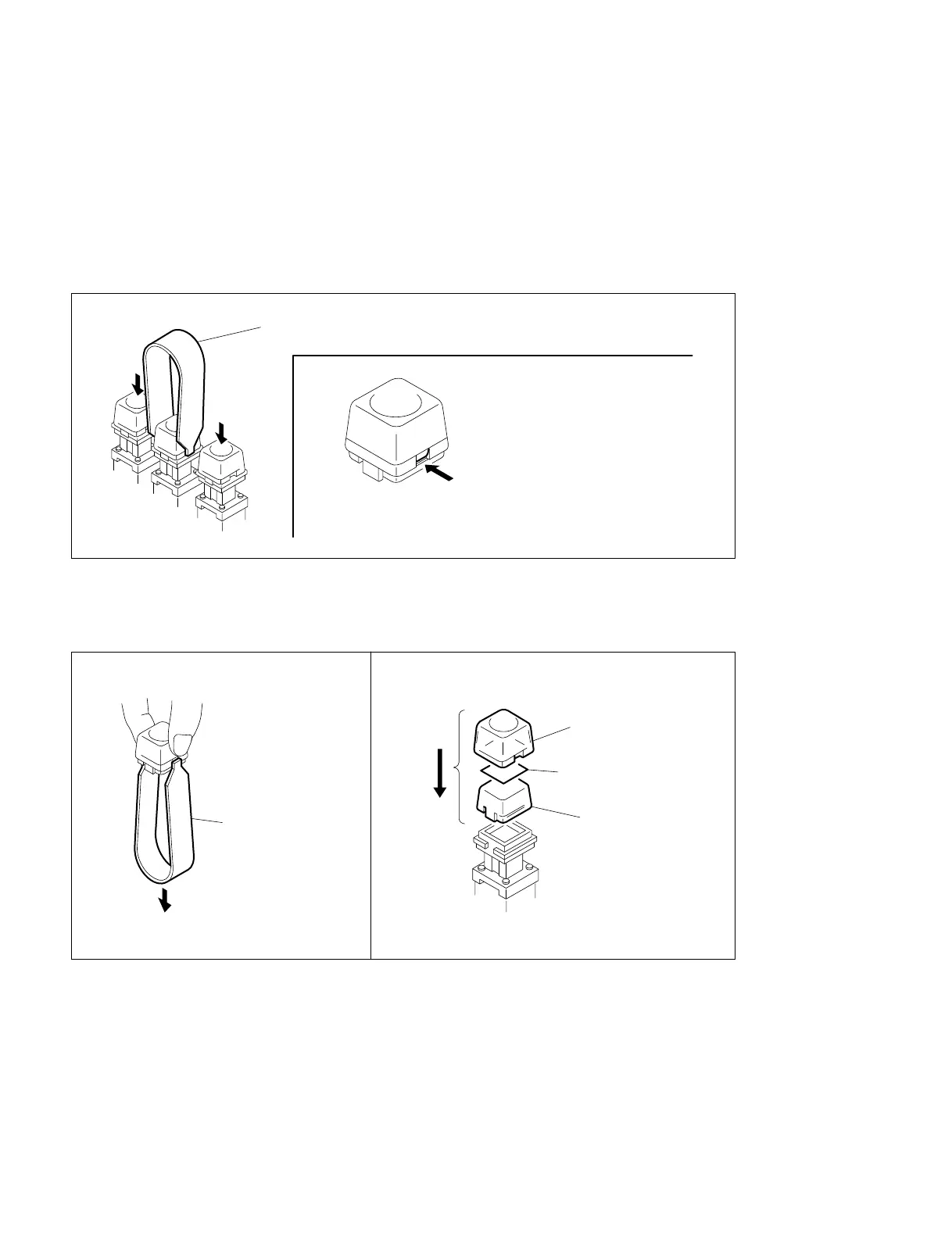
(1) Push down the keys on both sides and insert the cap pull tool in the gap between key and sides.
(2) Hold the key top to remove it.
(3) Pull the cap pull tool with holding the cap, and remove the diffusion plate, switch tip, and key top.
(4) Insert the switch tip (key top sheet) between diffusion plate (milky white color) and key top (clear) as
shown below, and assemble them by pushing in the key.
Cap pull tool
Hook the cap pull tool here.
Cap pull tool
Key top
Switch tip
Diffusion plate
BKDS-2010
5-9. Installation of Switch Tip (accessory)



 To Next Page