Other Information
88
D:\WINNT\Profiles\fujii\Desktop\Troy book source\2597544111c20_TROY
Source data\01US08OTH.fm
masterpage:3 columns Right
KDF-E42A10/KDF-E50A10
2-597-544-11(1)
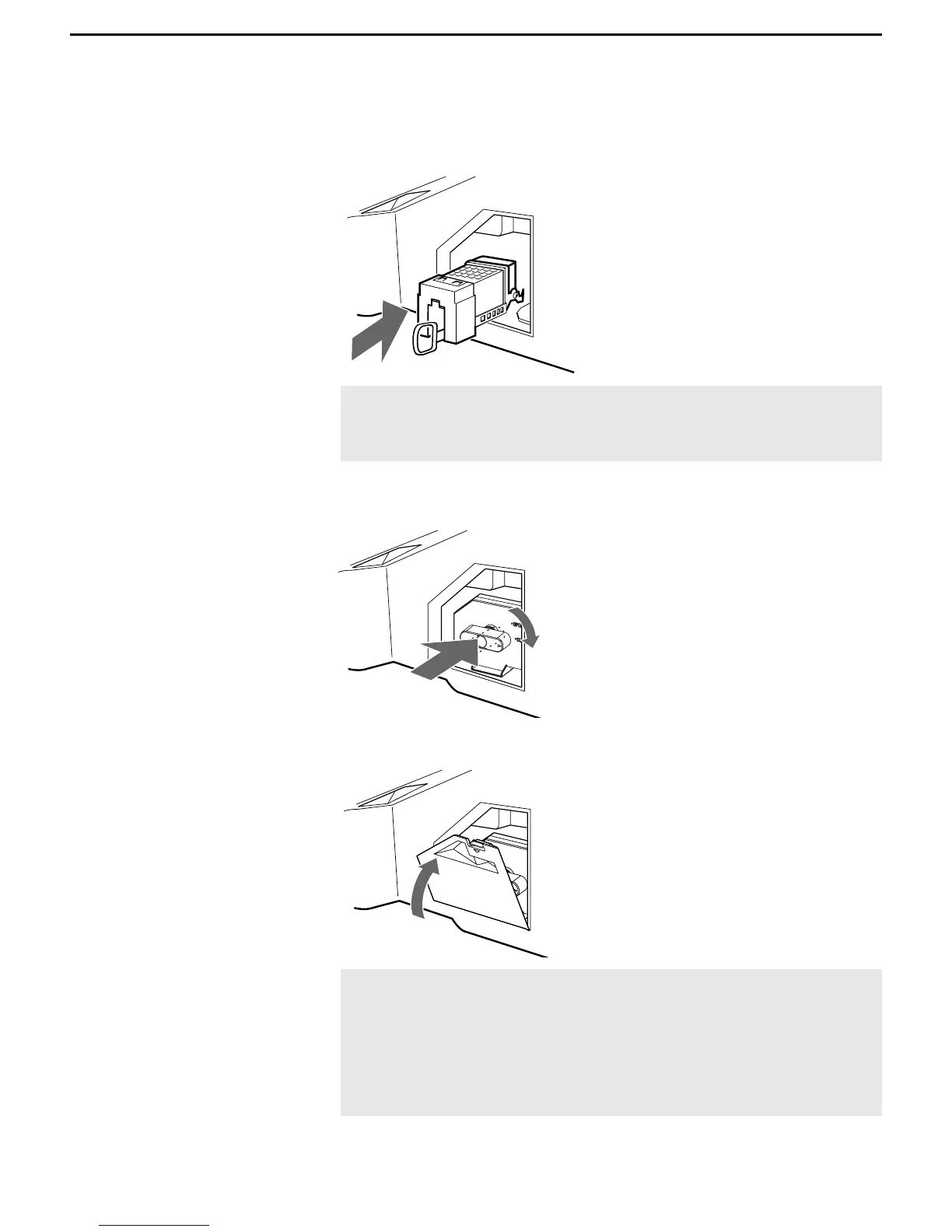
7 Put the new lamp into its place.
Mount the new lamp securely. Failure to do so may cause a fire or the
screen to go dark.
8 Reattach the lamp door.
Turn the knob back to CLOSE and secure the cover.
9 Put the outside lamp cover back in its place.
✍ If the lamp is not securely reattached, the self-diagnostic
function may be triggered and the POWER/STANDBY indicator
flashes three times (see page 12).
✍ Consult your Sony dealer for a Sony XL-2400 replacement
lamp.
✍ Take great care when replacing the lamp or plugging
in/unplugging the connecting cords. Rough handling may
cause the TV to fall, damaging the TV, the TV stand and the
floor.



 To Next Page